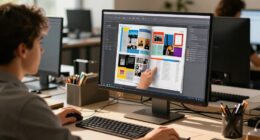
To improve daily work comfort, start with an adjustable standing desk that promotes good posture and allows quick switching between sitting and standing. Use ergonomic accessories like monitor arms at eye level, keyboard trays, anti-fatigue mats, and footrests to support proper alignment. Position your monitor directly in front of you, with the top at eye level, and keep your elbows close to your body. Exploring these tips can help you create a healthier, more comfortable workspace—keep going for more essential details.

Get everyday essentials delivered free with Prime
- Fast, free delivery on millions of items
- Prime Video, Amazon Music and more included
- Member-only deals all year
Key Takeaways
- Use an adjustable standing desk to easily switch between sitting and standing positions for better comfort.
- Ensure proper ergonomic setup, with monitors at eye level and keyboards at a natural, 90-degree elbow angle.
- Incorporate accessories like anti-fatigue mats and footrests to reduce fatigue and improve circulation.
- Position your workspace so screens are directly in front and at an arm’s length distance to prevent strain.
- Regularly change positions and take breaks to minimize discomfort and support overall health during work.

Have you ever wondered if standing desks could improve your workday? If you spend hours at a desk, switching to a standing desk might be just what you need to boost comfort and productivity. One of the key benefits is that standing desks promote better posture and reduce the risk of aches associated with prolonged sitting. But to get the most out of your standing desk, you should consider ergonomic accessories and an adjustable height feature. These elements help you customize your workspace to fit your body perfectly, minimizing strain and fatigue.
An adjustable height standing desk allows you to switch between sitting and standing throughout the day. This flexibility is crucial because standing all day can lead to discomfort if the desk isn’t properly aligned with your body. When choosing a desk with adjustable height, look for one that offers smooth, easy adjustments so you can find the optimal level quickly. This capability ensures your monitor, keyboard, and mouse are positioned at the right height, keeping your neck and wrists in a neutral position. Proper alignment prevents common issues like neck strain, back pain, and repetitive stress injuries. Incorporating ergonomic principles helps optimize your setup for comfort and health. Additionally, understanding how indoor air quality affects your comfort can further enhance your workspace environment.
In addition to adjustable height, ergonomic accessories can make a significant difference. A good monitor stand or arm keeps your screen at eye level, reducing neck strain. A keyboard tray or an adjustable keyboard stand can help position your keyboard and mouse at a comfortable height, preventing wrist fatigue. Anti-fatigue mats are another ergonomic accessory worth considering, as they provide cushioning when you’re standing, reducing pressure on your feet and legs. Footrests can also help shift your weight and improve circulation, especially during longer periods of standing. Proper workspace setup is essential to fully benefit from ergonomic principles and avoid discomfort. Incorporating ergonomic principles into your setup ensures a healthier and more comfortable workspace. Your overall comfort depends on how well you set up your standing desk with these ergonomic accessories. Ensure your screen is directly in front of you, about an arm’s length away, and your eyes are level with the top of the monitor. Keep your elbows close to your body, bent at roughly 90 degrees, when typing. The combination of adjustable height and ergonomic accessories enables you to create a workspace that supports your posture and energy levels throughout the day.
Products Worth Considering

Bose S1 Pro+ Portable PA Speaker

Levoit Eleva 300X HEPA Air Purifier

Shark Navigator Lift-Away Upright Vacuum (NV360)
As an affiliate, we earn on qualifying purchases.
Frequently Asked Questions
How Do I Stabilize My Standing Desk on Uneven Flooring?
To stabilize your standing desk on uneven flooring, start by checking for floor leveling issues. Use shims or adjustable feet to achieve a flat, stable surface, ensuring your desk remains steady during use. Secure any loose screws or bolts to improve desk stability. If necessary, place a non-slip mat underneath to prevent sliding. Regularly inspect and adjust these elements to maintain stability and keep your workspace comfortable.
Can I Use a Standing Desk With a Treadmill?
Yes, you can use a standing desk with a treadmill, turning it into a walking workstation. Look for a desk designed to accommodate a desk treadmill, which provides stability and enough space for movement. Make certain your treadmill has adjustable speed settings and fits comfortably under your desk. This setup helps you stay active during work hours, boosting your energy and productivity while reducing sedentary habits.
What Are the Best Anti-Fatigue Mats for Standing Desks?
Think of anti-fatigue mats as the foundation of your ergonomic setup, easing your stand like a soft landing for tired feet. The top anti-fatigue mats for standing desks are cushioned, durable, and support proper posture, reducing fatigue. Brands like Topo Comfort and Everlast offer excellent options, providing comfort and stability. Pairing these with ergonomic accessories transforms your workspace into a haven of comfort, boosting productivity and reducing discomfort during long work hours.
How Often Should I Switch Between Sitting and Standing?
You should switch between sitting and standing every 30 to 60 minutes to promote healthy alternating postures. Taking sitting breaks regularly helps prevent fatigue and discomfort. Listen to your body—if you feel sore or strained, it’s time to change positions. Incorporate short movement breaks and adjust your desk height as needed. This routine keeps your muscles engaged, reduces strain, and boosts your overall comfort throughout the workday.
Are There Recommended Accessories to Improve Ergonomics?
Think of your workspace as a symphony, where accessories harmonize for comfort. You should consider an ergonomic keyboard to reduce strain and monitor risers to guarantee your screen is at eye level. These accessories act like the conductor’s baton, guiding your posture into a balanced, strain-free position. Using them helps prevent discomfort and fatigue, making your workday smoother and more enjoyable.
Conclusion
Think of your standing desk as a trusty ship steering the seas of your workday. When you adjust your sails—your desk height—and keep your course steady with proper posture, you steer clear of choppy waters like discomfort and fatigue. With each mindful shift, you’re charting a smoother voyage, sailing toward better comfort and health. Embrace these basics as your compass, and soon, your daily work journey will feel lighter, more balanced, and truly manageable.