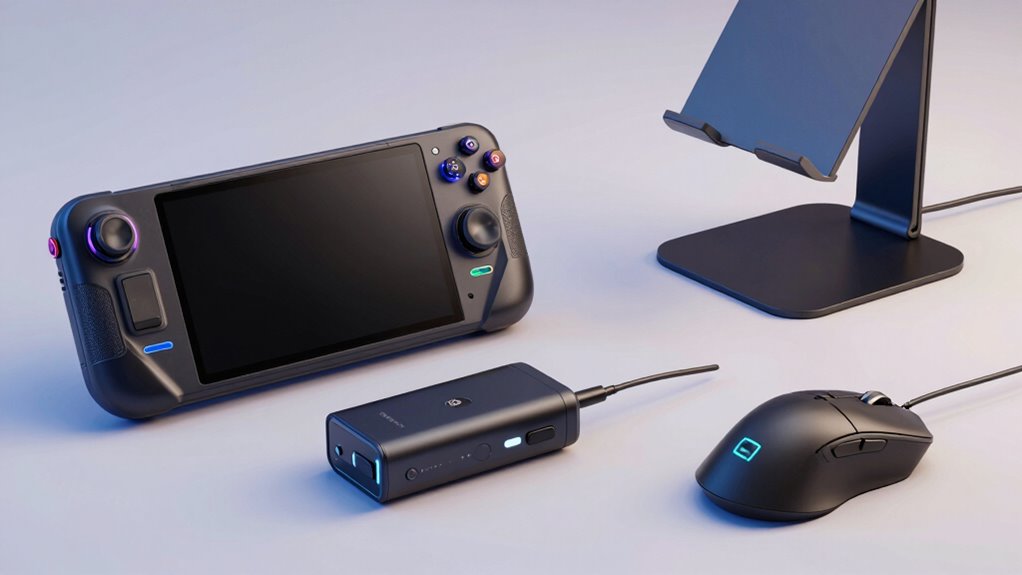

Finding the right accessories can significantly improve your Steam Deck experience, whether you’re gaming on the go or at home. The best overall pick is the JSAUX ModCase with Cooler Set for its comprehensive protection and cooling features, while the Ugreen Nexode 100W Charger stands out as a powerful, versatile charging option. Other standout choices include docking stations that expand connectivity and cooling fans to prevent overheating. However, buyers face tradeoffs like size, price, and compatibility, making it important to choose accessories that suit their specific needs. Continue reading to see a detailed breakdown of the top options and what makes each one unique.

Get everyday essentials delivered free with Prime
- Fast, free delivery on millions of items
- Prime Video, Amazon Music and more included
- Member-only deals all year
Key Takeaways
- The most versatile accessories combine protection, connectivity, and cooling to maximize the Steam Deck’s performance.
- Charging accessories with high wattage outputs are essential for quick top-ups, especially when using power-hungry peripherals.
- Docking stations that support 4K output and multiple ports offer the best expansion, but they tend to be larger and pricier.
- Protective cases and screen protectors are key for durability but can sometimes add bulk or affect portability.
- Price varies widely; investing in premium accessories often yields better durability and features, but budget options can still provide good value.
| JSAUX Carrying Case for Steam Deck / Steam Deck OLED – Hard Shell Travel Case |  | Best Overall For Portable Protection and Convenience | Compatibility: Steam Deck, Steam Deck OLED | Material: Hard shell exterior with soft padded lining | Storage: Dual-layer (upper for console and microSD cards; lower for accessories) | VIEW ON AMAZON | See Our Full Breakdown |
| UGREEN Nexode 100W GaN USB C Charger, 4-Port Foldable Fast Charging Adapter |  | Best Value for Versatile Fast Charging on the Go | Max Power Output: 100W | Ports: 3 USB-C, 1 USB-A | Max Current: 5A | VIEW ON AMAZON | See Our Full Breakdown |
| JSAUX PC0104 ModCase Compatible with Steam Deck |  | Best for Full-Protection and Customization | Compatibility: Steam Deck OLED (2023/2024+) and LCD | Material: Eco-friendly PC-ABS and TPU | Includes: Detachable front cover, metal kickstand, silicone strap | VIEW ON AMAZON | See Our Full Breakdown |
| JSAUX 6-in-1 Docking Station for Steam Deck, ROG Ally X, Legion Go |  | Best for High-Performance Connectivity and Multimedia | HDMI Output: 4K@120Hz | Power Delivery: 100W | USB Ports: 3 x USB A 3.0 | VIEW ON AMAZON | See Our Full Breakdown |
| Syntech Protective Silicone Case for Steam Deck OLED & LCD – Gray |  | Best for Budget-Friendly All-Around Protection | Compatible Devices: Steam Deck OLED & LCD | Material: Recycled Silicone | Color: Gray | VIEW ON AMAZON | See Our Full Breakdown |
| Anker Steam Deck Dock, 6-in-1 4K@60Hz HDMI Docking Station for Steam Deck |  | Best Overall | HDMI Output: 4K@60Hz | Power Delivery: 100W | Ethernet: 1Gbps | VIEW ON AMAZON | See Our Full Breakdown |
| JSAUX Cooling Fan with Stand for Steam Deck / Steam Deck OLED |  | Best for Cooling | Compatibility: Steam Deck / OLED | Temperature Reduction: 8-15°C | Cooling Time: 4-8 minutes | VIEW ON AMAZON | See Our Full Breakdown |
| JSAUX 5-in-1 Docking Station for Steam Deck / ROG Ally X / Legion Go S (HB0602) |  | Best for Versatility | Video Output: 4K@120Hz | Power Delivery: 100W | Ethernet: Wired, low-latency | VIEW ON AMAZON | See Our Full Breakdown |
| UYIYE Kickstand Case for Steam Deck OLED & LCD – Blue Purple Gradient |  | Best Protective Case | Compatibility: Steam Deck OLED & LCD | Material: Cowhide, EVA lining | Kickstand: Foldable, hidden | VIEW ON AMAZON | See Our Full Breakdown |
| JSAUX 45W USB C Charger for Steam Deck/OLED with 5FT Cable |  | Best Charging Solution | Power Output: 45W | Cable Length: 5 feet | Protection: Over-current, over-voltage, overheating | VIEW ON AMAZON | See Our Full Breakdown |
| JSAUX 2-Pack Ultra HD Screen Protector for Steam Deck OLED/LCD |  | Best for Clear, Durable Screen Protection | Compatible Devices: Steam Deck, Steam Deck OLED | Material: Tempered Glass | Hardness: 9H | VIEW ON AMAZON | See Our Full Breakdown |
| JSAUX ModCase PC0104 Cooler Set for Steam Deck & Steam Deck OLED |  | Best for Customizable, Extended Gaming Sessions | Compatible Devices: Valve Steam Deck (2022), Steam Deck OLED | Compatible Device Size: Maximum 7 inches | Material: PC-ABS, Silicone, Metal | VIEW ON AMAZON | See Our Full Breakdown |
| steam deck accessorie | Compatibility | Material |
|---|---|---|
| JSAUX Carrying Case for Steam | Steam Deck, Steam Deck OLED | Hard shell exterior with soft padded lining |
| UGREEN Nexode 100W GaN USB C C | — | — |
| JSAUX PC0104 ModCase Compatibl | Steam Deck OLED (2023/2024+) and LCD | Eco-friendly PC-ABS and TPU |
| JSAUX 6-in-1 Docking Station f | Steam Deck, ROG Ally / Ally X, Legion Go / Go S, MSI Claw | — |
| Syntech Protective Silicone Ca | — | Recycled Silicone |
| Anker Steam Deck Dock | — | — |
| JSAUX Cooling Fan with Stand f | Steam Deck / OLED | — |
| JSAUX 5-in-1 Docking Station f | Steam Deck, ROG, Legion Go S | — |
| UYIYE Kickstand Case for Steam | Steam Deck OLED & LCD | Cowhide, EVA lining |
| JSAUX 45W USB C Charger for St | Steam Deck, Switch, Galaxy, iPhone, iPad, MacBook | — |
| JSAUX 2-Pack Ultra HD Screen P | — | Tempered Glass |
| JSAUX ModCase PC0104 Cooler Se | — | PC-ABS, Silicone, Metal |
More Details on Our Top Picks
JSAUX Carrying Case for Steam Deck / Steam Deck OLED – Hard Shell Travel Case
This hard shell carrying case stands out for its dual-layer design, offering dedicated compartments for the Steam Deck or OLED, and accessories like chargers and cables. Unlike the JSAUX ModCase, which focuses more on protection and modular customization, this case emphasizes portability and on-the-go charging, thanks to its built-in cable port and folding stand. The removable divider adds flexibility, making it easier to organize gear without bulk. However, it doesn’t include accessories or a power bank, and its water resistance is limited to light splashes, so heavier rain or immersion isn’t protected. This pick suits gamers who want a robust travel solution with quick setup for desk mode, but those needing waterproofing or extra modularity might prefer other options.
Pros:- Dual-layer storage with customizable divider for organized gear
- Built-in cable port for charging without removing the console
- Includes right-angle USB-C cable to reduce connector strain
- Folding stand panel for instant desk mode use
Cons:- Accessories and power bank not included, requiring additional purchases
- Limited water resistance, not suitable for heavy rain or immersion
Best for: Travelers and commuters seeking comprehensive portable protection with convenient desk mode features
Not ideal for: Users wanting waterproof cases or those who prefer modular customization over built-in features
- Compatibility:Steam Deck, Steam Deck OLED
- Material:Hard shell exterior with soft padded lining
- Storage:Dual-layer (upper for console and microSD cards; lower for accessories)
- Included Cable:Right angle USB-C to USB-C
- Features:Cable port for charging, folding stand panel, recessed joystick groove, secure straps, carry handle
Our verdict“This case is ideal for portable protection combined with quick setup for desk play, perfect for frequent travelers.”
UGREEN Nexode 100W GaN USB C Charger, 4-Port Foldable Fast Charging Adapter
The UGREEN Nexode 100W charger excels in delivering rapid power to multiple devices simultaneously, outperforming traditional chargers in size due to GaN tech. While the Anker 737 offers a similar power output, UGREEN’s compact foldable design makes it more travel-friendly. Its safety features like temperature sensors and PWM chips make it reliable for high-wattage charging, yet it can’t fully charge some Dell or Lenovo laptops due to protocol limitations, and the 100W power output requires a compatible 5A cable for maximum efficiency. This charger is well-suited for users who need fast, multi-device charging during travel or daily use but don’t rely on full-speed charging for certain laptop brands.
Pros:- Fast charging up to 55% on MacBook Air M3 in under 30 minutes
- Supports 4 devices simultaneously via 3 USB-C and 1 USB-A ports
- Foldable, lightweight GaN design enhances portability
- Includes safety features like temperature sensors and PWM chip
Cons:- Limited compatibility with some laptop brands for full 100W charging
- Requires a high-current 5A cable to reach max power
Best for: Travelers and power users who want quick, multi-device charging with a compact footprint
Not ideal for: Owners of Dell or Lenovo laptops needing full 100W charging speeds or those with non-compatible cables
- Max Power Output:100W
- Ports:3 USB-C, 1 USB-A
- Max Current:5A
- Technology:GaN
- Plug:Foldable
- Model:Nexode
Our verdict“This charger offers excellent multi-device fast charging in a compact form, ideal for frequent travelers and tech-savvy users.”
JSAUX PC0104 ModCase Compatible with Steam Deck
The JSAUX ModCase is designed for gamers who prioritize protection and modular features, offering a detachable front shell and impact-resistant body. Unlike simpler cases like the Syntech silicone cover, this case provides full coverage, with the added benefit of a metal kickstand and customizable accessories for extended gaming sessions. Its modular build requires assembly and adds some bulk, which might not appeal to those looking for slim profiles. The impact-resistant design makes it better suited for rougher handling or outdoor gaming, but the assembly process and limited color options could be drawbacks for some users. This case makes the most sense for gamers who want maximum protection combined with customization options.
Pros:- Full protection with impact-resistant shell and detachable front cover
- Modular design allows customization with a kickstand and strap
- Enhanced grip reduces hand fatigue during long play
Cons:- Adds bulk compared to slim cases like the Syntech silicone cover
- Requires assembly of modular components
Best for: Players needing rugged protection and modular accessories for extended gaming sessions
Not ideal for: Casual users or those preferring slim, lightweight cases for everyday portability
- Compatibility:Steam Deck OLED (2023/2024+) and LCD
- Material:Eco-friendly PC-ABS and TPU
- Includes:Detachable front cover, metal kickstand, silicone strap
- Warranty:12 months
- Support:24/7 customer support
Our verdict“This case is perfect for gamers seeking durable, customizable protection for extended use, especially outdoors.”
JSAUX 6-in-1 Docking Station for Steam Deck, ROG Ally X, Legion Go
This docking station delivers impressive versatility, supporting 4K@120Hz output which surpasses many competitors like the Anker 6-in-1 dock limited to 4K@60Hz. The 100W power delivery keeps devices charged during intensive gaming sessions, but the need for a 100W charger and compatibility limitations—such as no support for ROG XBOX Ally—mean it’s best suited for specific devices. Its multiple USB ports and Ethernet enhance multimedia and productivity, making it a comprehensive hub for gaming setups. Still, the lack of support for some handheld consoles and the requirement for a high-wattage charger might discourage casual users. This dock is ideal for gamers who want top-tier display performance and fast charging in a single device.
Pros:- Supports 4K@120Hz, ideal for high-refresh gaming
- Powerful 100W PD charging for uninterrupted play
- Multiple USB 3.0 ports and Ethernet for versatile connectivity
- Compatible with several handheld gaming devices
Cons:- Not compatible with ROG XBOX Ally or some other consoles
- Requires a 100W charger for full Turbo Mode support
Best for: Dedicated gamers using Steam Deck or similar handhelds who need high-res, high-refresh-rate output and multiple connections
Not ideal for: Owners of unsupported devices like the ROG XBOX Ally or those with limited space for a dock requiring high wattage
- HDMI Output:4K@120Hz
- Power Delivery:100W
- USB Ports:3 x USB A 3.0
- Ethernet:Gigabit Ethernet
- Compatibility:Steam Deck, ROG Ally / Ally X, Legion Go / Go S, MSI Claw
Our verdict“This dock excels for high-performance gaming setups with demanding display and connectivity needs, best suited for dedicated enthusiasts.”
Syntech Protective Silicone Case for Steam Deck OLED & LCD – Gray
The Syntech silicone case offers reliable protection with a precise zero-clearance fit, reducing edge sagging seen in some snug-fitting cases like the UYIYE Kickstand Case. Its soft silicone material absorbs shocks, while grip domes enhance comfort during long gaming sessions—comparable to the ergonomic benefits of the JSAUX ModCase but without modularity features. The enlarged Type-C cutout supports peripherals easily, and the included thumb grips add extra control. However, it’s not compatible with the official dock, and conflicting info suggests it may not fit the OLED model perfectly. This case makes sense for users on a budget who want simple, effective protection without extra bulk or complexity.
Pros:- Precise zero-clearance fit ensures edge protection and alignment
- All-around protection against scratches and dust
- Grip domes improve comfort during extended use
- Includes free non-slip thumb grips
Cons:- Not compatible with the official Steam Deck dock
- Conflicting info on fit for OLED models may cause fit issues
Best for: Budget-conscious users seeking reliable, all-around protection for everyday gaming
Not ideal for: Players who need modular features or full compatibility with the official dock, or those seeking ultra-slim cases
- Compatible Devices:Steam Deck OLED & LCD
- Material:Recycled Silicone
- Color:Gray
- Shell Type:Soft
- Water Resistance Level:Water Resistant
- Includes:1 pair of thumb grips
Our verdict“This silicone case provides solid, budget-friendly protection for everyday gaming needs, especially for those avoiding bulk.”
Anker Steam Deck Dock, 6-in-1 4K@60Hz HDMI Docking Station for Steam Deck
This dock stands out for offering a comprehensive set of ports in a compact design, making it ideal for users who want to connect multiple peripherals and enjoy high-quality video output. Compared with the JSAUX 5-in-1 Docking Station, the Anker provides a 4K@60Hz HDMI port, which is sufficient for most gamers looking for crisp visuals without the need for 120Hz support. Its 100W PD port ensures rapid charging, freeing you from battery worries during long sessions. The inclusion of a 1Gbps Ethernet port offers ultra-stable online connectivity, a significant upgrade over cheaper hubs that only have USB 2.0 ports. However, it sacrifices some versatility for its focus on video and data, as the USB-C data port does not support screen mirroring. The 6-in-1 configuration makes it suitable for demanding setups, but its size and price might be overkill for casual gamers who need only basic connections.Pros:- 6-in-1 port design covers most connectivity needs
- Supports 4K@60Hz output for sharp visuals
- Fast 100W PD charging ensures quick power-up
Cons:- Relatively bulkier and more expensive than simpler hubs
- USB-C data port doesn’t support screen mirroring, limiting display options
Best for: Power users who want an all-in-one hub for gaming, streaming, and online play without multiple adapters.
Not ideal for: Casual players who only need simple charging or a single display connection, as it offers more features than necessary.
- HDMI Output:4K@60Hz
- Power Delivery:100W
- Ethernet:1Gbps
- USB-A Ports:2x 5Gbps
- USB-C Data Port:5Gbps
- Cable Length:8.66 inches (220 mm)
Our verdict“This docking station is best suited for gamers who need maximum connectivity and high-quality video output in a single compact device.”
JSAUX Cooling Fan with Stand for Steam Deck / Steam Deck OLED
This cooling fan with stand makes the most sense for gamers who frequently push their Steam Deck to its limits, especially during extended sessions. Its ability to lower device temperatures by 8-15°C within minutes surpasses passive cooling options like silicone cases that simply insulate heat. The built-in stand adds convenience for tabletop gaming, eliminating the need for an extra accessory. Adjustable fan speeds from 0-100% allow for quiet operation or maximum cooling, depending on your preference, but higher speeds generate noticeable noise that could interfere with audio or immersion. Battery life of 3-5 hours is adequate for most gaming marathons, though at full speed, it consumes power faster. Compared to a simple case like the Syntech Protective Silicone Case, this fan provides active cooling, which can prevent throttling but adds bulk and complexity.Pros:- Reduces device temperature by up to 15°C in minutes
- Built-in stand for hands-free tabletop play
- Adjustable fan speed offers flexibility between quiet and maximum cooling
Cons:- High fan speeds can be noisy, impacting audio experience
- Battery life shortens at full speed, limiting extended use
Best for: Gamers who often experience overheating during intensive play and want an effective, portable cooling solution.
Not ideal for: Casual players or those who game in short sessions, as the fan’s noise and battery usage may be unnecessary.
- Compatibility:Steam Deck / OLED
- Temperature Reduction:8-15°C
- Cooling Time:4-8 minutes
- Fan Speed:0-100% adjustable
- Battery Life:3-5 hours
- Stand Type:Foldable, built-in
Our verdict“This stand and fan combo is ideal for players seeking active cooling to maintain performance during extended gaming sessions.”
JSAUX 5-in-1 Docking Station for Steam Deck / ROG Ally X / Legion Go S (HB0602)
This docking station shines for users who want a broad range of connection options, especially with its HDMI 2.1 port supporting 4K@120Hz, which surpasses many competitors like the 4K@60Hz Anker dock. The 100W PD charging keeps your device powered during intense gaming, making it a solid choice for those who prefer a single dock for multiple devices. Its wired Ethernet port provides a low-latency online experience that outperforms Wi-Fi in competitive scenarios. However, the USB-A ports are limited to USB 2.0, which may slow down data transfer for peripherals like external drives. Compatibility with multiple consoles and handhelds makes it flexible, but it isn’t compatible with ROG Xbox models, narrowing its appeal for some users. The absence of included power supply could be a hassle for some buyers expecting a complete package.Pros:- Supports 4K@120Hz, doubling the refresh rate of standard docks
- Powerful 100W PD charging for uninterrupted gaming
- Low-latency wired Ethernet connection for online stability
Cons:- USB-A ports are limited to USB 2.0, restricting data transfer speeds
- Power supply not included, potentially increasing additional costs
Best for: Gamers who want a single dock supporting high refresh rate video output and fast charging across multiple devices.
Not ideal for: Players needing high-speed data transfer via USB 3.0 or those with ROG Xbox consoles, as this dock lacks full compatibility.
- Video Output:4K@120Hz
- Power Delivery:100W
- Ethernet:Wired, low-latency
- USB Ports:2x USB-A 2.0
- Compatibility:Steam Deck, ROG, Legion Go S
- Cable Length:Not specified
Our verdict“This dock offers excellent video and charging performance for versatile gaming setups, especially for users with multiple consoles or handhelds.”
UYIYE Kickstand Case for Steam Deck OLED & LCD – Blue Purple Gradient
This case is designed for gamers who prioritize rugged protection without sacrificing full access to their device’s features. Its precise cutouts for ports, triggers, and vents make it a practical choice over bulkier options like the JSAUX ModCase, which adds more weight. The built-in foldable kickstand enables hands-free tabletop gaming, a feature absent in many protective cases. The combination of genuine cowhide grip and cushioned EVA lining significantly reduces palm fatigue and slippage, making it more comfortable during long sessions. Reinforced corners and a raised bezel add to its military-grade drop protection, but the three-piece snap-on design can make installation and removal a bit cumbersome. The added bulk from its rugged construction might also make the device slightly heavier, which could be a downside for portability.Pros:- Exact cutouts provide full access to all ports and buttons
- Built-in foldable kickstand for tabletop gaming
- Premium cowhide grip reduces fatigue and slippage
Cons:- Three-piece snap-on design can be less convenient to install or remove
- Bulkier design may increase device weight and reduce portability
Best for: Players seeking a durable, stylish protective case with a built-in stand for extended handheld or tabletop gaming.
Not ideal for: Minimalist users or those who prefer slim cases, as the rugged design adds weight and bulk.
- Compatibility:Steam Deck OLED & LCD
- Material:Cowhide, EVA lining
- Kickstand:Foldable, hidden
- Drop Protection:Military-grade
- Construction:3-piece snap-on
- Color:Blue Purple Gradient
Our verdict“This case offers a strong balance of protection and functionality for gamers wanting ruggedness and style in one package.”
JSAUX 45W USB C Charger for Steam Deck/OLED with 5FT Cable
This charger makes a compelling choice for users who need a reliable, fast charging option that replaces the original Steam Deck power supply. Its 45W output supports full-speed charging for Steam Deck and Nintendo Switch, comparable to the official charger but with added flexibility thanks to the included 5-foot cable, which is longer than standard. The charger’s intelligent output adjustment and built-in protection prevent over-current, over-voltage, and overheating, providing peace of mind during extended gaming sessions. While the charger supports a wide range of USB-C devices, it does not support full-speed charging for the upcoming Switch 2 in console mode, which could be a disappointment for some. The durable, flexible cable with over 10,000 swing tests adds to its longevity and usability. Unlike generic chargers, this model emphasizes safety and compatibility, though its 45W capacity means it may not be suitable for more power-hungry devices like larger laptops.Pros:- Supports full-speed charging for Steam Deck and Switch
- Long 5-foot cable enhances flexibility during gaming
- Smart protection system ensures safety
Cons:- Limited to 45W, not suitable for larger laptops
- Does not support full-speed charging for Switch 2 console mode
Best for: Gamers and mobile users who want a dependable, fast charger for their Steam Deck and other USB-C devices with a long cable.
Not ideal for: Users needing a higher wattage or multi-port charging station for multiple devices simultaneously, as it only provides 45W and a single port.
- Power Output:45W
- Cable Length:5 feet
- Protection:Over-current, over-voltage, overheating
- Compatibility:Steam Deck, Switch, Galaxy, iPhone, iPad, MacBook
- Certification:UL 62368-1
Our verdict“This charger is a reliable, long-cable solution for fast, safe charging of Steam Deck and compatible devices on the go.”
JSAUX 2-Pack Ultra HD Screen Protector for Steam Deck OLED/LCD
This set stands out for delivering high transparency and robust durability with its 9H tempered glass, making it ideal for protecting the Steam Deck’s display without sacrificing clarity. Compared to the Syntech silicone case, which offers more impact absorption but less clarity, this protector emphasizes screen fidelity and scratch resistance. The inclusion of a guiding frame simplifies installation, yet the glass’s fragility upon impact remains a concern, especially if the device is dropped. The oleophobic coating helps keep fingerprints at bay, maintaining a clean view during extended gaming sessions. While it’s highly compatible with both LCD and OLED models, it’s limited strictly to Steam Deck devices and may require careful handling to avoid bubbles during application.
Pros:- High transparency and clarity for an unobstructed display
- Durable 9H tempered glass with reinforced construction
- Easy installation with guiding frame included
- Anti-fingerprint coating keeps screen clean
Cons:- Only compatible with Steam Deck models
- Glass protectors may shatter upon impact, risking additional damage
- Installation may be tricky, requiring careful handling to prevent bubbles
Best for: Gamers who prioritize screen clarity and scratch resistance without adding bulk.
Not ideal for: Players who frequently drop or handle their device roughly, as tempered glass may shatter on impact.
- Compatible Devices:Steam Deck, Steam Deck OLED
- Material:Tempered Glass
- Hardness:9H
- Screen Size:7 inches
- Finish:Glossy
- Transparency:99.99%
Our verdict“This screen protector is best suited for users who want crystal-clear display protection and are comfortable handling fragile glass during installation.”
JSAUX ModCase PC0104 Cooler Set for Steam Deck & Steam Deck OLED
This modular protective case set is designed for those who want to extend their Steam Deck’s usability with added cooling and protection. Unlike the simple screen protectors, this set offers a full enclosure with a face cover, metal stand, and a cooling fan, making it ideal for long gaming marathons. The inclusion of a cooling fan (GP0200) effectively reduces operating temperatures, unlike basic cases which offer no thermal management. The modular design allows for personalized setups, but it adds noticeable bulk and weight, which may diminish handheld comfort. Made from eco-friendly PC-ABS and silicone, it provides solid protection against scratches and impacts, yet the added accessories could interfere with portability and quick handling. This pick makes the most sense for gamers who prioritize heat management and customization over a sleeker profile.
Pros:- Full modular design for personalized setup with case, cover, stand, and strap
- Cooling fan reduces temperatures during extended use
- Precise cut-outs maintain full access to all ports
- Durable, eco-friendly construction guards against damage
Cons:- Adds significant bulk and weight, reducing portability
- Only compatible with Steam Deck, limiting versatility
- Setup complexity may be a barrier for some users
Best for: Power users who play for hours and need active cooling plus modular customization.
Not ideal for: Casual gamers or those who prefer a lightweight, minimalist setup for quick portability.
- Compatible Devices:Valve Steam Deck (2022), Steam Deck OLED
- Compatible Device Size:Maximum 7 inches
- Material:PC-ABS, Silicone, Metal
- Shell Type:Hard Enclosure
- Additional Features:Metal stand, cooling fan (GP0200), modular accessory slider
- Water Resistance Level:Water Receptive
Our verdict“This case set is ideal for gamers seeking thermal management and customization at the expense of added size and weight.”
How We Picked
Products were selected based on their compatibility with Steam Deck models, feature set, build quality, and user feedback. We prioritized accessories that enhance usability without sacrificing portability or adding unnecessary complexity. The ranking reflects a balance of performance, durability, and value, with a focus on accessories that address common user needs like protection, expansion, and cooling. Accessories that offer multiple functions or improved performance for a reasonable price earned higher positions, while niche or overly expensive options ranked lower due to limited versatility or high costs relative to benefits.| steam deck accessorie | Material |
|---|---|
| JSAUX Carrying Case for Steam | Hard shell exterior with soft padded lining |
| UGREEN Nexode 100W GaN USB C C | — |
| JSAUX PC0104 ModCase Compatibl | Eco-friendly PC-ABS and TPU |
| JSAUX 6-in-1 Docking Station f | — |
| Syntech Protective Silicone Ca | Recycled Silicone |
| Anker Steam Deck Dock | — |
| JSAUX Cooling Fan with Stand f | — |
| JSAUX 5-in-1 Docking Station f | — |
| UYIYE Kickstand Case for Steam | Cowhide, EVA lining |
| JSAUX 45W USB C Charger for St | — |
| JSAUX 2-Pack Ultra HD Screen P | Tempered Glass |
| JSAUX ModCase PC0104 Cooler Se | PC-ABS, Silicone, Metal |
Factors to Consider When Choosing Steam Deck Accessories
Choosing the right Steam Deck accessories requires understanding your specific gaming setup and priorities. Whether you want better protection, expanded connectivity, faster charging, or cooling solutions, the right accessories can transform your experience. However, buyers should weigh factors like size, compatibility, and cost to avoid overspending on features they don’t need. A careful approach ensures you get accessories that complement your gaming style and environment, rather than just adding clutter or unnecessary expense.Compatibility and Size
Before purchasing accessories, confirm they are compatible with your specific Steam Deck model, especially if you own the OLED version. Size matters too—larger docks and cases may offer more features but can reduce portability. Consider where you’ll use your device most often; if you’re frequently on the move, slimmer, lightweight options will serve better. Compatibility also extends to power inputs and ports, ensuring accessories integrate seamlessly with your existing setup.
Protection and Durability
Protective cases and screen shields are vital for safeguarding your device against drops and scratches. However, some cases add bulk or interfere with cooling or access to ports. Look for options that balance protection with usability. Modular solutions, like the JSAUX ModCase Cooler Set, offer enhanced durability while maintaining airflow and accessibility. Remember, investing in quality protection can save money on repairs over time.
Connectivity and Expansion
Docking stations and USB hubs expand your device’s capabilities, allowing for external monitors, keyboards, and storage. When choosing these accessories, prioritize models that support 4K output and multiple ports, but be aware that larger docks may be less portable. If you often connect peripherals, a multi-port dock offers convenience, but if you mostly use the device solo, simpler solutions may suffice. Compatibility with other devices like ROG Ally or Legion Go can also add flexibility.
Power and Charging
Fast, reliable charging is key to keeping your gaming sessions uninterrupted. High-wattage chargers, like the UGREEN Nexode 100W, provide rapid power delivery, especially useful when using power-hungry accessories or playing for extended periods. However, larger chargers can be less portable, and not all USB-C chargers are compatible or support fast charging at the required levels. Assess your mobility needs and choose a charger that balances power with size.
Cooling and Ventilation
Overheating can throttle performance, so cooling accessories like fans and modular cooling sets are valuable, particularly during extended gaming sessions. The JSAUX Cooling Fan with Stand is simple but effective, while modular cooling systems offer more comprehensive solutions. Keep in mind that added cooling devices may increase noise or bulk, so consider your environment and tolerance for extra noise. Proper cooling can extend your device’s lifespan and maintain optimal performance.
Frequently Asked Questions
Will a larger dock or case affect the portability of my Steam Deck?
Yes, larger docks or cases can add bulk and weight, making your Steam Deck less convenient to carry around. If portability is your priority, look for slim, lightweight options that still provide essential features. Combining a compact case with a portable charging solution can help maintain mobility while protecting and expanding your device’s capabilities. Always weigh the tradeoff between added size and the benefits of expanded functionality.
Are high-wattage chargers safe for my Steam Deck?
High-wattage chargers, when properly designed and certified, are safe for your Steam Deck. They can deliver faster charging, which is especially useful if you often drain your battery or use power-heavy peripherals. However, ensure the charger supports the device’s power specifications and uses quality components to prevent potential damage. Using official or reputable third-party chargers reduces risks and guarantees reliable performance.
Do docking stations support all Steam Deck models?
Most docking stations are designed to be compatible with current Steam Deck models, including the OLED version. However, some docks may have specific port configurations or firmware requirements, so it’s wise to verify compatibility before purchase. If you own an older model or plan to upgrade later, look for docks with broad compatibility and adjustable features. This ensures your investment remains useful over time.
Is it worth investing in cooling accessories for everyday use?
Cooling accessories are a worthwhile investment if you often play for extended periods or notice your device heating up excessively. They help maintain performance and prevent thermal throttling. That said, for casual or short gaming sessions, basic cooling solutions like stand fans may suffice. Consider your usage patterns and environment—if overheating has been a concern, investing in cooling gear can improve your overall experience.
How do I choose the right protective case without sacrificing usability?
Opt for cases that offer a balance between protection and accessibility. Modular or silicone cases often provide good durability without adding excessive bulk. Check if the case allows access to ports, buttons, and cooling features, and consider whether it supports additional accessories like stands or cooling pads. Reading reviews for real-world usability can help you find a case that safeguards your device while maintaining ease of use.
Conclusion
For most users, the JSAUX ModCase with Cooler Set offers a well-rounded blend of protection, cooling, and expansion, making it the best overall choice. Budget-conscious gamers will appreciate the JSAUX 6-in-1 Docking Station or screen protectors for added value. Those seeking premium features and maximum performance should consider the Anker 6-in-1 HDMI Dock or high-capacity chargers like the Ugreen Nexode 100W. Beginners or casual players will benefit most from simple, protective solutions, while power users investing in extensive connectivity and cooling will find the modular options more suitable. Tailor your choice to your gaming style, environment, and budget to get the most from your Steam Deck accessories.
As an affiliate, we earn on qualifying purchases.Fall Picks
fall essentials