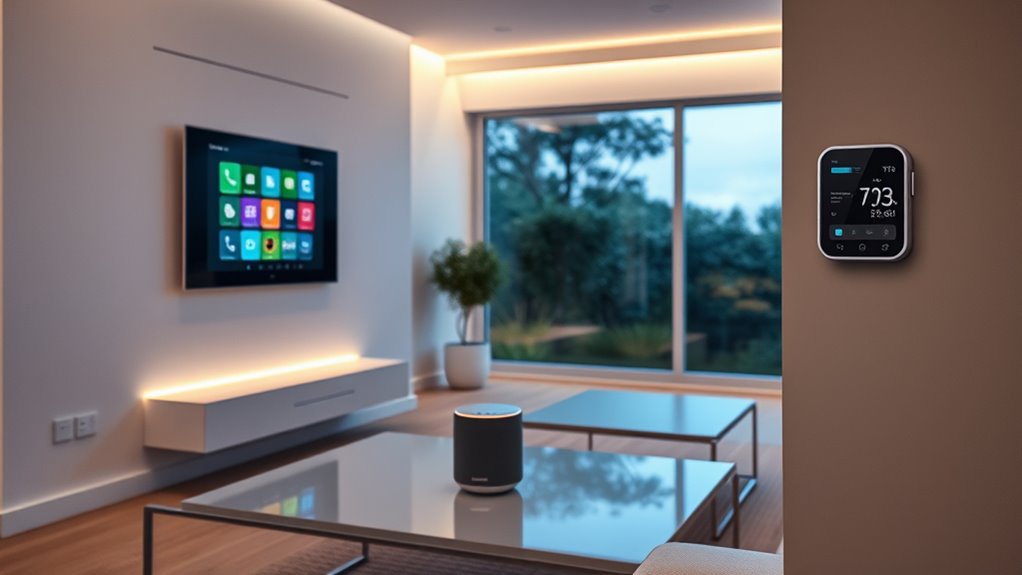

If you’re looking to boost your home’s intelligence in 2025, I recommend exploring a mix of hubs, security systems, energy monitors, and control panels like Amazon Echo Hub, Home Assistant Green, and Ring Alarm. These systems integrate seamlessly for smarter security, energy efficiency, and entertainment. Considering compatibility and future expansion is key. Keep going to discover how to choose the best options tailored for your home and needs.
Key Takeaways
- Central control hubs like Amazon Echo Hub and Home Assistant Green enable seamless device integration and automation customization.
- Advanced security systems such as Ring and SimpliSafe offer reliable monitoring with remote alerts and professional support.
- Smart lighting solutions like Philips Hue support Matter and Zigbee for flexible, expandable home illumination control.
- Multi-room audio-visual systems with Dolby Atmos and 8K support enhance entertainment experiences effortlessly.
- Open APIs and standard protocols ensure interoperability, future-proofing your smart home setup through 2025 and beyond.

Amazon Echo Hub, 8” smart home control panel, Designed for Alexa+, Compatible with thousands of devices
Echo Hub — An easy-to-use Alexa-enabled control panel for your smart home devices—just ask Alexa or tap the...
As an affiliate, we earn on qualifying purchases.
Amazon Echo Hub, Smart Home Control Panel with Alexa

If you’re looking for a user-friendly way to manage your smart home, the Amazon Echo Hub is an excellent choice. This 8-inch, Alexa-enabled control panel makes it simple to operate lights, cameras, plugs, and more through voice commands or touch. It works seamlessly with thousands of devices using WiFi, Zigbee, Thread, and other protocols. You can customize your dashboard for quick access to routines, security, and camera feeds. Plus, it offers flexible installation options, whether wall-mounted or on a tabletop. With built-in audio support and strong privacy controls, the Echo Hub combines convenience with security, making your smart home easier and smarter to manage.
Best For: homeowners seeking an easy-to-use, customizable smart home control panel with seamless device integration and privacy features.
Pros:
- User-friendly 8-inch touch display with voice control via Alexa
- Compatible with thousands of smart devices using multiple protocols (WiFi, Zigbee, Thread)
- Flexible installation options, including wall-mount and tabletop setup
Cons:
- Requires separate purchase of accessories like wall mounts or power-over-ethernet adapter
- May have a learning curve for advanced customization features
- Limited to Amazon and Alexa-compatible ecosystem, reducing compatibility with some non-Alexa devices

Smart Home Energy Monitor with Real-Time Accurate Energy Consumption Tracking, Supports Home Assistant, Electricity Usage Monitor with Local Control, Open API & Web UI, Solar Metering, ETL Certified
✨NEW✨ OpenClaw Support: Refoss devices now support OpenClaw AI-driven automation with Home Assistant for smarter, seamless control.
As an affiliate, we earn on qualifying purchases.
Smart Home Energy Monitor with Real-Time Energy Tracking and Solar Metering

The Smart Home Energy Monitor with Real-Time Energy Tracking and Solar Metering is an ideal choice for homeowners who want to maximize their solar energy use and cut energy costs. I love how it supports Home Assistant integration and provides detailed, real-time data on power, voltage, current, and power factor. With 16 sensors, it fits most home panels and offers accurate monitoring—up to 98%. It automatically detects excess solar energy and powers high-demand appliances, boosting solar efficiency. Plus, with a 36-month data history and energy alerts, I can optimize usage and save 10%-20% on bills. It’s straightforward to install and helps me make smarter energy decisions daily.
Best For: homeowners seeking to maximize solar energy efficiency, monitor energy consumption in real-time, and automate their home energy management.
Pros:
- Supports comprehensive Home Assistant integration for centralized automation.
- Provides highly accurate (up to 98%) real-time data on power, voltage, current, and power factor.
- Offers detailed 3-year energy data storage and customizable alerts to optimize energy usage and reduce costs.
Cons:
- Requires firmware and app updates to access new features like channel merging and data export.
- Installation may be complex for those unfamiliar with electrical systems, despite clamp-on design.
- Limited to Wi-Fi (2.4G), which may cause connectivity issues in certain home networks.

Home Assistant Green | Smart Home hub with Advanced Automation | Official Home Assistant Hardware
💡 EASIEST WAY TO GET STARTED WITH HOME ASSISTANT - With Home Assistant already installed, it only requires...
As an affiliate, we earn on qualifying purchases.
Home Assistant Green Smart Home Hub
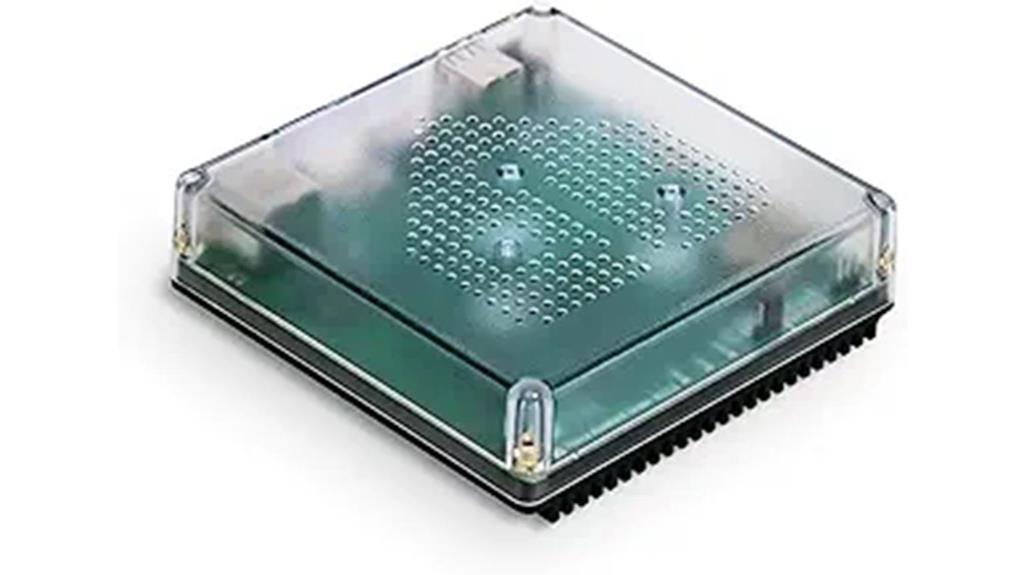
Home Assistant Green Smart Home Hub stands out as an ideal choice for those seeking a streamlined, reliable way to manage their smart devices. I love how it consolidates control into a single hub, eliminating the chaos of multiple apps. Setting it up is a breeze—just connect the included power supply and Ethernet cable, and it’s ready to go. Its compact, fanless design fits seamlessly into any home, and with a powerful quad-core processor, 32GB storage, and 4GB RAM, it handles complex automations effortlessly. Plus, it keeps all data local, ensuring privacy, while supporting expandability with Z-Wave, Zigbee, and Thread devices.
Best For: individuals seeking a reliable, easy-to-set-up smart home hub that consolidates device control while ensuring data privacy and expandability.
Pros:
- Simplifies smart home management by centralizing control and reducing app clutter
- Easy setup with pre-installed Home Assistant, requiring only power and Ethernet connections
- Keeps all home data local, enhancing privacy and security
Cons:
- Limited built-in storage, which may require expansion for large automations or data storage
- May need additional hardware for advanced protocols or extensive device networks
- Slightly higher initial cost compared to basic smart hubs

eufy Security eufy Smart Display E10, Smart Home Hub, 8" Control Panel, Compatible Devices, Four Views on One Screen, Instant Door Alerts, Daily Event Reports, One Tap Control
Instant Hands-Free Door Alerts: When someone rings the doorbell, unlocks the door, or is detected by the camera,...
As an affiliate, we earn on qualifying purchases.
eufy Security eufy Smart Display E10, Smart Home Hub
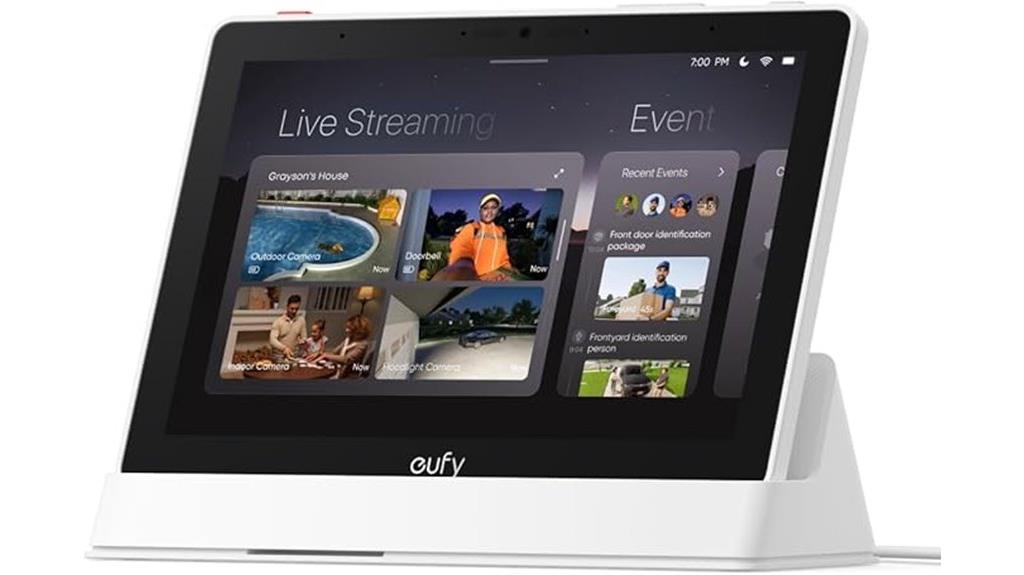
The eufy Security eufy Smart Display E10 is ideal for homeowners seeking quick, real-time alerts and all-encompassing monitoring. With instant notifications for doorbell rings, access, or camera detections, it lights up with a live feed and voice alert immediately. Its multi-view feature shows four camera feeds simultaneously, giving you a comprehensive view of your property at a glance. The device also offers quick playback of local storage recordings, so you can review past events without delays. Plus, its user-friendly 8-inch touchscreen and smart security reports make managing your home simple, flexible, and efficient from anywhere.
Best For: homeowners who want quick, real-time security alerts and comprehensive, easy-to-monitor home surveillance from anywhere.
Pros:
- Instant alerts with live feed and voice notifications for doorbell, door access, and camera detections
- Multi-view monitoring with four simultaneous camera feeds for complete property coverage
- Quick playback and local storage access for reviewing past events without delays
Cons:
- May require a stable Wi-Fi connection for optimal performance
- Limited to 8-inch touchscreen, which might be small for some users’ preferences
- Features heavily reliant on HomeBase 3, potentially adding complexity for setup
Emporia Vue 3 Home Energy Monitor
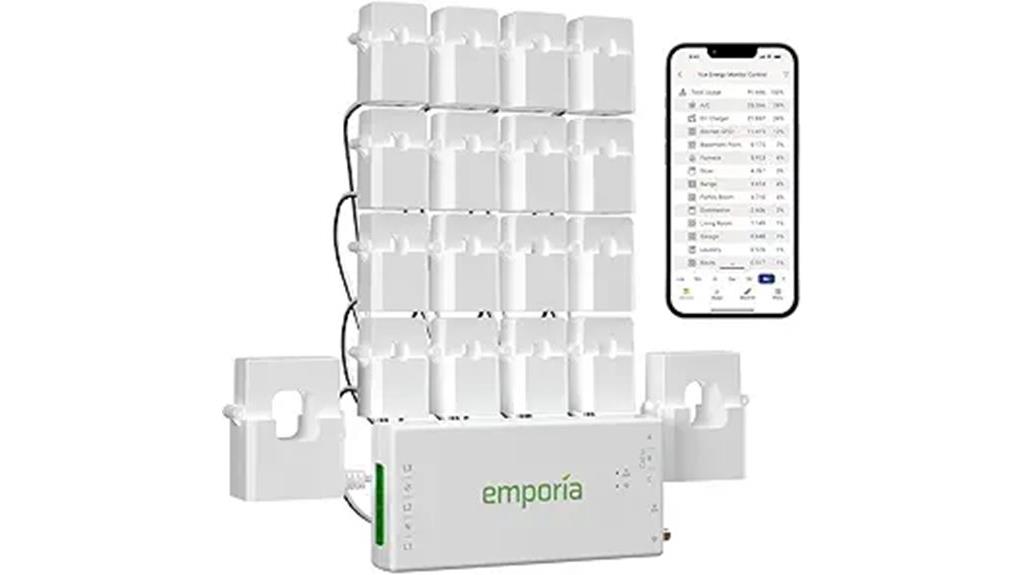
If you’re looking to optimize your energy consumption with real-time insights, the Emporia Vue 3 Home Energy Monitor is an excellent choice. It offers accurate, 24/7 monitoring of your electricity usage through a Wi-Fi connection, supporting various system types like single-phase and 3-phase setups. With 16 branch sensors, you can track critical loads such as HVAC and appliances, helping you identify energy drains. The device integrates seamlessly with home automation systems and provides detailed data via user-friendly apps for remote control. Certified by UL and CE, it combines safety, reliability, and smart energy management, making it a powerful addition to any smart home.
Best For: homeowners seeking accurate, real-time energy monitoring and automation integration to reduce energy costs and enhance home efficiency.
Pros:
- Supports a wide range of systems including single-phase, split-phase, and 3-phase setups for versatile installation
- Provides detailed appliance-level data and critical load monitoring with 16 sensors for comprehensive insights
- Certified by UL and CE, ensuring safety, reliability, and compliance with safety standards
Cons:
- Requires Wi-Fi connection (2.4 GHz) for full functionality, which may limit use in some network environments
- Additional sensors needed for 3-phase systems, increasing initial setup costs and complexity
- Limited app data retention for real-time data (only 3 hours for 1-second intervals), which may require frequent data exports for long-term analysis
Denon AVR-X1800H 7.2 Channel AV Receiver
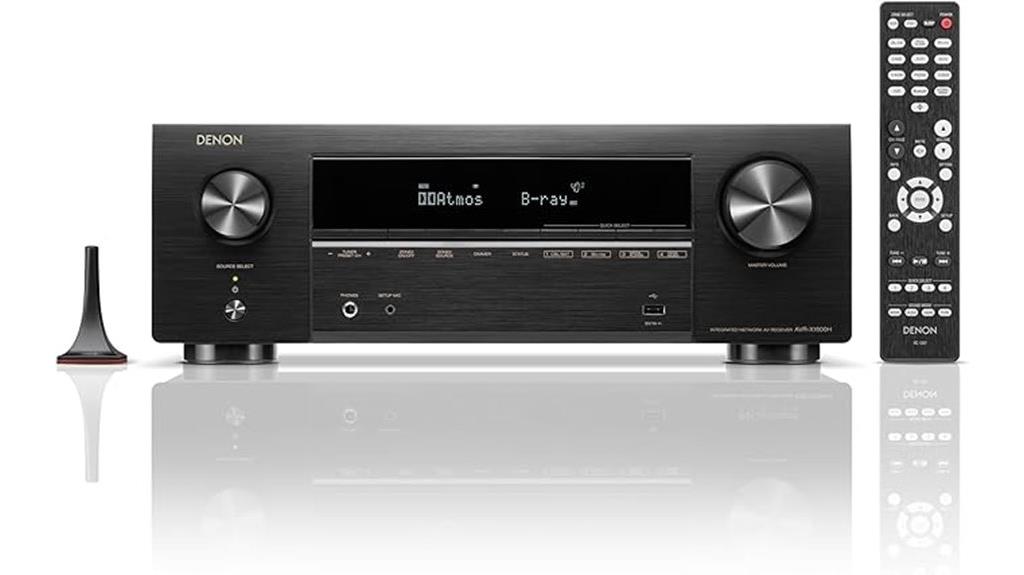
For those seeking seamless integration with smart home setups, the Denon AVR-X1800H 7.2 Channel AV Receiver stands out with its support for home automation systems. It offers impressive 80W per channel and supports 8K video, 3D audio, Dolby Atmos, and DTS:X for immersive sound. Its advanced HDMI inputs handle high-resolution gaming and streaming, while built-in HEOS, Bluetooth, Wi-Fi, and AirPlay 2 enable multi-room wireless audio. The user-friendly setup simplifies installation, and its compatibility with smart home systems guarantees effortless control. Whether for movies, music, or gaming, this receiver elevates your home theater experience while integrating smoothly into your smart home ecosystem.
Best For: Home theater enthusiasts and smart home integrators seeking high-performance audio-visual experience with seamless connectivity and automation.
Pros:
- Supports 8K video pass-through and advanced HDR formats for stunning visuals
- Equipped with Dolby Atmos, DTS:X, and Height Virtualization Technology for immersive surround sound
- Features built-in HEOS, Bluetooth, Wi-Fi, and AirPlay 2 for versatile multi-room wireless streaming
Cons:
- Designed primarily for small to medium rooms; may not suit larger spaces
- Slightly complex setup for users unfamiliar with home automation systems
- Limited to 80W per channel, which might be less suitable for very high-volume applications
Ring Alarm 5-Piece Wireless Security System

Looking for an easy-to-install security system designed specifically for condos and apartments? The Ring Alarm 5-Piece Wireless Security System is perfect. It includes a base station, keypad, contact sensors, motion detector, and range extender, all simple to set up. You can expand it with additional sensors or accessories as needed. The system is compatible with Alexa for voice control, and you can monitor and control it remotely via the Ring app. It detects door and window openings, motion, and sends instant alerts. Plus, optional professional monitoring and subscriptions provide extra peace of mind during emergencies and Wi-Fi outages.
Best For: condo and apartment residents seeking an easy-to-install, expandable wireless security system with remote control and voice command capabilities.
Pros:
- Easy to set up with straightforward installation process
- Compatible with Alexa for voice control, enhancing convenience
- Expandable system allows adding sensors and accessories for customized security
Cons:
- Subscription plans required to unlock full system features and remote management
- Professional monitoring is an optional paid service, not included by default
- Limited to Wi-Fi connectivity; system performance may depend on internet stability
Philips Hue Bridge Smart Lighting Hub

The Philips Hue Bridge Smart Lighting Hub is ideal for homeowners who want to open the full potential of their smart lighting system. It supports up to 50 lights and accessories both indoors and outdoors, allowing for seamless automation and control from anywhere via the Hue app. Using Zigbee technology, it guarantees a secure, stable connection without straining your Wi-Fi, even during Wi-Fi outages. The hub integrates with voice assistants and Matter-compatible devices, future-proofing your setup. It also enhances entertainment experiences with sync features for movies, music, and gaming—making your lighting smarter, more reliable, and more versatile.
Best For: homeowners looking to maximize their smart lighting system with reliable control, automation, and future-proof integration.
Pros:
- Supports up to 50 lights and accessories indoors and outdoors for versatile lighting setups
- Ensures a secure, stable Zigbee connection without burdening your Wi-Fi network
- Integrates seamlessly with voice assistants and Matter-compatible smart devices for expanded control
Cons:
- Requires the Philips Hue Bridge to operate, adding an extra device to the setup
- Does not include lights or accessories; must be purchased separately
- Advanced features like entertainment sync require additional equipment such as the HDMI Sync Box
Aqara Zigbee Motion Sensor P1 (3 Pack)
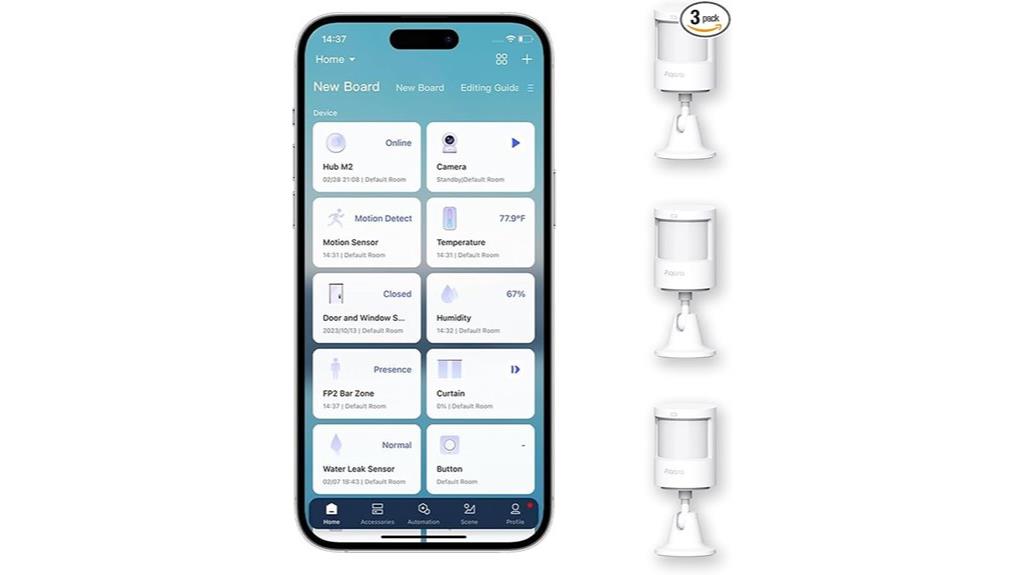
If you want reliable motion detection for your smart home, the Aqara Zigbee Motion Sensor P1 (3 Pack) is an excellent choice, especially since it offers a five-year battery life and adjustable sensitivity. It’s compatible with Aqara Home, Apple HomeKit, Alexa, IFTTT, and Home Assistant, but requires an Aqara Zigbee 3.0 hub. Its wide detection range—up to 4 meters and 170°—ensures thorough coverage, with three sensitivity levels and a customizable timeout. The pet-friendly design reduces false alarms, and the flexible stand allows easy angle adjustments. It supports automation triggers like alarms and device control, making it ideal for enhancing your home security and convenience.
Best For: smart home users seeking reliable, long-lasting motion detection with customizable sensitivity and seamless automation integration.
Pros:
- Up to five years of battery life, reducing maintenance and replacement needs
- Adjustable detection range and sensitivity for tailored security coverage
- Compatible with multiple smart home platforms including HomeKit, Alexa, and IFTTT
Cons:
- Requires Aqara Zigbee 3.0 hub; not compatible with other Zigbee hubs
- No light sensitivity function in HomeKit and Alexa versions
- Limited official support for Zigbee2MQTT and third-party USB dongles
SimpliSafe 10-Piece Wireless Home Security System
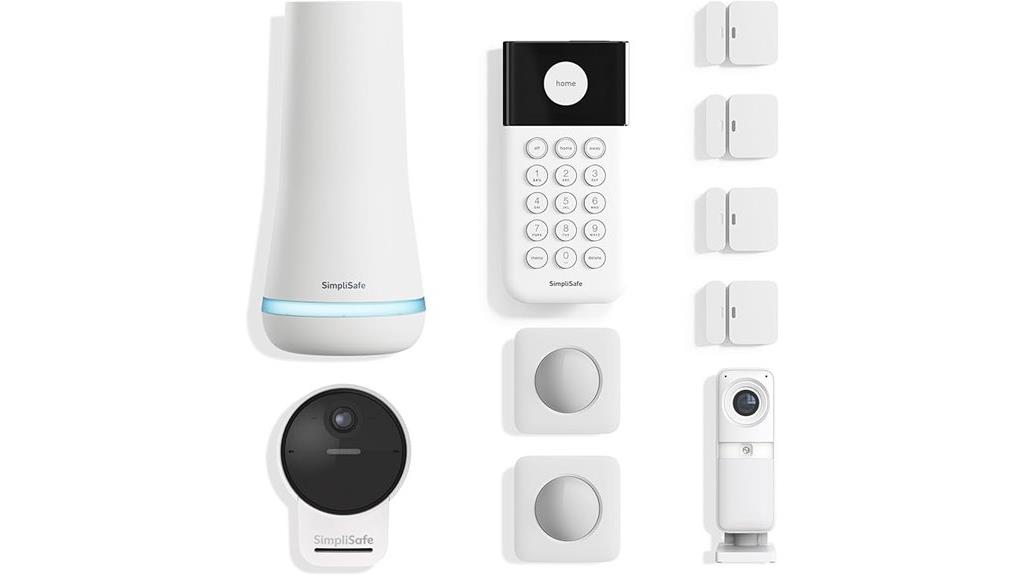
For homeowners seeking a straightforward, reliable security solution, the SimpliSafe 10-Piece Wireless Home Security System is an excellent choice. It’s easy to install with wireless and wired options, and the included outdoor camera offers flexible placement thanks to its rechargeable battery and outdoor power cable. The system is ready to protect right out of the box, with an optional professional monitoring service that provides rapid police response and real-time alerts. The outdoor camera features 1080p HD resolution, color night vision, and AI technology to detect threats. Control everything remotely via the app, and enjoy seamless integration with Alexa and Google Assistant for a smart, secure home.
Best For: homeowners seeking an easy-to-install, reliable wireless security system with professional monitoring options and smart home integration.
Pros:
- Quick and straightforward setup with both wireless and wired options
- Outdoor camera with 1080p HD, color night vision, and AI threat detection
- Compatible with Alexa and Google Assistant for voice control
Cons:
- Professional monitoring requires an additional subscription and may involve ongoing costs
- Limited to US support, with no mention of international service options
- AI threat detection features may vary in accuracy depending on conditions
Home Assistant Connect ZWA-2 Z-Wave Device Connector

Home Assistant Connect ZWA-2 stands out as an ideal choice for homeowners seeking seamless Z-Wave device integration with their smart home system. I appreciate its compatibility with Home Assistant, making setup straightforward and quick — just a few clicks are needed to migrate from other adapters. Its latest 800-series Z-Wave chipset guarantees reliable connections across all devices, including those farther away, thanks to optimized antenna tuning. The device’s plug-and-play design, combined with one-click firmware updates, simplifies ongoing maintenance. Plus, its sleek, candle-like appearance blends unobtrusively into any home decor, making it both functional and aesthetically pleasing.
Best For: homeowners seeking a reliable, easy-to-install Z-Wave integration solution for their smart home system with seamless compatibility and aesthetic appeal.
Pros:
- Supports all Z-Wave devices with the latest 800-series chipset for reliable connectivity
- Plug-and-play design with intuitive setup and one-click firmware updates
- Sleek, candle-like design that blends unobtrusively into home decor
Cons:
- Limited to Z-Wave device integration, not compatible with other smart home protocols
- May require initial configuration for advanced features or extensive networks
- The injection-molded case, while aesthetically pleasing, might be less durable than metal enclosures
Ring Alarm 8-piece Kit (2nd Gen) – Home Security System
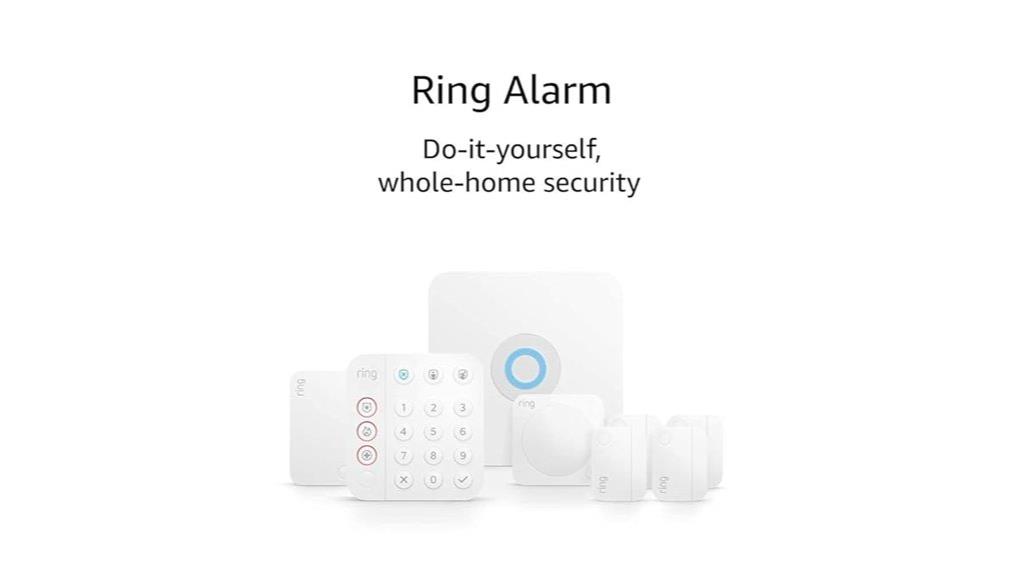
The Ring Alarm 8-piece Kit (2nd Gen) is an excellent choice for homeowners who want a reliable, easy-to-install security system tailored for 1-2 bedroom homes. It includes a base station, keypad, four contact sensors, a motion detector, and a range extender, all supporting Z-Wave, Wi-Fi, Ethernet, and Bluetooth for seamless connectivity. You can opt for 24/7 professional monitoring and leverage Ring’s subscription plans for remote access, alerts, and recordings. The system integrates well with Alexa, allowing motion alerts and live views. Its straightforward setup and compatibility make it a smart, effective solution to safeguard your home effortlessly.
Best For: homeowners seeking an easy-to-install, reliable home security system tailored for 1-2 bedroom residences with smart connectivity and optional professional monitoring.
Pros:
- Easy installation with straightforward mounting options and wireless components
- Supports integration with Alexa for enhanced control and alerts
- Includes backup power and multiple connectivity options (Z-Wave, Wi-Fi, Ethernet, Bluetooth)
Cons:
- Requires a subscription for remote access, alerts, and cloud recordings
- Not suitable for commercial properties or large homes beyond 2 bedrooms
- Additional fees and permits may be necessary for certain integrations or alarm responses
Smart Home Energy Monitor with 2 x 120A CTs

If you’re looking to optimize energy management in a smart home, this energy monitor with 2 x 120A CTs offers precise real-time tracking of electricity usage. It measures voltage, current, power, and total energy consumption with Class 1 accuracy, giving you reliable data. Designed for solar and grid systems, it supports bi-directional power tracking, so you can monitor both consumption and export effortlessly. Installation is straightforward with pluggable terminals and split-core CTs. Compatible with Wi-Fi and the Smart Life app, it enables remote monitoring, alerts, and automation, helping you maximize efficiency, reduce costs, and make smarter energy choices.
Best For: homeowners and energy managers seeking precise, real-time monitoring and control of solar and grid energy flow for improved efficiency and cost savings.
Pros:
- Provides highly accurate Class 1 real-time data on energy consumption and export
- Supports bi-directional power tracking ideal for solar and battery systems
- Easy to install with pluggable terminals and compatible with smart home apps
Cons:
- Requires Wi-Fi connectivity, which may be limited in some areas
- May involve a learning curve for setup and automation configuration
- Limited to monitoring; does not include energy storage or control features
SimpliSafe 8-Piece Wireless Home Security System

For those seeking a straightforward yet reliable security solution, the SimpliSafe 8-Piece Wireless Home Security System stands out as an excellent choice. Installation is simple—just plug in the base station, download the app, and place the sensors without any wiring or drilling. It’s compatible with Alexa, Google Assistant, and other smart home devices, making integration seamless. The system’s sensors detect entry points and motion, with pet-friendly options and customizable alerts for private areas. You can control everything remotely via the app, and optional professional monitoring ensures quick police response if needed. Plus, a backup battery and cellular support keep your home protected during outages.
Best For: homeowners seeking an easy-to-install, reliable security system with smart home integration and remote control capabilities.
Pros:
- Simple setup with no wiring or drilling required
- Compatible with Alexa, Google Assistant, and other smart home devices
- Includes pet-friendly motion sensors and customizable private-area alerts
Cons:
- Requires professional monitoring for cellular backup and emergency dispatch
- Limited to a 35-foot detection range for motion sensors
- Only available through authorized channels, which may limit purchase options
Factors to Consider When Choosing Home Automation Systems

When choosing a home automation system, I consider how well it works with my existing devices and how easy it is to use. I also look at the security features and whether it can seamlessly integrate with other smart home products. finally, I weigh the installation process and how complex it might be to set up everything smoothly.
Compatibility With Devices
Choosing a home automation system requires ensuring it works seamlessly with your existing devices and protocols. I always check if the system supports popular standards like Zigbee, Z-Wave, Wi-Fi, Bluetooth, or Thread to avoid compatibility issues. It’s also essential that it integrates with voice assistants like Alexa, Google Assistant, or Siri for effortless voice control. I look for systems that can connect with third-party devices and platforms, so my setup can grow over time. Automation routines are vital, so I verify the system manages devices effectively within those routines. Finally, I prefer a unified app or platform that controls all compatible devices regardless of brand or protocol, simplifying management and enhancing my smart home experience.
User Interface Ease
A user-friendly interface is essential for managing a home automation system effectively. It should be intuitive enough for anyone to operate without extensive technical knowledge. Features like touchscreen controls, voice commands, and clear menu navigation make everyday use seamless. Simplified setup processes, guided tutorials, and visual indicators help new users get started quickly and understand system status at a glance. Consistent, responsive controls across devices—whether on smartphones, tablets, or touch panels—ensure smooth management no matter the platform. A well-designed interface reduces frustration and makes customizing settings straightforward. Ultimately, ease of use enhances overall satisfaction and encourages regular engagement with your smart home, making automation feel natural and accessible for everyone in your household.
Security Features Offered
Have you considered the range of security features available in home automation systems? These systems include sensors for doors, windows, motion, and glass break detection to alert you of unauthorized access. Many offer real-time alerts via mobile apps or voice assistants, keeping you informed instantly. Integration with security cameras and video doorbells allows remote monitoring and quick visual confirmation of incidents. Advanced automation can include routines for arming or disarming your security setup, emergency alarms, and two-way communication for immediate response. Compatibility with professional monitoring services provides 24/7 emergency assistance, adding an extra layer of security. When choosing a system, guarantee it offers extensive sensors, instant alerts, and seamless integration with cameras and emergency services to keep your home safe and responsive.
Integration Capabilities
Ever wondered how well a home automation system communicates with your existing devices? That’s where integration capabilities come into play. A good system should connect seamlessly with popular platforms like Alexa, Google Assistant, or Zigbee, allowing your devices to work together effortlessly. Compatibility across multiple protocols—Wi-Fi, Zigbee, Z-Wave, or Matter—ensures you’re not limited by device brands or ecosystems. Support for third-party device integration means you can expand and customize your smart home over time. Additionally, automation routines that enable devices to interact based on your preferences or sensor inputs make your setup smarter and more efficient. Open APIs and standardized communication protocols are essential, as they guarantee interoperability, giving you a cohesive, adaptable, and future-proof smart home experience.
Installation Complexity
Choosing a home automation system involves considering how easy or complex the installation process will be. Wireless systems usually offer a straightforward setup with minimal tools and technical skills needed, making them ideal for DIY installation. In contrast, in-wall or hardwired systems tend to be more complex and often require professional help to handle wiring, configuration, and safety standards. Compatibility with your existing home infrastructure and device protocols can also impact how difficult the installation becomes. Additionally, adding components like hubs, sensors, or adapters can extend setup time and increase technical requirements. Ultimately, understanding whether a system is plug-and-play or demands extensive wiring helps you decide if you’re comfortable with the installation process or should seek expert assistance.
Scalability Options
When selecting a home automation system, considering its scalability is crucial to guarantee it can grow with your needs. I look for systems that support adding new devices and sensors without needing a complete overhaul. Compatibility with multiple protocols like Zigbee, Z-Wave, or Thread is essential for future expansion. The system’s architecture should allow easy integration of additional hubs, controllers, or modules as my smart home evolves. Flexibility in software updates and modular hardware design ensures I can add new features and devices over time without hassle. A scalable system also makes expanding coverage straightforward, whether through wireless add-ons or network-based connections, without sacrificing performance. This approach keeps my setup adaptable, future-proof, and capable of handling increasing complexity.
Privacy Protections
Privacy protections are a critical factor to contemplate because your personal data can be vulnerable if not properly secured. I look for systems that include physical controls like microphone off buttons or privacy shutters, ensuring I can prevent unauthorized listening or data collection. Encryption is essential; I prefer systems that encrypt data both in transit and at rest, safeguarding against hacking. Transparent privacy policies are also a must—knowing exactly how my data is used and having clear options to disable data sharing or storage gives me peace of mind. I value devices that support local data processing and storage, reducing reliance on the cloud and enhancing privacy. Finally, the ability to review, delete, or export my data easily helps me maintain control over my personal information.
Cost and Budget
Setting a clear budget is essential before diving into home automation systems to prevent overspending and guarantee you get the best value for your money. Start by establishing a budget range that covers initial setup costs, including hardware, installation fees, and any subscription or service fees. Don’t forget to factor in ongoing expenses like monthly monitoring, cloud storage, and software updates to ensure they fit within your financial plan. Comparing different systems helps you evaluate their features relative to their price, helping you choose options that offer long-term savings. Be mindful of hidden costs, such as replacing batteries or upgrading components, which can add up over time. Having a realistic budget ensures you make informed decisions and avoid surprises down the line.
Frequently Asked Questions
How Do Home Automation Systems Integrate With Existing Smart Devices?
Home automation systems seamlessly integrate with existing smart devices by connecting through common platforms like Zigbee, Z-Wave, or Wi-Fi. I simply verify all devices are compatible, then use a central hub or app to link them together. This setup allows me to control everything from lights to thermostats effortlessly. Updating firmware and using compatible apps helps maintain smooth integration, making my smart home more efficient and responsive.
What Are the Privacy and Security Implications of Smart Home Systems?
Privacy and security issues with smart home systems are real, and I take them seriously. I make certain my devices use strong encryption, change default passwords, and keep software updated. I also limit data sharing and monitor network activity regularly. By staying vigilant, I protect my personal information, safeguard my home, and enjoy the convenience of automation without compromising my privacy or security.
Can These Systems Be Customized for Specific User Preferences?
Absolutely, these systems can be customized to fit your preferences. I love how flexible they are—adjusting lighting, temperature, and even security settings to match my daily routines. Many platforms allow you to set personalized scenes or automate tasks based on your habits. This way, I create a smart environment that feels tailored just for me, making my home more comfortable and efficient without needing to get tech-savvy.
How Do Automation Systems Handle Power Outages or Connectivity Issues?
Like a sturdy lighthouse during a storm, automation systems are built to handle power outages and connectivity issues gracefully. Many have backup batteries or local processing, so your devices stay functional even when the grid falters. I’ve found that smart systems often reconnect automatically once the power or internet is restored, ensuring my home remains secure and comfortable without missing a beat.
What Are the Ongoing Costs Associated With Maintaining These Smart Home Systems?
Ongoing costs mainly include subscription fees for premium features, cloud storage, or security services, which can add up over time. I also spend on replacing batteries for devices that aren’t wired, and occasional software updates to keep everything running smoothly. While initial setup can be pricey, I find budgeting for these maintenance expenses helps me enjoy the convenience without surprises. Staying informed about costs guarantees my smart home remains cost-effective and efficient.
Conclusion
If you’re considering a home automation system, remember that nearly 65% of smart home users report increased energy efficiency. Choosing the right system can simplify your life and save you money in the long run. With so many options available in 2025, it’s worth investing time to find one that fits your needs. A smarter home isn’t just convenient—it’s a step toward a more sustainable and secure future for us all.