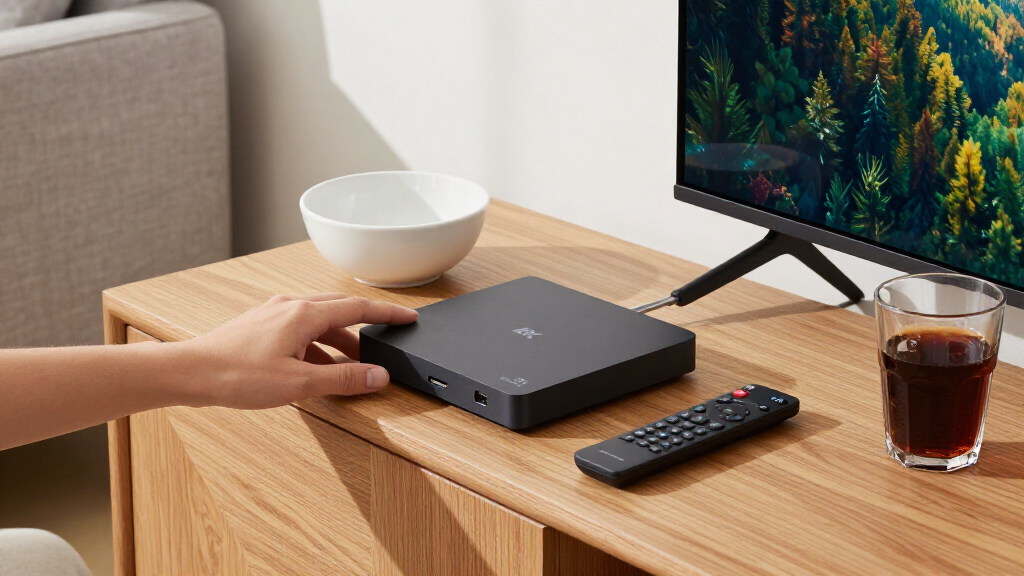

Shopping for 4K streaming media players means balancing speed, picture quality, app support, and how much you want to spend — and the gap between a $30 stick and a premium box is wider than most buyers expect. The Roku Ultra 4K stands out as the best overall pick for its fast interface, wired networking option, and rock-solid app support, while the Amazon Fire TV Cube (3rd Gen) appeals to Alexa households that want hands-free control, and the Google TV Streamer 4K is the smarter choice for anyone deep in the Google ecosystem. The main tradeoff you’ll face is between cheap streaming sticks, which keep the price low but can feel sluggish, and full-size players that cost more but respond faster and handle HDR formats like Dolby Vision more gracefully. There’s also a smaller niche of offline players — like the Micca and NEUMI boxes — built for playing your own files rather than streaming apps. Keep reading for the full breakdown of all 15 players and which one fits your setup.

Get everyday essentials delivered free with Prime
- Fast, free delivery on millions of items
- Prime Video, Amazon Music and more included
- Member-only deals all year
Key Takeaways
- Full-size players (amazon.com/dp/B0F7Z4QZTT?tag=californiagazette-20&ascsubtag=dc-1083267″ target=”_blank” rel=”nofollow sponsored noopener”>amazon.com/dp/B0CTBF4MKS?tag=californiagazette-20&ascsubtag=dc-1083267″ target=”_blank” rel=”nofollow sponsored noopener”>Roku Ultra, Fire TV Cube, Google TV Streamer) consistently beat streaming sticks on interface speed and long-term performance — the price gap buys responsiveness, not just extra features.
- HDR format support is the biggest hidden differentiator: Roku favors HDR10+ while TiVo Stream 4K, Fire TV devices, and Xiaomi boxes support Dolby Vision, which matters if your TV only decodes one of them.
- The local-file players (Micca, NEUMI Atom, COSOWELL) serve a completely different buyer than app-based streamers — they’re digital signage and personal media libraries, not Netflix machines.
- Roku‘s lineup spans four entries here, and the differences are real: the Ultra is the only one with Ethernet and expandable storage, while the sticks trade those away for a hidden behind-the-TV design.
- Wi-Fi 6 and 6E support (Fire TV Cube, Xiaomi TV Box S) future-proofs streaming in busy households where multiple devices compete for bandwidth.
| Roku Streambar SE 4K Soundbar with Built-in Streaming Device |  | Best Two-in-One Pick | Product Type: 2-in-1 soundbar and streaming device | Streaming Platform: Roku | Video Quality: 4K HDR | VIEW LATEST PRICE | See Our Full Breakdown |
| Micca 4K Ultra-HD USB and microSD Media Player |  | Best for Local File Playback | Media Sources: USB drives up to 8TB, microSD up to 1TB | Video Outputs: HDMI, Composite AV | Max Resolution: 4096 x 2304 @ 30 fps | VIEW LATEST PRICE | See Our Full Breakdown |
| TiVo Stream 4K Streaming Device with Dolby Vision HDR and Dolby Atmos |  | Best Cross-App Search | Resolution: 4K | HDR: Dolby Vision | Audio: Dolby Atmos | VIEW LATEST PRICE | See Our Full Breakdown |
| Google TV Streamer 4K with Voice Search Remote, 32 GB Storage, Hazel |  | Best Smart Home Hub Pick | Resolution: Up to 4K HDR | Video Format: Dolby Vision | Storage: 32 GB | VIEW LATEST PRICE | See Our Full Breakdown |
| onn 4K Pro Streaming Device with Google TV |  | Best Value Spec Sheet | Resolution: 4K Ultra HD | Platform: Google TV | Memory: 3 GB RAM | VIEW LATEST PRICE | See Our Full Breakdown |
| Roku Streaming Stick 4K with Voice Remote |  | Best Compact Pick | Resolution: 4K | HDR Formats: Dolby Vision, HDR10+ | Connectivity: Wi-Fi (long-range receiver) | VIEW LATEST PRICE | See Our Full Breakdown |
| NEUMI Atom 4K Lite Digital Media Player with Trigger Input | 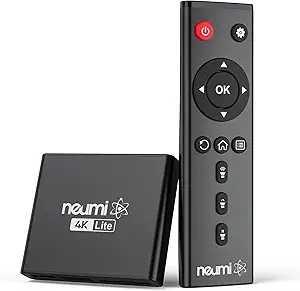 | Best for Local Files and Signage | Video Output: HDMI up to 2160p/60Hz; analog AV | Max Resolution: 4096x2304p at 30fps | Max Video Bitrate: 200 Mbps | VIEW LATEST PRICE | See Our Full Breakdown |
| Roku Ultra 4K Streaming Player |  | Best Overall | Supported Video: 4K, HDR10+, Dolby Vision | Supported Audio: Dolby Atmos | Performance: 30% faster than other Roku players | VIEW LATEST PRICE | See Our Full Breakdown |
| Xiaomi TV Box S (3rd Gen) 4K Streaming Device |  | Best Value Google TV Pick | Resolution: 4K UHD (3840 × 2160) up to 60 fps | Operating System: Google TV | Processor: Quad-core CPU up to 2.5 GHz; ARM G310 V2 GPU | VIEW LATEST PRICE | See Our Full Breakdown |
| Xiaomi Android Google TV Box S 3rd Gen 4K UHD Streaming Media Player, 2GB + 32GB, Wi-Fi 6, HDMI 2.1, Dolby Vision/Atmos, DTS:X |  | Best Modern Connectivity | Resolution: 4K UHD (3840 x 2160) | HDR Formats: Dolby Vision, HDR10+ | Audio Formats: Dolby Atmos, DTS:X | VIEW LATEST PRICE | See Our Full Breakdown |
| Amazon Fire TV Stick 4K Plus with Wi-Fi 6 and Alexa Voice Remote |  | Best for Alexa Households | Maximum resolution: 2160p at up to 60 fps | Processor: Quad-core, 1.7 GHz | Storage: 8 GB | VIEW LATEST PRICE | See Our Full Breakdown |
| Roku Streaming Stick HD with Voice Remote |  | Best for HD TVs | Resolution: 1080p | Connector: HDMI | Form factor: TV stick | VIEW LATEST PRICE | See Our Full Breakdown |
| Roku Streaming Stick Plus with Voice Remote, 4K and HDR10+ |  | Best Compact Roku 4K Pick | Resolution: 4K | HDR: HDR10+ | Connector: HDMI | VIEW LATEST PRICE | See Our Full Breakdown |
| Amazon Fire TV Cube (3rd Gen) 4K Streaming Media Player with Alexa and Wi-Fi 6E |  | Best Premium Connectivity | Processor: Octa-core (4 × 2.2 GHz, 4 × 2.0 GHz) | Storage: 16 GB | Memory: 2 GB | VIEW LATEST PRICE | See Our Full Breakdown |
| COSOWELL 4K Ultra-HD USB and microSD Media Player with HDMI and Digital Signage |  | Best for Local Playback and Signage | Video output: 4K HDMI; up to 4096×2304 at 30 fps | HDMI output: Listed up to 4K/60Hz | USB storage: Up to 8 TB | VIEW LATEST PRICE | See Our Full Breakdown |
| 4K streaming media player | Connectivity | Resolution |
|---|---|---|
| Roku Streambar SE 4K Soundbar | Bluetooth | — |
| Micca 4K Ultra-HD USB and micr | — | — |
| TiVo Stream 4K Streaming Devic | Wi-Fi, HDMI | 4K |
| Google TV Streamer 4K with Voi | — | Up to 4K HDR |
| onn 4K Pro Streaming Device wi | Optional Ethernet port | 4K Ultra HD |
| Roku Streaming Stick 4K with V | Wi-Fi (long-range receiver) | 4K |
| NEUMI Atom 4K Lite Digital Med | — | — |
| Roku Ultra 4K Streaming Player | Wi-Fi 6, Ethernet | — |
| Xiaomi TV Box S | Dual-band Wi-Fi (2.4/5 GHz), Bluetooth 5.2 | 4K UHD (3840 × 2160) up to 60 fps |
| Xiaomi Android Google TV Box S | Wi-Fi 6, Bluetooth, HDMI 2.1, USB | 4K UHD (3840 x 2160) |
| Amazon Fire TV Stick 4K Plus w | — | — |
| Roku Streaming Stick HD with V | Wi-Fi and Bluetooth | 1080p |
| Roku Streaming Stick Plus with | Wi-Fi and Bluetooth | 4K |
| Amazon Fire TV Cube | — | — |
| COSOWELL 4K Ultra-HD USB and m | — | — |
More Details on Our Top Picks
Roku Streambar SE 4K Soundbar with Built-in Streaming Device
Most 4K streaming players in this roundup, like the Roku Streaming Stick 4K, assume your TV already sounds fine. The Streambar SE takes a different approach: it bundles Roku’s 4K HDR platform into a compact soundbar, so a single purchase fixes thin built-in speakers and adds streaming. Compared with the TiVo Stream 4K, it gives up nothing in app selection — it’s the same Roku ecosystem — but adds enhanced speech clarity and automatic volume presets that make dialogue far easier to follow at low volumes.
The tradeoff is scope. This is not a home theater piece; there’s no surround processing detailed, and buyers who already own a Roku Ultra 4K or a soundbar will find it redundant. It shines as a one-box upgrade for a bedroom or den TV where clutter matters.
Pros:- Combines 4K HDR streaming and a soundbar in a single compact device
- Enhanced speech clarity makes dialogue easier to hear
- Remote controls TV power, volume, and streaming so you can retire extra remotes
- Bluetooth enables private listening with wireless headphones
Cons:- Designed for smaller spaces, not large home theater setups
- No surround sound or detailed audio format support
- Redundant if you already own a separate streaming device or soundbar
Best for: Owners of small-to-mid TVs with weak built-in speakers who want streaming and better audio in one purchase
Not ideal for: Home theater builders — it lacks surround sound support and is undersized for large rooms
- Product Type:2-in-1 soundbar and streaming device
- Streaming Platform:Roku
- Video Quality:4K HDR
- Audio:Two premium speakers with dedicated bass port
- Connectivity:Bluetooth
- Remote:Controls TV power, volume, and streaming
Our verdict“Buy this if your TV’s audio is the bigger problem than its smart platform; skip it if you already have a soundbar.”
Micca 4K Ultra-HD USB and microSD Media Player
The Micca Speck 4K answers a question most entries here never address: what if your video library lives on a hard drive rather than in an app? Unlike the Google TV Streamer 4K or the onn 4K Pro, it has no smart platform at all — instead it plays MKV, MP4, AVI, and dozens of other formats straight from USB drives up to 8TB or microSD cards up to 1TB, with full NTFS and exFAT support. Subtitle handling (SRT, PGS) makes it a natural companion for archival collections the big platforms won’t host.
Its niche skills also stand out: automatic looping and video rotation turn it into a capable digital signage box, something the similar NEUMI Atom 4K Lite also targets. The compromises are real, though — 4K playback tops out at 30 fps, and anyone wanting Netflix or YouTube should look elsewhere entirely.
Pros:- Plays 4K video from USB and microSD with unusually broad codec and container support
- Handles large drives up to 8TB and microSD cards up to 1TB across FAT, exFAT, and NTFS
- Both HDMI and composite AV outputs cover new and legacy displays
- Looping, resume, and rotation features suit digital signage duty
Cons:- No built-in streaming apps or smart TV platform
- 4K playback limited to 30 fps, which affects fast-motion content
Best for: Collectors and signage installers who play local files from USB drives or microSD cards rather than streaming apps
Not ideal for: Cord-cutters who want Netflix, Disney+, or any streaming apps — this device has no smart platform
- Media Sources:USB drives up to 8TB, microSD up to 1TB
- Video Outputs:HDMI, Composite AV
- Max Resolution:4096 x 2304 @ 30 fps
- Video Formats:MKV, MP4, AVI, MOV, MPG, VOB, M2TS, TS
- Subtitle Support:SRT, PGS, IDX+SUB
- Special Features:Auto looping, resume playback, video rotation, signage mode
- Dimensions:2.95 x 2.52 x 0.59 in, 62 g
Our verdict“This makes sense only if your media lives on drives, not in apps — streaming-first buyers will be disappointed.”
TiVo Stream 4K Streaming Device with Dolby Vision HDR and Dolby Atmos
What separates the TiVo Stream 4K from sticks like the Amazon Fire TV Stick 4K Plus is its core mission: unifying search and recommendations across every app. Instead of hopping between Netflix and Prime Video menus, TiVo’s interface aggregates browsing into one view, and its Google Assistant remote handles voice queries across services. On paper its specs compete well — 4K, Dolby Vision, and Dolby Atmos match what the onn 4K Pro offers.
Where it falls behind is headroom. With only 2 GB of RAM and 8 GB of storage, it can feel slower than the onn’s 3GB/32GB configuration, and heavy app installers will hit the storage ceiling quickly. It’s also a Wi-Fi-only dongle with no Ethernet option. For viewers who value a single unified guide over raw performance, though, the tradeoff is defensible.
Pros:- Cross-app search aggregates Netflix, Prime Video, Disney+, Peacock and more in one interface
- Full 4K with Dolby Vision HDR and Dolby Atmos
- Google Assistant voice control built into the remote
- Personalized recommendations span all your services rather than one app
Cons:- Only 2 GB RAM and 8 GB storage — the least in this lineup
- Wi-Fi only, with no Ethernet option for congested networks
Best for: Multi-service subscribers tired of jumping between app menus who want one aggregated guide
Not ideal for: Power users who install many apps — the 8 GB of storage fills up fast
- Resolution:4K
- HDR:Dolby Vision
- Audio:Dolby Atmos
- Operating System:Android TV
- Memory:2 GB RAM
- Storage:8 GB
- Connectivity:Wi-Fi, HDMI
- Power:5V/1.0A, max 5 W
Our verdict“Choose this for its unified cross-app guide, not its hardware — the onn 4K Pro outmuscles it on specs.”
Google TV Streamer 4K with Voice Search Remote, 32 GB Storage, Hazel
The Google TV Streamer 4K replaces the old Chromecast with a set-top form factor aimed at being the center of a living room rather than a hidden stick. Compared with the TiVo Stream 4K, its 32 GB of storage means app management stops being a chore, and its home screen builds personalized rows for each household member. The 800+ free live channels and a watchlist that syncs across your TV, phone, and Google Search make discovery genuinely easier than on app-siloed rivals.
Its quirks are worth flagging: the HDMI 2.1 cable is not included, an odd omission for a premium-positioned device, and it needs Dolby Atmos-capable speakers to deliver on audio promises. Against the onn 4K Pro, which shares the Google TV platform, this model trades a lower price for the onn’s Wi-Fi 6 and Ethernet flexibility — though it also costs more than the onn in most markets, so buyers are paying for polish and Google’s tighter ecosystem integration.
Pros:- 32 GB storage dwarfs the TiVo Stream’s 8 GB and keeps app installs painless
- Over 800 free live channels built into the guide
- 4K HDR with Dolby Vision plus Dolby Atmos speaker support
- Watchlist syncs across TV, mobile app, and Google Search
Cons:- HDMI 2.1 cable sold separately — an extra purchase before you can plug in
- No built-in Ethernet, which the onn 4K Pro offers
Best for: Google-sphere households wanting per-person recommendations, synced watchlists, and free live channels
Not ideal for: Buyers on strict budgets or with crowded Wi-Fi — the separate HDMI 2.1 cable and lack of built-in Ethernet add cost and friction
- Resolution:Up to 4K HDR
- Video Format:Dolby Vision
- Storage:32 GB
- Free Channels:Over 800
- Remote:Voice search
- Audio:Dolby Atmos-compatible speakers
- Required Accessory:HDMI 2.1 cable (sold separately)
Our verdict“The most polished Google TV experience here — pick it if you live in Google’s ecosystem and don’t mind buying a cable.”
onn 4K Pro Streaming Device with Google TV
The onn 4K Pro delivers the hardware headline specs of pricier rivals at a budget price: 4K Dolby Vision, Dolby Atmos, 3 GB of RAM, 32 GB of storage, Wi-Fi 6, and an optional Ethernet connection. Against the Google TV Streamer 4K, it runs the exact same platform but includes a wired networking path (via an optional adapter) and matches the storage, undercutting Google’s requirement that you buy an HDMI 2.1 cable separately. Compared with the TiVo Stream 4K, it simply has twice the memory and four times the storage.
The catch is fit and finish rather than function. The remote and interface lack the refinement of first-party devices, onn’s software update track record is shorter than Roku’s or Google’s, and the chunky 10-inch form factor is larger than any stick-style option in this roundup. Still, no other entry here offers this spec sheet at this tier.
Pros:- 3 GB RAM and 32 GB storage beat most similarly priced streamers
- Wi-Fi 6 plus optional Ethernet for stable wired streaming
- Full 4K Ultra HD with Dolby Vision and Dolby Atmos
- Runs the same Google TV platform as the Google TV Streamer 4K
Cons:- Ethernet requires an optional adapter rather than a built-in port
- Larger 10-inch chassis than stick-style competitors
- Software support and update cadence are less established than Roku or Google
Best for: Budget-conscious buyers who want Wi-Fi 6, 32 GB of storage, and Google TV without paying premium prices
Not ideal for: Buyers who prioritize long-term software support and a polished remote — first-party devices from Google or Roku feel more refined
- Resolution:4K Ultra HD
- Platform:Google TV
- Memory:3 GB RAM
- Storage:32 GB
- Wi-Fi:Wi-Fi 6
- Video:Dolby Vision
- Audio:Dolby Atmos
- Connectivity:Optional Ethernet port
Our verdict“The smart spec-per-dollar play in this lineup — accept a few rough edges and you get flagship-tier hardware for less.”
Roku Streaming Stick 4K with Voice Remote
This option stands out for portable, clutter-free streaming — the stick hides entirely behind the TV and its slim housing avoids blocking neighboring HDMI ports, a real advantage over boxy units like the Roku Ultra or Xiaomi TV Box S. Support for both Dolby Vision and HDR10+ means it adapts to whichever HDR format your TV prefers, which is rare at this size. The long-range Wi-Fi receiver matters if your router sits far from the living room. Compared with the NEUMI Atom 4K Lite, this is a streaming-first device — there’s no USB media playback, so it’s built for app-based viewing, not local files. The tradeoff is horsepower: no Ethernet port, no Dolby Atmos decoding, and a lighter processor than the Ultra.
Pros:- Both Dolby Vision and HDR10+ support covers every major TV brand
- Stick design stays hidden and won’t block adjacent HDMI ports
- Long-range Wi-Fi receiver maintains signal quality far from the router
- Simple Roku interface that’s easy for any household member to use
Cons:- No Ethernet port, so wired installs aren’t possible
- No Dolby Atmos or Bluetooth headphone mode found on the Roku Ultra
- 4K output is wasted on TVs capped at 1080p
Best for: Renters, travelers, and anyone with a wall-mounted TV who wants invisible hardware and simple app-based 4K streaming
Not ideal for: Home theater enthusiasts — the lack of Ethernet, Dolby Atmos, and a headphone mode makes the Roku Ultra the better fit
- Resolution:4K
- HDR Formats:Dolby Vision, HDR10+
- Connectivity:Wi-Fi (long-range receiver)
- Connector:HDMI
- Form Factor:TV stick
- Controller:Voice remote with TV control
- Installed RAM:1 GB
Our verdict“This stick makes the most sense for viewers who want full 4K HDR streaming in the smallest, most discreet package possible.”
NEUMI Atom 4K Lite Digital Media Player with Trigger Input
The Atom 4K Lite plays a completely different game from the Roku Streaming Stick 4K or TiVo Stream 4K — it has no streaming apps at all. Instead, it plays video, photo, and music files directly from USB drives up to 8TB or SD cards up to 1TB, across a wide range of codecs including H.265 and VC1. What sets it apart even from the similar Micca 4K media player is the trigger input: connect an optional push-button or motion sensor and the unit starts playback automatically, which is why it’s a favorite for museum exhibits, trade show booths, and retail displays. The analog AV output also lets it run on older non-HDMI screens. Just know the headline 4096×2304 resolution caps at 30fps, and triggers cost extra.
Pros:- Plays local video, photo, and audio files from drives up to 8TB and SD cards to 1TB
- Trigger input supports push-buttons or motion sensors for automated playback
- Analog AV output works with legacy non-HDMI displays
- Looping, auto-play, and resume functions suit unattended signage duty
Cons:- Push-button and motion sensor accessories are sold separately
- Maximum 4096×2304 output is limited to 30fps
- No streaming apps or smart platform of any kind
Best for: Digital signage installers, exhibitors, and collectors with large libraries of downloaded files who don’t need streaming apps
Not ideal for: Cord-cutters who watch Netflix, Prime Video, or live TV — this device has no internet streaming functionality whatsoever
- Video Output:HDMI up to 2160p/60Hz; analog AV
- Max Resolution:4096x2304p at 30fps
- Max Video Bitrate:200 Mbps
- Drive Support:USB up to 8TB; SD cards up to 1TB
- File Systems:FAT32, exFAT, NTFS
- Video Codecs:H.265/HEVC, H.264/AVC, VC1, MPEG2/4
- Trigger Input:Optional push-button or motion sensor
Our verdict“This is the right tool for anyone whose content lives on a drive rather than in an app — especially unattended or interactive installations.”
Roku Ultra 4K Streaming Player
This model earns the top spot because it removes nearly every compromise found elsewhere in this lineup. Unlike the Roku Streaming Stick 4K, it adds Ethernet for rock-solid wired connectivity, Dolby Atmos for immersive sound, and a Bluetooth Headphone Mode for late-night viewing. The bundled Roku Voice Remote Pro is a genuine differentiator — backlit buttons, hands-free voice commands, a lost-remote finder, and USB-C recharging instead of disposable batteries. Roku claims it’s 30% faster than its other players, which shows up as quicker app launches and smoother menu navigation compared with the 2GB-RAM Xiaomi TV Box S. The tradeoffs are real: it’s the bulkiest Roku form factor, needs a compatible TV and sound system to justify its premium formats, and heavy smart-home users may prefer Alexa on the Fire TV Cube.
Pros:- Full premium format support: 4K, HDR10+, Dolby Vision, and Dolby Atmos
- Wi-Fi 6 plus Ethernet gives flexibility for any network setup
- Rechargeable Voice Remote Pro with backlit buttons and lost-remote finder
- Bluetooth Headphone Mode enables private listening
Cons:- Remote requires recharging rather than swapping batteries
- Box-style design is less discreet than stick alternatives
- Full value depends on Dolby Vision/Atmos-capable TV and audio gear
Best for: Home theater owners with Dolby Vision TVs and Atmos soundbars who want the fastest, most feature-complete Roku experience
Not ideal for: Casual streamers with basic 1080p sets and built-in TV apps — most of its premium hardware would go unused
- Supported Video:4K, HDR10+, Dolby Vision
- Supported Audio:Dolby Atmos
- Performance:30% faster than other Roku players
- Connectivity:Wi-Fi 6, Ethernet
- Remote:Rechargeable Roku Voice Remote Pro (USB-C)
- Remote Features:Backlit buttons, hands-free voice, lost remote finder
- Additional Features:Bluetooth Headphone Mode
Our verdict“If streaming is central to your home theater and you want every premium format and convenience feature in one box, this is the one to buy.”
Xiaomi TV Box S (3rd Gen) 4K Streaming Device
This option delivers the full Google TV experience at a lower tier of the lineup, with 4K at 60fps, Dolby Vision, HDR10+, and surprisingly upscale audio support including DTS:X — something even the Roku Ultra doesn’t offer. The 32GB of storage doubles what most sticks carry, leaving room for plenty of apps, and Google Cast plus Assistant voice control make it a natural companion for Android phone households. Compared with its sibling, the Wi-Fi 6-equipped Xiaomi Google TV Box S, this version sticks with dual-band Wi-Fi and USB 2.0, so it’s the pick when budget matters more than cutting-edge networking. Compared with the Roku Streaming Stick 4K, you gain a real app ecosystem with more sideloading flexibility but a busier, more ad-driven interface. The 2GB of RAM is the honest weak point under heavy multitasking.
Pros:- 4K at up to 60fps with Dolby Vision and HDR10+
- Dolby Audio and DTS:X support at a budget-friendly tier
- Google TV with Assistant voice control and Chromecast built-in
- 32GB of storage holds far more apps than typical streaming sticks
Cons:- Only 2GB of RAM limits multitasking and heavy app switching
- USB port is limited to 2.0 speeds
- No Wi-Fi 6, unlike the newer Xiaomi Google TV Box S variant
Best for: Android-phone households wanting Google TV, casting, and broad format support without paying premium-box prices
Not ideal for: Users who want the simplest possible interface — Roku’s cleaner menus are easier for less tech-savvy viewers
- Resolution:4K UHD (3840 × 2160) up to 60 fps
- Operating System:Google TV
- Processor:Quad-core CPU up to 2.5 GHz; ARM G310 V2 GPU
- RAM / Storage:2 GB / 32 GB
- Video Support:Dolby Vision, HDR10+, H.265/HEVC, VP9
- Audio Support:Dolby Audio, DTS:X
- Connectivity:Dual-band Wi-Fi (2.4/5 GHz), Bluetooth 5.2
- Ports:HDMI 2.1, USB 2.0
Our verdict“A sensible pick for anyone who wants the Google TV ecosystem and strong format support while spending less than flagship-box money.”
Xiaomi Android Google TV Box S 3rd Gen 4K UHD Streaming Media Player, 2GB + 32GB, Wi-Fi 6, HDMI 2.1, Dolby Vision/Atmos, DTS:X
Think of this as the networking-upgraded sibling of the standard Xiaomi TV Box S (3rd Gen): same quad-core 2.5GHz processor, same 2GB/32GB memory split, but with Wi-Fi 6 for lower latency and steadier 4K streams on congested networks, plus HDMI 2.1 for a more future-proof TV connection. Format coverage is the headline strength — Dolby Vision, HDR10+, Dolby Atmos, and DTS:X in one box, which out-specs the Roku Streaming Stick 4K on audio and rivals the Roku Ultra at a smaller size. The 360° Bluetooth voice remote works without line of sight, a nice step up from basic IR remotes. The honest caveats: you need a Wi-Fi 6 router to benefit from the wireless upgrade, app selection is confined to officially supported services, and 2GB of RAM still constrains heavy multitaskers.
Pros:- Wi-Fi 6 delivers steadier streaming on busy home networks
- HDMI 2.1 provides a more modern, future-ready connection
- Complete format coverage: Dolby Vision, HDR10+, Dolby Atmos, DTS:X
- 360° Bluetooth voice remote works without pointing at the box
Cons:- Wi-Fi 6 benefits require a compatible router
- 2GB of RAM is modest for heavy multitasking
- Limited to officially authorized apps and streaming services
Best for: Streamers with Wi-Fi 6 routers who want modern wireless bandwidth, full Dolby format coverage, and Google TV in one compact box
Not ideal for: Households with older Wi-Fi 5 routers — the main advantage over the cheaper Xiaomi TV Box S disappears without matching network hardware
- Resolution:4K UHD (3840 x 2160)
- HDR Formats:Dolby Vision, HDR10+
- Audio Formats:Dolby Atmos, DTS:X
- Processor:Quad-core Cortex-A55 up to 2.5 GHz
- RAM / Storage:2 GB / 32 GB
- Connectivity:Wi-Fi 6, Bluetooth, HDMI 2.1, USB
- Operating System:Android Google TV
- Remote:360° Bluetooth voice remote
Our verdict“The smart choice for well-equipped smart homes that want maximum format and connectivity future-proofing in a Google TV box.”
Amazon Fire TV Stick 4K Plus with Wi-Fi 6 and Alexa Voice Remote
The Fire TV Stick 4K Plus is a strong fit for viewers who want 4K HDR streaming and Alexa controls in a compact HDMI stick. Its support for Dolby Vision, HDR10+, and Dolby Atmos gives compatible TVs and sound systems access to richer picture and sound formats, while Wi-Fi 6 can help on a compatible network. Compared with the hands-free Fire TV Cube, this stick takes less space and keeps voice commands on the remote, but it lacks the Cube’s built-in microphones, extra storage, and HDMI input for other devices. The Alexa remote can also control TV power and volume, and Xbox cloud gaming adds another use for subscribers. Its 8 GB storage and dependence on compatible equipment and services make it a less compelling upgrade for basic HD viewing.
Pros:- Supports 4K at up to 60 fps with Dolby Vision and HDR10+
- Wi-Fi 6 and Bluetooth 5.2 support
- Alexa remote controls TV power, volume, and compatible smart-home devices
- Supports Dolby Atmos and Xbox cloud gaming
Cons:- Only 8 GB of storage
- Wi-Fi 6 and the listed HDR formats require compatible equipment and content
- Streaming subscriptions and Xbox Game Pass may require separate fees
Best for: Viewers with a 4K HDR TV, a Wi-Fi 6 router, and Alexa devices who want streaming and smart-home voice controls from one remote.
Not ideal for: People who want hands-free Alexa or need an HDMI input for a cable box or console; the Fire TV Cube has those capabilities.
- Maximum resolution:2160p at up to 60 fps
- Processor:Quad-core, 1.7 GHz
- Storage:8 GB
- Wi-Fi:Dual-band Wi-Fi 6 (2.4 GHz and 5 GHz)
- Video formats:Dolby Vision, HDR10, HDR10+, HLG, H.265, H.264, VP9, AV1
- Audio support:Dolby Atmos, 7.1 surround, stereo, HDMI audio pass-through up to 5.1
- Ports:HDMI 2.1 output with ARC input support; micro USB
- Remote:Alexa Voice Remote with TV power and volume control
Our verdict“Choose this stick for Alexa-led 4K streaming; pick the Fire TV Cube if you need hands-free voice control or device connections.”
Roku Streaming Stick HD with Voice Remote
The Roku Streaming Stick HD suits viewers who want straightforward access to streaming apps and live channels on a television that tops out at 1080p. Its small HDMI stick design keeps the setup tidy, and the voice remote handles TV power, volume, and streaming commands. Bluetooth Headphone Mode provides a way to listen privately, while TV power means there is no separate power adapter to place. The key distinction from the Roku Streaming Stick Plus is resolution: this model stops at HD, so it cannot take advantage of a 4K screen. That makes it a sensible match for an older bedroom TV or a travel setup, but a poor choice if you expect to upgrade your display soon. It also relies on stable Wi-Fi and may not suit TVs that do not provide usable USB power.
Pros:- Compact HDMI stick keeps the installation unobtrusive
- Voice remote controls streaming, TV power, and volume
- Bluetooth Headphone Mode supports private listening
- Access to major streaming apps and free HD channels
Cons:- Limited to 1080p rather than 4K
- Requires a stable Wi-Fi connection
- TV-powered design may not fit every television setup
Best for: Owners of 1080p bedroom or secondary TVs who want Roku apps, free HD channels, and private listening in a compact setup.
Not ideal for: Viewers with a 4K TV or a planned 4K upgrade; the Streaming Stick Plus supports 4K and HDR.
- Resolution:1080p
- Connector:HDMI
- Form factor:TV stick
- Power source:TV-powered
- Connectivity:Wi-Fi and Bluetooth
- Remote:Voice remote with TV power and volume control
- Audio feature:Bluetooth Headphone Mode
- Supported services:Apple TV+, Disney+, Hulu, Netflix, Prime Video
Our verdict“Pick this Roku stick for a 1080p TV and simple streaming, but choose the Streaming Stick Plus for 4K.”
Roku Streaming Stick Plus with Voice Remote, 4K and HDR10+
The Roku Streaming Stick Plus brings 4K and HDR color to a small, TV-powered HDMI stick. It is the better fit than the Roku Streaming Stick HD for a 4K display, while keeping the same kind of compact installation and a voice remote for streaming, TV power, and volume. Roku’s supported services include familiar options such as Netflix and Apple TV+, and Bluetooth Headphone Mode offers private listening. This stick is a practical choice when you want 4K without moving to a larger box such as the Roku Ultra. The tradeoff is a more limited hardware setup: product data does not list an Ethernet connection or expandable storage. Its 4K output also depends on having a compatible TV, and TV-powered operation may not suit every installation.
Pros:- 4K resolution with HDR color
- Compact stick design that avoids blocking neighboring HDMI ports
- Powers directly from the TV
- Voice remote controls streaming, TV power, and volume
Cons:- 4K requires a compatible television
- TV-powered operation may not work for every setup
- Product data lists no Ethernet or expandable storage
Best for: Roku users with a 4K TV who want a compact streamer that powers from the television and includes a TV-controlling voice remote.
Not ideal for: Viewers who need Ethernet, more connection options, or a streamer for a 1080p-only TV.
- Resolution:4K
- HDR:HDR10+
- Connector:HDMI
- Form factor:TV stick
- Power:TV-powered
- Connectivity:Wi-Fi and Bluetooth
- Remote:Voice remote with TV power and volume control
- Supported services:Apple TV+, Disney+, Hulu, Netflix, Prime Video
Our verdict“Choose this for compact Roku streaming in 4K; the HD Stick fits older screens, while the Roku Ultra offers a fuller player format.”
Amazon Fire TV Cube (3rd Gen) 4K Streaming Media Player with Alexa and Wi-Fi 6E
The Fire TV Cube (3rd Gen) is the most capable Amazon option here for a setup built around voice control and connected equipment. Built-in microphones and speakers let Alexa respond without picking up a remote, while its HDMI input can connect a console or cable box and its output sends video to the TV. Compared with the Fire TV Stick 4K Plus, the Cube adds an octa-core processor, twice the listed storage, Wi-Fi 6E, Ethernet, and device-control connections. That flexibility comes with a larger 513 g box and more hardware than a stick-based streamer needs for basic viewing. Wi-Fi 6E also depends on a compatible 6 GHz WPA3 network, so the added wireless capability may go unused. Dolby Vision and Atmos support suit a compatible home theater, but content and services still vary.
Pros:- Built-in microphones and speaker enable hands-free Alexa
- HDMI input and output support connected devices and TV control
- Wi-Fi 6E, Ethernet, and an octa-core processor
- Supports Dolby Vision, HDR10+, and Dolby Atmos
Cons:- Larger and heavier than the Fire TV Stick 4K Plus
- Wi-Fi 6E requires a compatible 6 GHz WPA3 network
- Some 4K and HDR content depends on service availability and subscriptions
Best for: Home theater owners who want hands-free Alexa, HDMI pass-through for another device, and wired or Wi-Fi 6E networking.
Not ideal for: Viewers who only need a compact 4K streaming stick or do not have compatible equipment to use the Cube’s extra connections.
- Processor:Octa-core (4 × 2.2 GHz, 4 × 2.0 GHz)
- Storage:16 GB
- Memory:2 GB
- Wi-Fi:Wi-Fi 6E tri-band
- Video output:Up to 2160p at 60 fps
- Video formats:Dolby Vision, HDR10, HDR10+, HLG
- Ports:HDMI 2.1 input and output, USB-A 2.0, Ethernet, IR extender
- Dimensions and weight:86 × 86 × 77 mm; 513 g
Our verdict“Choose the Cube for hands-free Alexa and connected-device control; the Fire TV Stick 4K Plus is simpler for basic 4K streaming.”
COSOWELL 4K Ultra-HD USB and microSD Media Player with HDMI and Digital Signage
The COSOWELL 4K Media Player serves a different purpose from streaming sticks: it plays files from USB drives or microSD cards and adds loop, autoplay, resume, and screen-rotation controls for signage. That makes it a better match than the Fire TV Stick 4K Plus when playback must come from a local media library or run repeatedly on a display. Its analog AV output also gives it a route to older screens, and support for large drives and common subtitle formats broadens its use. The tradeoff is fundamental for streaming buyers: the listed features do not describe a full smart-TV app platform, so it is not a substitute for Roku or Fire TV services. There is also a resolution caveat: the specs list 4096×2304 at 30 fps alongside HDMI output up to 4K/60Hz.
Pros:- Plays media from USB storage up to 8 TB and microSD up to 1 TB
- Autoplay, loop, resume, and screen-rotation options suit signage
- Analog AV output supports some older displays
- Supports a wide range of listed video, audio, image, and subtitle formats
Cons:- Product data does not describe a full streaming app platform
- Listed 4096×2304 video output is limited to 30 fps
- The HDMI 4K/60Hz listing does not clarify format-specific playback limits
Best for: Small businesses and home users who need repeatable local playback from USB or microSD, with signage controls or legacy AV output.
Not ideal for: People seeking a conventional streaming player with built-in services such as Netflix, or those requiring clearly specified 4K/60 playback across all formats.
- Video output:4K HDMI; up to 4096×2304 at 30 fps
- HDMI output:Listed up to 4K/60Hz
- USB storage:Up to 8 TB
- microSD/TF support:Up to 1 TB
- Analog output:AV output supported
- Video codecs:H.265/HEVC, H.264/AVC, MPEG1/2/4, VC-1
- Signage features:Autoplay, loop, resume, 90°/180°/270° rotation
- Dimensions and weight:3.18 × 2.65 × 0.68 in; 95 g
Our verdict“Choose COSOWELL for local file playback and signage controls; use a Roku or Fire TV device for app-based streaming.”
How We Picked
My ranking logic starts with one question: how well does each device do the core job — launching apps fast, playing 4K content without buffering, and supporting the HDR formats modern TVs actually use? Devices with wired Ethernet options, stronger processors, and dual HDR support (Dolby Vision and HDR10+) scored higher because those factors affect everyday usability years after purchase. I also weighed ecosystem fit: Alexa households get more from Fire TV, Google users benefit from Google TV’s interface, and Roku remains the most neutral platform with the broadest app selection.
Beyond the mainstream streamers, I included dedicated local-media players because a meaningful slice of buyers searches for “4K media player” wanting to play their own USB and microSD files — a use case app-based sticks simply can’t handle. Budget position mattered too: a cheap stick that stutters on Netflix menus isn’t a bargain, so value was judged on performance-per-dollar rather than price alone. Devices were ranked by how confidently I could recommend them to the largest number of buyers, with niche picks placed lower not because they’re worse products, but because they serve narrower needs.
Factors to Consider When Choosing 4K Streaming Media Players
Before settling on a specific player, it helps to understand the category’s bigger picture — the mistakes that trip buyers up and the spec differences that actually change how a device feels in daily use.Streaming Stick vs. Box: The Form Factor Decision
The most common mistake buyers make is assuming all 4K players perform the same because they output the same resolution. A stick that hides behind your TV looks clean, but it relies entirely on Wi-Fi and packs a smaller processor, which shows up as slower menu navigation and app launches. Full-size boxes like the Roku Ultra or Fire TV Cube have room for better cooling, faster chips, and Ethernet ports, which matters if your router is on the other side of the house. If your TV sits in a cabinet with weak Wi-Fi reception, a wired box isn’t a luxury — it’s the difference between smooth 4K and constant downshifts in quality. Sticks win when wall-mounting a TV with no visible shelf space, or when portability for travel is the priority.
HDR Format Support: Dolby Vision vs. HDR10+
Not all HDR is interchangeable, and this is where buyers get burned. Your TV supports either Dolby Vision or HDR10+ (Samsung is the notable HDR10+ holdout; most other brands favor Dolby Vision), and a player that lacks your TV’s format will fall back to standard HDR10, costing you noticeable picture quality on supported content. Roku historically skips Dolby Vision on most models, while Fire TV, TiVo, and Xiaomi devices support it broadly. Check your TV’s spec sheet before buying — matching the format is free if you plan ahead and an expensive disappointment if you don’t. Also confirm the player supports the frame rates you watch; sports fans benefit from players handling 60fps 4K cleanly.
Ecosystem Lock-In and Voice Assistant Choice
The remote you pick becomes the assistant you live with. Fire TV devices put Alexa front and center, Google TV devices lean on Google Assistant, and Roku keeps its own simpler voice system that works well but integrates less deeply with smart home routines. If you already run Ring cameras or Alexa speakers, a Fire TV Cube can act as a hands-free hub; if your household uses Google Calendar and Nest, Google TV’s interface surfaces that context automatically. Switching ecosystems later means repurchasing apps and relearning menus, so this decision is stickier than the hardware itself. Buy for the ecosystem you already own, not the one with the flashiest demos.
Storage, Memory, and Why Cheap Players Slow Down
Streaming sticks with minimal RAM (under 2GB) tend to feel fast on day one and sluggish two years later, because apps grow heavier with each update. Players with more RAM and onboard storage — like the Google TV Streamer’s 32GB or the Roku Ultra’s expandable microSD slot — hold more apps without offloading and keep multi-app sessions responsive. If you’re the type who jumps between Netflix, YouTube, and live TV apps constantly, this spec matters more than any marketing feature. Budget buyers should treat 2GB of RAM as the practical floor for a device they plan to keep beyond a couple of years.
Offline and Local Media: A Different Category Entirely
Some buyers searching for 4K media players don’t want Netflix at all — they want to play their own video files from USB drives or microSD cards. Devices like the Micca, NEUMI Atom, and COSOWELL exist for exactly this: they read dozens of file formats that app-based players refuse to open, and models with trigger inputs and signage modes serve digital-display installations. The tradeoff is total: these boxes typically have no app store, no streaming services, and basic menus. If your goal is a personal media library, family photo slideshows on the big screen, or signage for a business, don’t buy a streaming stick and expect it to handle your MKV files — buy the right tool.
When to Pay More — and When Not To
Premium players justify their price through Ethernet ports, Wi-Fi 6E, faster processors, and hands-free voice control — features that improve reliability rather than raw picture quality, since even cheap sticks output genuine 4K HDR from a strong connection. Pay more if you stream in a crowded household with many devices, if your TV is far from the router, or if you hate waiting on laggy menus. Skip the premium tier if you have one TV, a strong Wi-Fi signal, and modest app habits — a mid-range stick will look identical on screen. The most expensive mistake isn’t buying cheap; it’s buying premium features you’ll never use while mismatching the HDR format your TV needs.
Frequently Asked Questions
Is it worth upgrading my streaming stick if my current one already does 4K?
Only if your current device shows specific symptoms: slow menu navigation, apps that crash, weak Wi-Fi that forces quality downgrades, or missing HDR support for your TV’s format. A newer player won’t improve native picture quality if your old one already delivers clean 4K HDR from your services — the panel and the stream’s bitrate set the ceiling. Where upgrades genuinely pay off is responsiveness and connectivity: moving from an older Wi-Fi 5 stick to a Wi-Fi 6 or Ethernet-equipped box eliminates buffering in busy households. If your current stick streams smoothly and supports your TV’s HDR format, your money is better spent elsewhere.
Do I need Dolby Vision, or is HDR10+ enough?
The answer depends entirely on your TV, not on the player. If your TV supports Dolby Vision — which includes most LG, Sony, Vizio, and TCL models — you want a player that supports it, because Dolby Vision content will otherwise play in basic HDR10 with less dynamic range. Samsung TVs don’t support Dolby Vision at all, so HDR10+ (which Roku handles well across its 4K lineup) is the right target for Samsung owners. Fire TV, TiVo, and Xiaomi players cover both formats on most models, making them safe picks if you’re unsure or plan to change TVs. Checking your TV’s manual takes two minutes and settles the question permanently.
Can I use a 4K media player on a 1080p TV?
Yes — every player here downscales its output to match your TV, and apps will simply serve 1080p streams, which often load faster and use less bandwidth. That said, buying a 4K player for a 1080p TV rarely makes sense unless the model you want has other features you need, like the Fire TV Cube’s hands-free Alexa or the Roku Ultra’s Ethernet port. One caution: HDR content on an SDR 1080p panel can look washed out or overly dark on some players, so it’s worth disabling HDR in the device settings if colors look off. The better move is buying a cheap capable stick now and saving the premium 4K player for when you upgrade the TV itself.
What’s the difference between the Roku Streaming Stick 4K and the Roku Ultra?
The core streaming experience is nearly identical — same apps, same interface, same HDR10+ support — but the differences favor specific setups. The Ultra adds an Ethernet port for wired connections, a faster processor for snappier menus, expandable storage via microSD, and a remote finder, which is genuinely useful in couch-cushion households. The stick hides behind the TV and travels well, making it the better pick for wall-mounted sets, secondary bedrooms, or hotel use on the road. If your Wi-Fi is strong and your TV is near the router, the stick delivers most of the experience for less. The Ultra earns its premium in larger homes and for buyers who plan to keep the device for many years.
Are offline media players like the Micca or NEUMI a replacement for a streaming stick?
No — they solve a different problem. These devices play video, photo, and audio files directly from USB drives and microSD cards, supporting formats like MKV and AVI that streaming sticks won’t open, but they have no app store and no access to Netflix, YouTube, or any streaming service. They’re ideal for people with large personal media libraries, families sharing home videos, or businesses running digital signage loops on a schedule. Some buyers keep both: a streaming stick for apps and an offline player for their own files. If streaming services are even part of your routine, an offline player alone will disappoint you.
Conclusion
The right pick depends on who you are as a viewer. For best overall, the Roku Ultra 4K delivers the most complete package — fast performance, Ethernet, expandable storage, and the platform-agnostic app selection Roku is known for. For best value, the onn 4K Pro with Google TV and the Roku Streaming Stick 4K cover the essentials without the premium price, while the Amazon Fire TV Stick 4K Plus is the value pick for Alexa households. For a premium experience, the Fire TV Cube (3rd Gen) with Wi-Fi 6E and hands-free voice control, or the Google TV Streamer 4K with its 32GB of storage, push the category forward. Beginners should start with the Roku Streaming Stick 4K — its simple, neutral interface is the easiest on-ramp in streaming. And for specific needs: the TiVo Stream 4K and Xiaomi TV Box S suit Dolby Vision buyers on a budget, the Roku Streambar SE solves streaming and weak TV speakers in one purchase, and the Micca, NEUMI Atom, and COSOWELL remain the right tools for local-file playback and digital signage. Match the player to your TV’s HDR format and your household’s habits, and you’ll end up with a device you’re happy to use every day.
Halloween Picks
halloween
As an affiliate, we earn on qualifying purchases.