To upgrade to a USB wall outlet, first turn off power at the circuit breaker and use a tester to confirm it’s off. Carefully remove the existing outlet and connect the new USB outlet following the manufacturer’s wiring instructions. Make sure to secure all connections tightly, then restore power and test the outlet with devices. If your new outlet offers surge protection or wireless charging, you’ll want to understand how it all works — keep going for more details.
Key Takeaways
- Turn off the circuit breaker and verify power is off before removing the existing outlet.
- Follow manufacturer instructions to correctly wire the new USB wall outlet, ensuring proper terminal connections.
- Use a voltage tester to confirm no live current before proceeding with installation.
- Mount the USB outlet securely into the electrical box, matching the wiring to the designated terminals.
- After installation, restore power, then test the outlet with devices to confirm proper charging and surge protection.
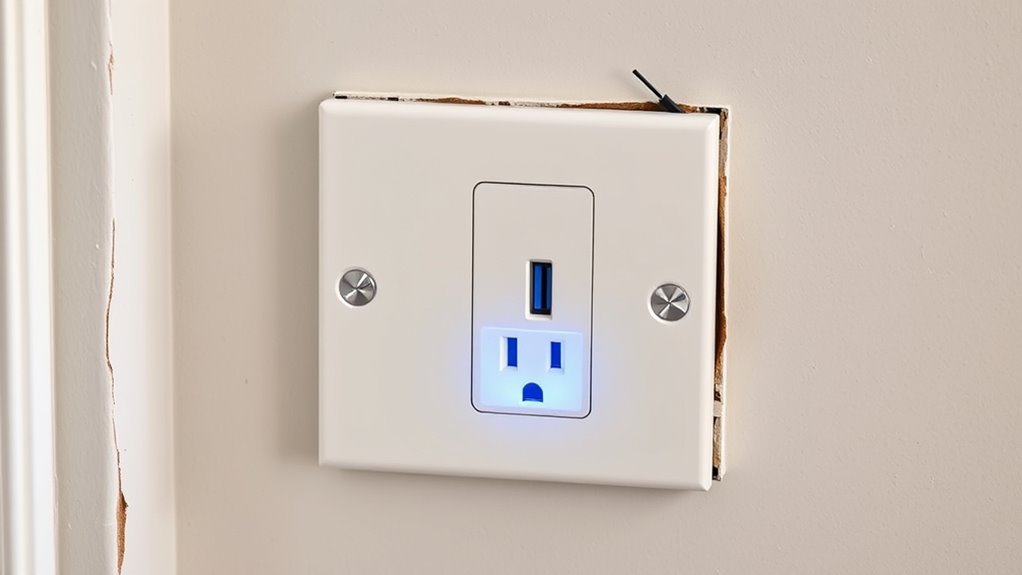
Have you ever struggled to find enough outlets to charge all your devices? If so, upgrading to a USB wall outlet could be a game-changer. These outlets combine traditional power sockets with built-in USB ports, making it easier to charge smartphones, tablets, and other gadgets without clutter or the need for multiple adapters. Installing one isn’t complicated, and it can markedly streamline your charging setup, especially if you have a busy household or work from home. Plus, many USB outlets now come with features like surge protection, safeguarding your devices against power spikes that could damage delicate electronics.
Upgrade to a USB wall outlet for clutter-free charging and added surge protection.
When considering a USB wall outlet upgrade, it’s worth thinking about wireless charging compatibility. Some modern outlets are designed to work seamlessly with wireless chargers, allowing you to simply place your compatible device on a designated spot to start charging. This feature minimizes cable clutter and offers added convenience. If you’re tired of plugging and unplugging cords or dealing with tangled wires, a USB outlet with wireless charging capabilities could enhance your daily routine. It’s a sleek, modern solution that keeps your space tidy and tech-ready.
Installing a USB wall outlet is straightforward, but it’s important to prioritize safety. First, turn off the circuit breaker that supplies power to the outlet you plan to replace. Use a voltage tester to confirm the power is off, then remove the existing outlet carefully. Follow the manufacturer’s instructions to connect the new USB outlet, making sure the wiring matches the appropriate terminals. Many USB outlets are designed for easy installation, often fitting into standard electrical boxes, but if you’re unsure or uncomfortable working with electricity, hiring a professional electrician is always the safest choice.
Once installed, test the outlet to ensure it’s functioning correctly. Plug in your devices and confirm the USB ports are charging as expected. Check that the outlet’s surge protection feature is active; this might be indicated by a small LED light or a switch. Surge protection is essential because it shields your devices from unexpected voltage spikes caused by storms or power fluctuations. This added layer of defense helps prolong the lifespan of your electronics and prevents data loss or hardware damage. Additionally, understanding the importance of contrast ratio in projectors can help you choose the right device for your home theater setup.
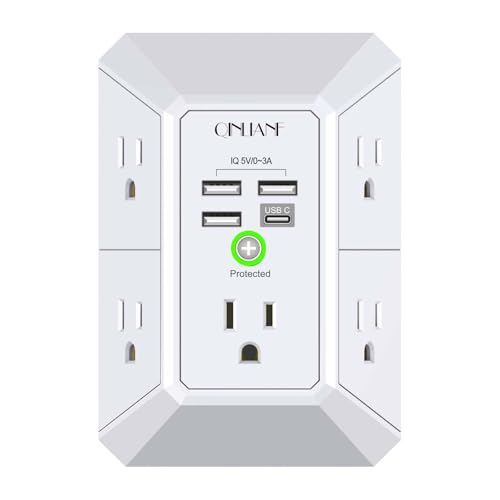
Wall Charger, Surge Protector, QINLIANF 5 Outlet Extender with 4 USB Charging Ports, 3-Sided 1680J Power Strip Multi Plug Adapter Spaced for Home Travel Office
【 Multi Function USB Outlet】- Securing onto the wall design. Fit duplex outlet perfectly, just plug in to…
As an affiliate, we earn on qualifying purchases.
As an affiliate, we earn on qualifying purchases.
Frequently Asked Questions
Can I Install a USB Outlet Without Turning off the Main Power?
No, you shouldn’t install a USB outlet without turning off the main power. Electrical safety is vital, and working on live wires increases the risk of shock or fire. Always turn off the circuit breaker before starting. This guarantees you’re safe while handling electrical components. Ignoring this step can lead to dangerous accidents, so prioritize safety by de-energizing the circuit before installation.
Do All USB Outlets Support Fast Charging?
Not all USB outlets support fast charging; you need to check the specifications. Look for outlets with fast charging capabilities, usually labeled as such, to guarantee quicker power delivery. Many USB outlets now support universal compatibility with various devices, but verify that the outlet’s output matches your device’s requirements. Choosing a fast-charging USB outlet improves your charging speed, making it more convenient for your daily needs.
Are USB Wall Outlets Compatible With Smart Home Systems?
Yes, USB wall outlets are compatible with smart home systems, acting like a friendly conductor guiding your devices smoothly. They often feature smart home integration and wireless connectivity, allowing you to control charging ports remotely or sync them with your smart hub. Just verify your outlet supports the specific smart features you want, and you’ll enjoy seamless, convenient device management right from your smartphone or voice assistant.
What Safety Features Should I Look for in a USB Outlet?
When choosing a USB outlet, look for safety features like a childproof design to prevent accidental shocks and surge protection to guard your devices from power spikes. These features help keep your home safe, especially if you have kids or frequently charge sensitive electronics. Confirm the outlet meets safety standards and has clear labeling. Installing a childproof, surge-protected outlet provides peace of mind and protects your devices effectively.
How Do I Troubleshoot a USB Outlet That Isn’T Charging Devices?
Like a detective solving a mystery, start by checking if your device is compatible with the USB outlet. Make certain it’s properly plugged in and look for charging indicators—usually a light or icon—that show power flow. If it’s still not charging, test with another device or reset the outlet if it has a switch. Sometimes, simply replugging or switching devices can reveal whether the outlet or device is the issue.
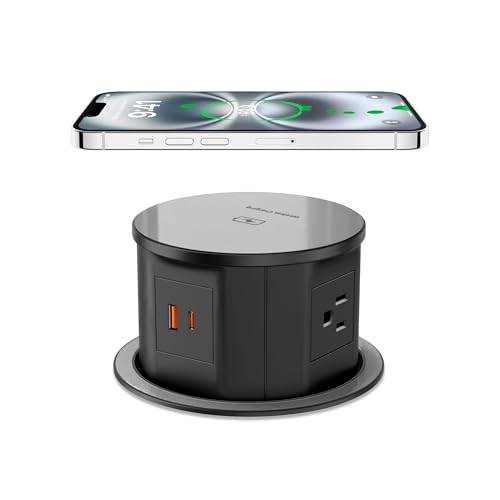
Pop Up Outlet with 15W Wireless Charger, 4 AC Outlets & PD 20W USB Fast Charging, 4.75 inch Desk Hole Power Grommet Connect 6FT Cord for Office, Conference, Kitchen Use(ETL & FCC Listed)
【Pop Up Outlet for Countertop 】4 AC Outlets (12A/120V/1500W/800J), 2 PD 20W USB Ports (3.1 A Total Max),…
As an affiliate, we earn on qualifying purchases.
As an affiliate, we earn on qualifying purchases.
Conclusion
Upgrading to a USB wall outlet is a game-changer—you’ll never struggle with dead phone batteries or tangled cords again. Imagine having instant power at your fingertips, transforming your space into a futuristic charging hub where your devices recharge in seconds. Say goodbye to clutter and frustration, and hello to the sleek, effortless convenience of modern tech. Once you’ve installed your new outlet, you’ll wonder how you ever lived without this tiny but mighty upgrade!

TOPELER USB Outlet, 4.8Amp Type C Wall Charger Power Outlet, Electrical Socket with USB C/A Ports, 15 Amp Tamper Resistant Receptacle, Screwless Wall Plate Include, ETL Listed, White
Type A and Type C USB charging ports with a total output of 5V DC, 4.8Amp, 24W (do…
As an affiliate, we earn on qualifying purchases.
As an affiliate, we earn on qualifying purchases.

SURAIELEC 15 Amp GFCI Outlet with Dual USB-A Ports, Self-Test GFCI Electrical Outlet Combination with USB-A, Tamper-Resistant GFCI Outlet, Screwless Wall Plate Included, ETL Listed, White,1-Pack
GFCI Outlet with USB Ports: Our 15 Amp GFCI outlet features two USB-A ports—each with a max output…
As an affiliate, we earn on qualifying purchases.
As an affiliate, we earn on qualifying purchases.