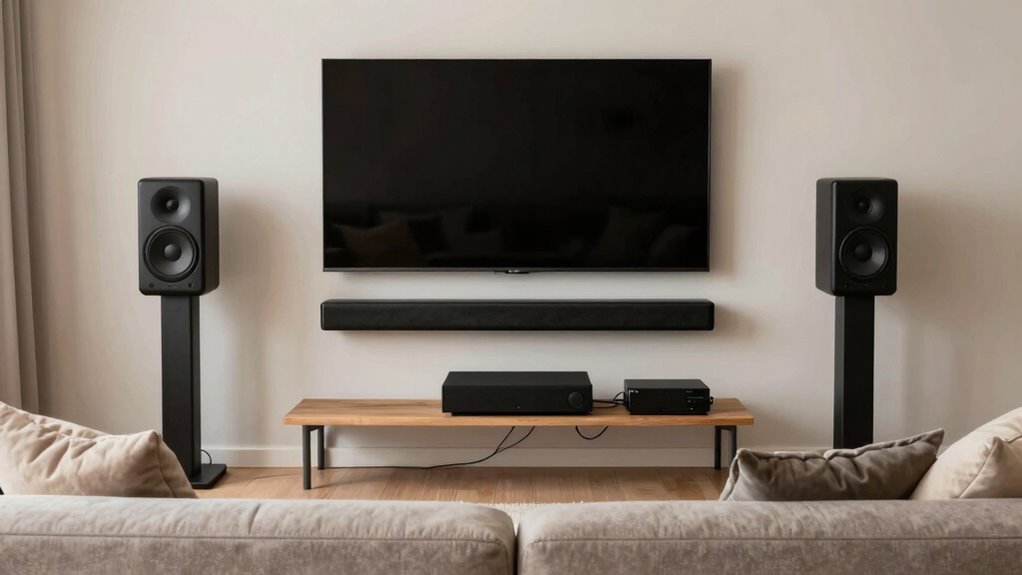

To build a better home audio setup, start by selecting high-quality speakers suited to your room size and acoustics. Focus on placing them correctly and using calibration tools to balance sound. Enable wireless streaming for easy control and less clutter. Optimize your room acoustics by adjusting furniture and adding treatments to improve sound reflection. With the right setup and environment tweaks, you’ll enjoy immersive audio—there’s much more to discover as you continue exploring each step.

Get everyday essentials delivered free with Prime
- Fast, free delivery on millions of items
- Prime Video, Amazon Music and more included
- Member-only deals all year
Key Takeaways
- Select high-quality, appropriately sized speakers compatible with your room and acoustics.
- Set up wireless streaming devices for convenient, cable-free music access.
- Calibrate speakers using built-in tools or external microphones for balanced sound.
- Optimize room acoustics through proper speaker placement and acoustic treatments.
- Enhance sound clarity with environment adjustments, furniture placement, and soundproofing.
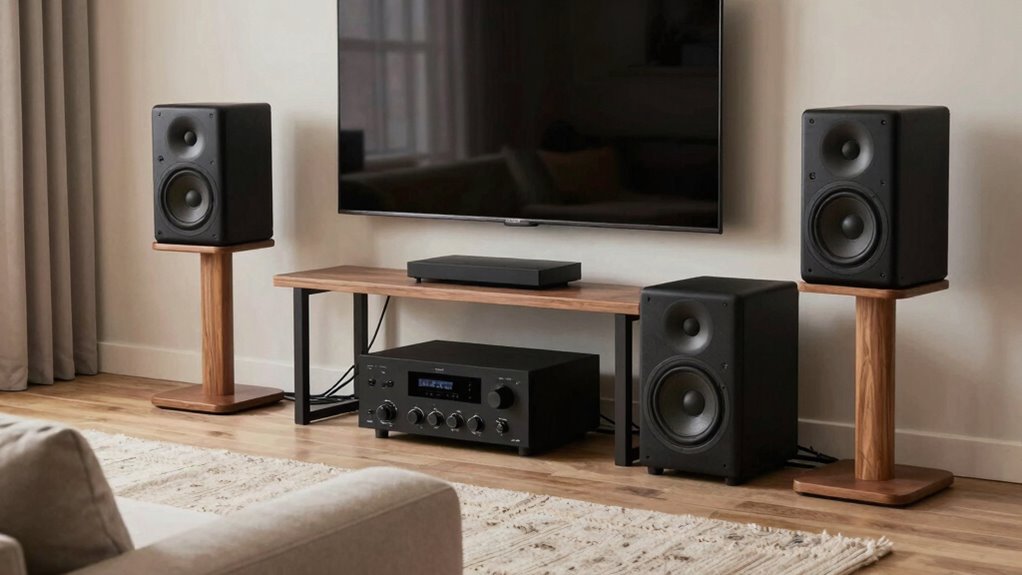
Are you tired of mediocre sound quality ruining your favorite movies and music? Upgrading your home audio setup can make a huge difference, and it all starts with understanding how to optimize your equipment. First, focus on your speakers, since they’re the foundation of your sound system. To get the best performance, invest in quality speakers that match your room size and acoustics. Once you have the right speakers, it’s essential to set up wireless streaming capabilities. Wireless streaming allows you to effortlessly connect your devices—smartphones, tablets, or computers—without cluttered cables, making your listening experience more convenient. Look for speakers or audio receivers that support popular streaming services and Bluetooth or Wi-Fi connectivity, so you can control your music from anywhere in the room.
After establishing wireless streaming, the next step is speaker calibration. This process ensures your speakers deliver balanced sound tailored to your space. Many modern receivers come with built-in room calibration tools, which automatically adjust audio settings based on microphone input, compensating for room size, shape, and furniture placement. If your system doesn’t have this feature, consider using external calibration microphones or manually adjusting the equalizer settings. Proper calibration prevents sound from becoming too boomy or too flat, giving you a clear, immersive experience whether you’re watching a movie or listening to music. Additionally, understanding concepts like sound reflection can help you optimize your room layout for better acoustics. Proper room setup and awareness of speaker placement can significantly influence sound quality. You might also explore acoustic treatments to further improve your listening environment. Remember that understanding and applying room acoustics principles can make a noticeable difference in your listening experience. Incorporating soundproofing techniques can also minimize external noise and improve overall sound clarity.
wireless streaming speakers with Bluetooth and Wi-Fi
As an affiliate, we earn on qualifying purchases.
As an affiliate, we earn on qualifying purchases.
Frequently Asked Questions
What Is the Ideal Room Size for Optimal Audio Quality?
The ideal room size for ideal audio quality depends on your space, but generally, a medium-sized room around 200 to 400 square feet works best. Larger rooms can benefit from acoustic treatment to control echoes, while soundproofing prevents external noise interference. Avoid overly small spaces, which cause sound reflections, or overly large rooms that dilute audio clarity. Proper acoustic treatment and soundproofing ensure your setup delivers clear, balanced sound.
How Do I Choose the Right Speaker Placement?
Imagine your space as a canvas, and speaker placement as your brushstrokes. Position your speakers at ear level, ensuring they’re neither too high nor too low—think of them as whispering directly into your ears. Keep them away from walls to prevent sound reflection, which can muddle clarity. Experiment with angles and distances, trusting your ears to guide you toward the perfect harmony that fills your room with immersive sound.
What Wiring Options Are Best for Minimal Interference?
To minimize interference, opt for high-quality shielded cables and consider wireless alternatives like Bluetooth or Wi-Fi streaming, which reduce clutter and signal disruptions. Proper cable management is essential; use cable clips, conduits, or sleeves to keep wires organized and away from interference sources. Keep power cords separate from audio cables, and choose cables with thicker insulation for better noise rejection, ensuring clearer sound quality in your home audio setup.
Can I Upgrade My System Over Time Easily?
Upgrading your system over time is like adding layers to a painting—you can enhance it gradually. You can easily upgrade components by prioritizing wireless connectivity for seamless integration and improving acoustic treatment to optimize sound quality. Swap out speakers, amplifiers, or add new streaming devices without hassle. Just guarantee your wiring and setup remain flexible, so future upgrades blend smoothly into your existing system, making it a dynamic and evolving audio experience.
How Do I Calibrate My Audio System for Best Sound?
To calibrate your audio system for the best sound, start by adjusting speaker placement for ideal soundstage. Use speaker isolation techniques to reduce vibrations, and incorporate acoustic treatment like panels to minimize reflections. Run a calibration microphone or app to fine-tune levels and equalization. Regularly reassess and tweak settings, ensuring your speakers are properly isolated and your room’s acoustics are perfected for clear, balanced audio.
room calibration microphone for home theater
As an affiliate, we earn on qualifying purchases.
As an affiliate, we earn on qualifying purchases.
Conclusion
As you finish assembling your home audio sanctuary, remember that your setup is like a symphony conductor—each component plays a essential role in harmony. When you tune your speakers and position your gear just right, you craft more than sound; you create a portal to endless worlds. Your space becomes a lighthouse, guiding your senses through waves of melody and silence. Embrace this journey, for a well-built system illuminates your moments with clarity and depth.
acoustic treatment panels for home audio
As an affiliate, we earn on qualifying purchases.
As an affiliate, we earn on qualifying purchases.
high-quality bookshelf speakers for medium-sized rooms
As an affiliate, we earn on qualifying purchases.
As an affiliate, we earn on qualifying purchases.
Columbus Day / Indigenous Peoples' Day Picks
long weekend sales
As an affiliate, we earn on qualifying purchases.