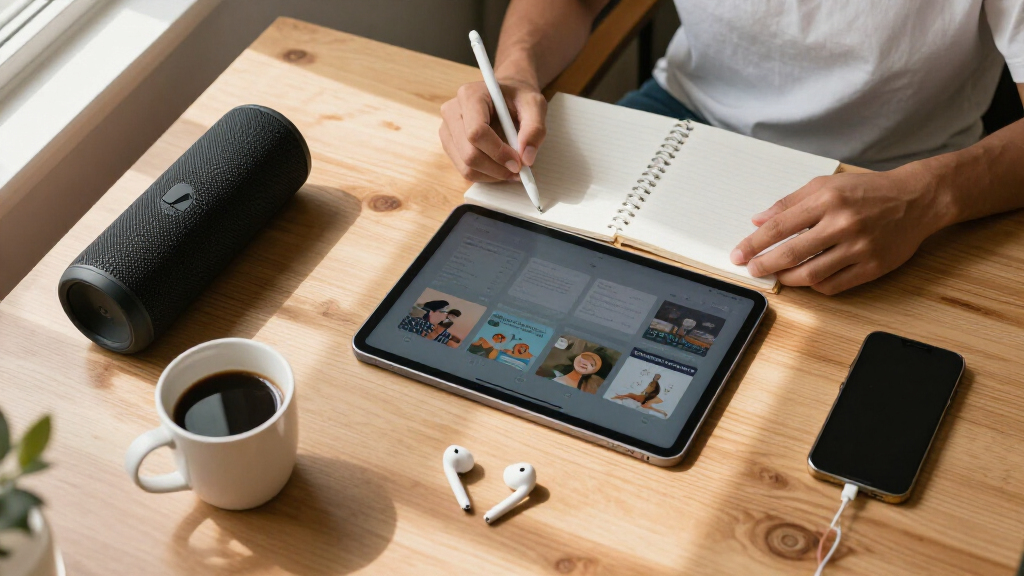
The best educational tech gadget for most students is the Makey Makey STEM Kit, because it turns everyday objects into interactive inventions and works across a huge age range without requiring prior coding skill. Close behind are the Sphero Mini, a pocket-sized coding robot that makes programming feel like play, and the Rocketbook Core, the pick to get if your student’s struggle is organization rather than engagement. The main tradeoff in this category is between gadgets that teach technical skills (coding, physics, circuitry) and gadgets that improve study workflows — and within the tech-skills group, kits that work out of the box tend to offer less depth than build-it-yourself options like the ELECFREAKS Retro Coding Arcade. Age fit matters too: the imagiCharm and Sphero Mini skew younger, while the NikolaToy accelerator and Retro Arcade suit middle schoolers and up. Read on for the full breakdown of what each gadget does well, who should skip it, and how the six compare.
Key Takeaways
- The Makey Makey took the top spot because it is the only pick that scales from elementary school through college — every other gadget in this lineup has a narrower age window.
- Two products — the imagiCharm and Sphero Mini — overlap heavily as beginner coding tools; the Sphero Mini ranks higher because it supports block-based and JavaScript coding, giving it room to grow.
- The Retro Coding Arcade delivers the deepest learning per dollar for students who already like coding, but it demands assembly patience that makes it a poor first gadget.
- The Rocketbook Core is the only non-coding pick here, and it earns its place by solving a different problem: note organization and reduced paper waste, not STEM skill-building.
- Device requirements are the hidden dealbreaker in this category — the imagiCharm requires an iPhone or iPad, and Makey Makey needs a computer with USB, so check compatibility before buying.
| Makey Makey STEM Kit from Joylabz |  | Best Overall | Brand: Makey Makey (Joylabz) | Age Range: 8 years and up | Model Number: MMCE | VIEW LATEST PRICE | See Our Full Breakdown |
| Sphero Mini Green Coding Robot Ball |  | Best for Beginners | Size: Ping pong ball sized | Battery Life: Approximately 1 hour per charge | Connectivity: Bluetooth | VIEW LATEST PRICE | See Our Full Breakdown |
| Rocketbook Core Reusable Smart Notebook, Letter Size 8.5×11, Gray |  | Best Study Companion | Brand: Rocketbook | Size: Letter (8.5 x 11 inches) | Page Type: College-ruled with Smart Titles and Smart Tags | VIEW LATEST PRICE | See Our Full Breakdown |
| NikolaToy High Tech Electromagnetic Coil Accelerator – STEM Physics Experiment Kit |  | Best for Physics Class | Dimensions: 24 x 24 x 6 cm | Weight: 1165 grams | Material: Metal and acrylic | VIEW LATEST PRICE | See Our Full Breakdown |
| imagiLabs imagiCharm – Learn to Code and Create Art on iPhone or iPad |  | Best for Learning Real Code | Connectivity: Bluetooth | Compatible Devices: iPhone, iPad | Age Range: 8-13+ | VIEW LATEST PRICE | See Our Full Breakdown |
| ELECFREAKS Retro Coding Arcade for Microsoft Makecode DIY Programmable Handheld Game Console |  | Best for Young Game Developers | Screen: 2.4-inch LCD, 320×240 resolution | Programming: Microsoft Makecode block coding and Python | Sensors: Gyroscope, vibration motor, and built-in interactive sensors | VIEW LATEST PRICE | See Our Full Breakdown |
| educational tech gadgets for student | Connectivity |
|---|---|
| Makey Makey STEM Kit from Joyl | — |
| Sphero Mini Green Coding Robot | Bluetooth |
| Rocketbook Core Reusable Smart | App-enabled, syncs to Google Drive, Dropbox, and other cloud services |
| NikolaToy High Tech Electromag | — |
| imagiLabs imagiCharm | Bluetooth |
| ELECFREAKS Retro Coding Arcade | USB |
More Details on Our Top Picks
Makey Makey STEM Kit from Joylabz
Makey Makey earns the top spot because it turns everyday objects into working touchpads, and no other kit here makes invention feel this immediate. Compared with the Sphero Mini, which confines play to a single rolling ball, Makey Makey lets a banana, a staircase, or a drawing become the controller — the creative ceiling is far higher. Setup is genuinely plug-and-play: no programming experience is needed to start, yet advanced students can grow into Scratch projects. The tradeoff is longevity; once the novelty projects are exhausted, kids who want structured progression may drift toward purpose-built coding tools like the imagiCharm, which teaches an actual language (Python) rather than input mapping. Still, for open-ended STEM discovery across ages and skill levels, this kit makes the most sense as the first purchase.
Pros:- Plug-and-play setup with no programming experience required
- Encourages open-ended creativity — everyday objects become controllers
- Works across Mac, Windows, and Chromebook
- Designed by MIT PhDs with strong educational credibility
Cons:- Included projects can feel repetitive once initial ideas run out
- Advanced projects require basic electronics understanding
- Younger children under 8 are excluded by design
Best for: Parents and teachers wanting an open-ended invention kit that works for mixed ages (8+) and skill levels without any prior coding knowledge
Not ideal for: Students who want structured, curriculum-style coding instruction — this rewards tinkering, not guided lessons
- Brand:Makey Makey (Joylabz)
- Age Range:8 years and up
- Model Number:MMCE
- Included Components:Makey Makey board, USB cable, 7 alligator clips, 6 connector wires, 20 color stickers, visual project guide
- Compatibility:Mac, Windows, Chromebook
- Customer Rating:4.6/5
- Best Sellers Rank:#329 in Educational Science Kits
Our verdict“The best starting point for any student curious about how technology works, especially in households or classrooms with mixed ages.”
Sphero Mini Green Coding Robot Ball
The Sphero Mini is the friendliest entry into robotics in this lineup. Where Makey Makey asks kids to invent their own projects, Sphero hands them a ready-made toy with drive modes, LED lights, bowling pins, and traffic cones right in the box — engagement starts in minutes, not after a brainstorming session. The Sphero Edu app scaffolds coding from simple joystick driving up to block-based programming, which makes it better suited to absolute beginners than the NikolaToy accelerator, which assumes existing physics knowledge. The compromises are real though: roughly one hour of battery life per charge cuts play sessions short, the programming depth plateaus quickly, and a compatible phone or tablet is mandatory. This pick makes the most sense for a first robot that builds confidence before graduating to more open-ended kits.
Pros:- Ping-pong-ball size makes it highly portable
- Multiple coding options that scale with beginner skill
- Includes cones and pins for immediate gameplay
- Instant engagement — works as a toy on day one
Cons:- Only about 1 hour of play time per charge
- Requires a compatible mobile device for full functionality
- Programming depth plateaus quickly for advancing learners
Best for: Young students (roughly 6-10) taking their very first steps into coding who need immediate fun rather than open-ended building
Not ideal for: Teens or students past block-coding basics — the programming options will feel basic within months
- Size:Ping pong ball sized
- Battery Life:Approximately 1 hour per charge
- Connectivity:Bluetooth
- Compatible Apps:Sphero Edu, Sphero Play
- Included Accessories:3 traffic cones, 6 bowling pins
- Features:Multiple drive modes, colorful LED lights
Our verdict“A confidence-building first robot for young kids, best treated as a stepping stone rather than a long-term coding platform.”
Rocketbook Core Reusable Smart Notebook, Letter Size 8.5×11, Gray
Unlike the other picks here, the Rocketbook Core isn’t about coding — it solves the less glamorous problem of managing notes across a whole school year. Write with the included Pilot Frixion pen, scan via the app, and pages upload straight to Google Drive or Dropbox; then wipe clean and reuse. Over a semester, that replaces stacks of disposable notebooks, which matters for students juggling multiple subjects. Compared with the imagiCharm, this is productivity rather than play — but both share a limitation: neither works fully without their companion app and specific accessories. Here, that means you must use erasable Frixion ink, and pages must actually be wiped down before reuse, which becomes a chore if you fall behind. The upfront cost also stings versus a $2 spiral notebook. For organized students drowning in paper, though, the payoff is real.
Pros:- Reusable pages dramatically cut paper waste and supply costs
- Smart Titles and Tags keep notes organized by subject automatically
- Smooth writing experience with included Pilot Frixion pen
- Letter-size format with durable scratch-resistant cover
Cons:- Must use compatible Frixion pens — regular ink ruins the pages
- Pages need wiping after each use, which takes discipline
- Higher upfront cost than traditional notebooks
Best for: Middle school through college students who take lots of notes and want everything digitized and searchable by subject
Not ideal for: Students without regular access to a smartphone or those unwilling to maintain erasable-pen habits — stick with cheap paper
- Brand:Rocketbook
- Size:Letter (8.5 x 11 inches)
- Page Type:College-ruled with Smart Titles and Smart Tags
- Reusability:Infinite reuse — wipe pages with a damp cloth
- Connectivity:App-enabled, syncs to Google Drive, Dropbox, and other cloud services
- Cover Material:Scratch-resistant
- Weight:8.8 ounces
- Included:1 Pilot Frixion pen
Our verdict“The practical pick for students whose real bottleneck is organizing and keeping notes, not learning to code.”
NikolaToy High Tech Electromagnetic Coil Accelerator – STEM Physics Experiment Kit
The NikolaToy Coil Accelerator is the specialist of this group: a metal-and-acrylic desktop model that demonstrates particle acceleration and electromagnetism physically, in front of your eyes. Compared with the Sphero Mini or Makey Makey, which teach through interaction, this teaches through observation — it belongs in a physics unit, not a coding curriculum. That specificity is both its strength and its limit. A student prepping for a science fair or a teacher illustrating electromagnetic principles gets a durable, visually striking demonstration that no app can replicate. But buyers should know it’s a teaching model, not a functional accelerator, and it assumes prior physics knowledge — hand it to a curious 8-year-old expecting the Sphero experience and they’ll be bored or confused within minutes. For the right audience, though, nothing else in this roundup makes abstract physics this concrete.
Pros:- Physically demonstrates electromagnetic acceleration in a memorable way
- Sturdy metal and acrylic build suitable for repeated classroom use
- Compact footprint fits a desk or lab bench
- Strong conversation piece that sparks physics discussions
Cons:- Requires prior understanding of physics to be meaningful
- Demonstration-only — limited hands-on experimentation beyond observation
- Narrow scope compared with multi-purpose coding kits
Best for: High school physics students, science teachers, and science-fair competitors studying electromagnetism
Not ideal for: Younger kids or beginners with no physics background — it requires conceptual context to be interesting
- Dimensions:24 x 24 x 6 cm
- Weight:1165 grams
- Material:Metal and acrylic
- Type:Demonstration model (not a functional particle accelerator)
- Educational Focus:Electromagnetism and particle acceleration principles
- Best Setting:Home or classroom
Our verdict“A targeted buy for physics coursework and demonstrations — skip it if you want general-purpose STEM play.”
imagiLabs imagiCharm – Learn to Code and Create Art on iPhone or iPad
The imagiCharm stands out as the only product here that teaches an actual programming language — Python — and gives learners a wearable reward for it. Kids code pixel art in the app and see it light up on the charm, which makes abstract syntax feel personal in a way the Sphero Mini’s block-based blocks can’t match. Compared with Makey Makey, which is more inventive but doesn’t teach a language, imagiCharm offers a clearer skill pathway, backed by a safe, moderated community — a genuine plus for parents wary of open online spaces. The tradeoffs are platform and scope: it requires an iPhone or iPad (Android households are out of luck), and the output is limited to pixel art on a small display. For a motivated 8-13 year old ready to graduate from toys to text-based coding, this option earns its place.
Pros:- Teaches genuine Python, a transferable real-world skill
- Creative wearable output keeps motivation high
- Safe, moderated community designed for kids and teens
- Award-winning design from a female-founded Swedish company
Cons:- iPhone or iPad required — no Android support
- Limited to pixel art and Python coding features
- Small display limits the complexity of projects
Best for: Kids aged 8-13, especially those inspired by creative coding communities, who are ready to move from blocks to real Python
Not ideal for: Android-only households or students wanting broader robotics and hardware projects — this is narrowly focused on pixel art and Python
- Connectivity:Bluetooth
- Compatible Devices:iPhone, iPad
- Age Range:8-13+
- Coding Language:Python
- App:Free companion app with moderated community
- Type:Wearable pixel-art display
- Manufacturer:imagiLabs (Swedish, female-founded)
Our verdict“The right pick when the goal is learning a real programming language early, provided an Apple device is already in the house.”
ELECFREAKS Retro Coding Arcade for Microsoft Makecode DIY Programmable Handheld Game Console
This option stands out for a reason the other picks in this lineup can’t match: it lets a student play the games they build. Where the Sphero Mini teaches coding through a rolling robot and the imagiCharm turns code into wearable pixel art, the Retro Coding Arcade makes the reward a handheld console stocked with the child’s own creations — a powerful motivator for kids who love gaming more than gadgets. It supports block programming and Python, so there’s a genuine growth path from drag-and-drop logic to real text-based code. The 320×240 screen is sharp for its size, and the built-in gyroscope and vibration motor mean games can respond to motion, not just button presses. The tradeoff: it’s strictly single-player, the 2.4-inch display feels cramped compared with learning on a tablet, and it still depends on its rechargeable battery rather than USB power. Compared with the Makey Makey, which invents inputs but needs a computer to function, this is a self-contained device — that portability is its real edge.
Pros:- Block coding and Python support provides a clear progression from beginner to real programming
- Self-contained handheld design means no computer needed to play once games are loaded
- Built-in gyroscope and vibration motor enable motion-controlled, interactive game projects
- Rich tutorials and technical support help beginners past common first-project frustration
Cons:- Single-player only, so it doesn’t support the group or sibling learning other kits encourage
- 2.4-inch screen is small for detailed block coding sessions and may frustrate younger eyes
Best for: Kids aged 8-14 who are motivated by gaming and ready to move from block coding toward Python on a portable, self-contained device
Not ideal for: Families or classrooms wanting collaborative learning — the single-player design means no shared play, unlike Sphero Mini or Makey Makey group projects
- Screen:2.4-inch LCD, 320×240 resolution
- Programming:Microsoft Makecode block coding and Python
- Sensors:Gyroscope, vibration motor, and built-in interactive sensors
- Connectivity:USB
- Power:1 rechargeable lithium-ion battery (included)
- Players:Single player
- Dimensions:8.66 x 6.06 x 1.77 inches; 0.22 kg
- Materials:ABS and polycarbonate shell
Our verdict“Buy this for a gaming-obsessed student who needs a tangible reason to learn code — but skip it if collaborative STEM play is the goal.”
How We Picked
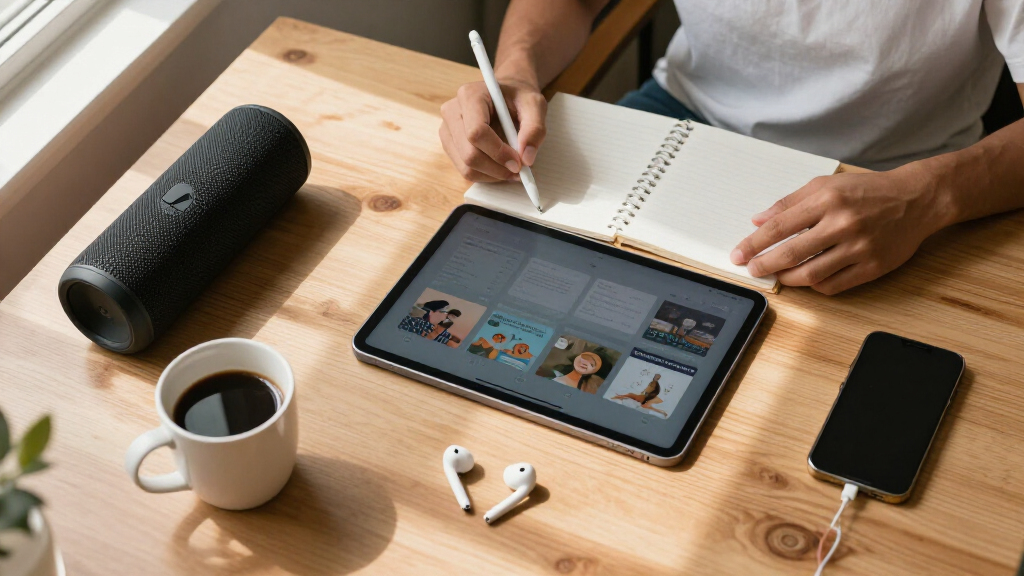
I evaluated each gadget against four criteria: learning depth (does it teach transferable skills or just entertain), ease of starting (how quickly a student can go from unboxing to doing something interesting), longevity (whether it stays engaging after the first week), and value relative to price. I also weighed age range heavily — a gadget that works for a nine-year-old and a fifteen-year-old simply offers more value to a family than one with a two-year window. Compatibility requirements, parental involvement needed, and whether the product depends on an app or subscription were treated as practical dealbreakers, not afterthoughts.
The ranking logic follows a simple pattern: versatile, low-friction tools rank higher than narrow or high-friction ones. That is why the Makey Makey leads and the NikolaToy accelerator — genuinely impressive as a physics demonstration — sits lower: it teaches one concept brilliantly but does not sustain ongoing exploration the way an open-ended invention kit does. The Retro Arcade ranks mid-pack for the opposite reason, high depth but high setup effort.
| educational tech gadgets for student | Connectivity |
|---|---|
| Makey Makey STEM Kit from Joyl | — |
| Sphero Mini Green Coding Robot | Bluetooth |
| Rocketbook Core Reusable Smart | App-enabled, syncs to Google Drive, Dropbox, and other cloud services |
| NikolaToy High Tech Electromag | — |
| imagiLabs imagiCharm | Bluetooth |
| ELECFREAKS Retro Coding Arcade | USB |
Factors to Consider When Choosing Educational Tech Gadgets For Students
Before picking a specific gadget, it helps to understand what actually separates a great educational purchase from an expensive toy that gathers dust. These are the factors that shaped my rankings and the ones I would weigh most heavily as a buyer.Match the Gadget to the Skill You Actually Want
The most common mistake in this category is buying a coding robot when the real goal is ‘my kid should learn something.’ Each gadget here teaches a different thing: the Sphero Mini and Retro Arcade teach programming logic, the Makey Makey teaches circuits and physical computing, the NikolaToy teaches physics principles, and the Rocketbook teaches nothing technical at all — it builds organization and study habits. A student who already codes will be bored by a beginner toy, while a beginner will be frustrated by a build-it-yourself console. Decide whether the goal is a technical skill, scientific curiosity, or better study workflow, and half of your decision is already made.
Age Range Is Narrower Than the Box Suggests
Manufacturers routinely list wide age ranges, but real engagement windows are tighter. The imagiCharm and Sphero Mini genuinely shine for roughly ages 7 to 12; past that, many students find them too cute or too limited. The Retro Arcade and NikolaToy accelerator flip the problem — they are rated for ages 8 and up on paper, but realistically need a mature middle schooler with fine motor skills and frustration tolerance. When in doubt, buy toward the older end of a stated range rather than the younger end. A slightly-too-advanced gift gets grown into; a too-young one gets discarded.
Check Device Requirements Before You Buy
This is the most overlooked step and the most common reason for returns. The imagiCharm only works with an iPhone or iPad — Android households are out of luck entirely. The Sphero Mini needs a smart device with Bluetooth, the Retro Arcade needs a computer for Microsoft MakeCode, and the Makey Makey needs a USB-equipped computer, not a tablet or Chromebook in some school configurations. The Rocketbook is the most flexible, scanning with any phone camera, but its handwriting-to-text features work best inside its own app ecosystem. A ten-minute compatibility check beats a disappointed student on their birthday.
Open-Ended Beats Single-Demo for Long-Term Value
There is a big structural difference between demonstration kits and creation platforms. The NikolaToy accelerator is a demonstration — a striking physics display that a student will show off a dozen times and then shelve. The Makey Makey and Retro Arcade are creation platforms: the student keeps inventing new things to build, which is why they hold value months later. Demonstration kits are not a bad purchase, but they should be cheaper and bought with honest expectations. If a gadget costs over $50 and only does one thing, it had better do that thing spectacularly.
Factor In Parental Involvement and Supervision
Some gadgets in this lineup are genuinely independent activities; others realistically need an adult nearby, at least at first. The Retro Arcade requires assembly with small components, and the NikolaToy involves electromagnetic components that warrant supervision for younger students. The Sphero Mini, imagiCharm, and Rocketbook are close to fully independent. If you are buying for a student who will use this during independent study time or while a parent works, lean toward the self-directed options. If you are looking for a weekend project to do together, the assembly-heavy picks become assets rather than liabilities.
Watch for Subscriptions and Ongoing Costs
Most of these products are one-time purchases, but app-dependent gadgets carry hidden risks: if the company discontinues its app, the hardware becomes a paperweight. The imagiCharm and Sphero Mini both depend on companion apps remaining supported, which is worth knowing if you are buying for a younger child who will use the device for years. The Makey Makey carries the least risk because it works with any software that accepts a keyboard input — including free tools like Scratch that are maintained by a large community, not one company. Gadgets built on open platforms like MakeCode and Scratch age better than those tied to proprietary apps.
Frequently Asked Questions
Which gadget is best if my child has never coded before?
For a true beginner, the Sphero Mini is the gentlest entry point because its block-based drag-and-drop coding produces instant, visible results — the ball moves the moment the program runs, and that feedback loop keeps beginners engaged. The imagiCharm is equally beginner-friendly but appeals to a narrower taste, since its output is pixel art on a small accessory display. I would steer beginners away from the Retro Coding Arcade despite its educational depth, because assembling the hardware before writing a single line of code creates a discouraging wall in front of the fun part. Start with Sphero or imagiCharm, then graduate to the Arcade once basic coding concepts click.
Is the Rocketbook Core actually a good gift, or is it too boring compared to the other options?
It depends entirely on what problem you are solving. If the goal is sparking interest in STEM, the Rocketbook will underwhelm — it is a productivity tool, not a toy. But for a disorganized student who loses notes, wastes paper, or struggles to get handwritten notes into digital formats for studying, it solves a daily pain point that no coding robot touches. It also costs less than most of the other picks and never becomes obsolete the way app-dependent gadgets can. The right move is to gift it alongside a technical gadget, or to choose it when the student already has interests and simply needs better study infrastructure.
Does the imagiCharm work on Android phones?
No, and this is the single biggest caveat with the product. The imagiCharm pairs exclusively with iPhone and iPad through the imagiLabs app, so Android households should rule it out immediately regardless of how well it otherwise fits. This limitation is also why it ranks below the Sphero Mini despite similar beginner-coding appeal — the Sphero app runs on both iOS and Android, giving families flexibility if devices change. If your student is attached to an Apple device and loves creative, art-focused projects, the imagiCharm still makes sense. But verify the household’s device situation before ordering, because this is not a limitation the product packaging makes obvious.
Is the NikolaToy electromagnetic accelerator worth the price for learning physics?
It delivers one genuinely memorable physics demonstration — electromagnetic acceleration is visually dramatic and does build intuition about magnetic fields and kinetic energy in a way a textbook cannot. The honest tradeoff is that it is a demonstration, not a platform: once the student has fired it a number of times and understood the principle, there is little left to explore. For a student already fascinated by physics, that single deep concept may be worth it, and it can spark real curiosity about electromagnetism. For a general audience, the same money buys the Makey Makey, which supports months of open-ended invention. Buy the accelerator for the physics-obsessed; skip it for everyone else.
Can these gadgets actually be used for school assignments, or are they just extracurricular fun?
Two of them integrate directly into schoolwork. The Rocketbook Core is designed for real class notes, with pages that erase and reuse and handwriting that converts to digital text for essays and study guides — it is a school tool first. The Retro Coding Arcade can support actual coding coursework, since Microsoft MakeCode is used in many school computer science classes, and students can build games that double as portfolio projects. The Makey Makey straddles the line, frequently used in school science fairs and maker projects. The Sphero Mini, imagiCharm, and NikolaToy are best treated as skill-builders outside class time — they build the underlying abilities that make school STEM work easier, without fitting into assignments directly.
Conclusion
Best overall goes to the Makey Makey STEM Kit — no other pick matches its age range, open-ended invention potential, and resistance to obsolescence. Best value is the Sphero Mini, which packs genuine block and JavaScript coding into one of the cheapest packages here. Best for beginners is a close call between the Sphero Mini and the imagiCharm; choose Sphero for broad appeal, imagiCharm for a creative student with an Apple device. Best premium/deep-dive is the ELECFREAKS Retro Coding Arcade, which rewards patient builders with the most substantive coding education in the lineup. For specific needs: the NikolaToy accelerator for physics-obsessed students, and the Rocketbook Core for the student whose real challenge is organization rather than engagement. Match the gadget to the student in front of you, not the one you wish you had — that single rule will make any of these six a success.