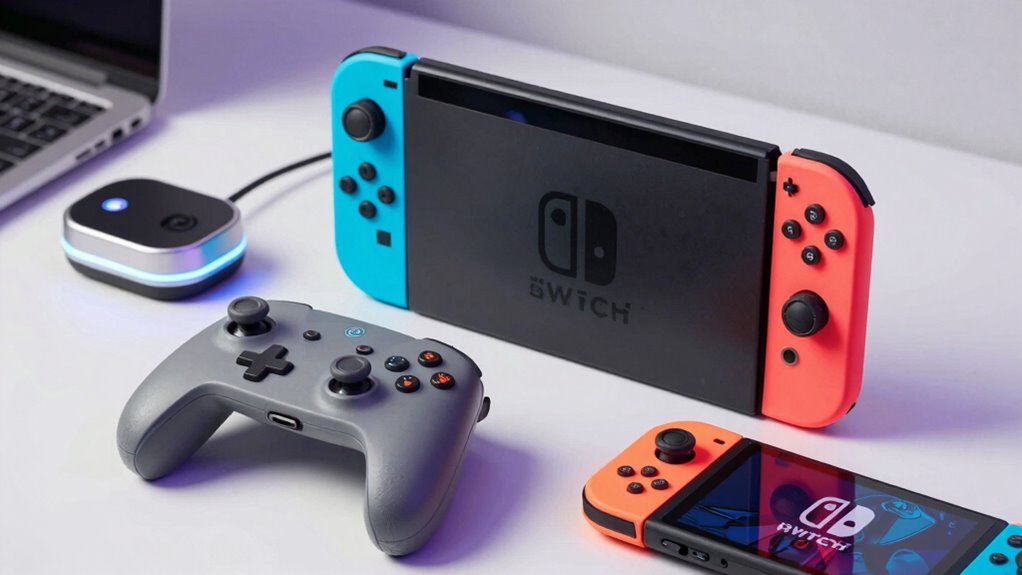

Searching for the best Nintendo Switch accessories in 2026? The right add-ons can significantly improve your gaming comfort, performance, and convenience. The Nintendo Switch™ 2 Pro Controller stands out as the overall top pick for its balanced performance and comfort, while the Switch Organizer Station offers a sleek solution for charging and storage. Standout options like PowerA Joy-Con Comfort Grips and colorful Joy-Con variants add personalization and grip comfort but come with some tradeoffs in durability or price. Choosing the right accessories involves balancing comfort, compatibility, and price—understanding these tradeoffs is key. Keep reading for a detailed breakdown to find what suits your gaming style and needs.

Get everyday essentials delivered free — and shop member deals
- Fast, free delivery on millions of items
- Access to Prime Big Deal Days deals on October 6–7
- Prime Video, Amazon Music and more included
Key Takeaways
- The Nintendo Switch™ 2 Pro Controller offers the best balance of performance and comfort for core gamers.
- Charging and storage solutions like the Switch Organizer Station simplify setup but add to the overall expense.
- Joy-Con grips enhance comfort during long play sessions but vary in durability and grip quality.
- Colorful Joy-Con options provide personalization but can be less durable than standard models.
- Price and compatibility are key; high-end accessories deliver better performance but at a premium cost.
| Nintendo Switch™ 2 Pro Controller |  | Best Overall for Enhanced Gaming Experience | Compatible Devices: Nintendo Switch 2 | Controller Type: Gamepad | Connectivity Technology: Wireless | VIEW ON AMAZON | See Our Full Breakdown |
| Switch Organizer Station with Controller Charger for Nintendo Switch & OLED |  | Best for Organized Gaming Stations | Input Voltage: 5 volts | Wattage: 18 watts | Total USB Ports: 1 | VIEW ON AMAZON | See Our Full Breakdown |
| PowerA Joy-Con Comfort Grips for Nintendo Switch – Black |  | Best for Comfort During Extended Play | Compatibility: Nintendo Switch Joy-Con | Design: Ergonomic, lightweight | Material: Rubber grips | VIEW ON AMAZON | See Our Full Breakdown |
| Nintendo Joy-Con™ (L/R) Light Purple/Light Green |  | Best for Colorful, Customizable Experience | VIEW ON AMAZON | See Our Full Breakdown | |||
| Lyyes Switch Controller, Wireless Pro Controller Joystick – 2 Pack |  | Best for Versatile Gaming on Multiple Platforms | Battery Capacity: 500mAh | Charging Time: 2-3 hours | Gaming Time: 8-10 hours | VIEW ON AMAZON | See Our Full Breakdown |
| Nintendo Joy-Con (L)/(R) – Pastel Purple/Pastel Green |  | Best for Colorful Customization | Compatibility: Nintendo Switch | Color: Pastel Purple/Pastel Green | Connectivity: Wireless Bluetooth | VIEW ON AMAZON | See Our Full Breakdown |
| nintendo switch accessorie | Compatibility |
|---|---|
| Nintendo Switch™ 2 Pro Control | — |
| Switch Organizer Station with | — |
| PowerA Joy-Con Comfort Grips f | Nintendo Switch Joy-Con |
| Nintendo Joy-Con™ | — |
| Lyyes Switch Controller | Switch, Switch Lite, Switch OLED, Windows PC |
| Nintendo Joy-Con | Nintendo Switch |
More Details on Our Top Picks
Nintendo Switch™ 2 Pro Controller
This controller stands out for gamers seeking a premium experience on the Nintendo Switch 2. Its HD Rumble and motion controls elevate gameplay, while built-in amiibo functionality and programmable buttons add versatility. The inclusion of a 3.5mm audio jack ensures flexible audio options, making it more feature-rich than the PowerA Joy-Con Grips, which focus solely on comfort. However, the amiibo feature requires additional accessories, and it’s limited to Switch 2, unlike multi-platform controllers like the Lyyes Pack. This pick makes the most sense for dedicated players who want a high-quality, feature-packed controller without sacrificing essential functionalities.
Pros:- Enhanced gaming with HD Rumble and motion controls
- Built-in amiibo functionality and programmable buttons
- Includes a 3.5mm stereo audio jack for versatile sound options
Cons:- Amiibo figures are not included, requiring additional purchase
- Limited compatibility outside Nintendo Switch 2
- Requires internet and Nintendo Account for GameChat features
Best for: Hardcore gamers who prioritize advanced features and seamless Switch 2 integration
Not ideal for: Casual players or those on a tight budget, as it’s more expensive and specialized
- Compatible Devices:Nintendo Switch 2
- Controller Type:Gamepad
- Connectivity Technology:Wireless
- Button Quantity:18
- Hardware Platform:Nintendo Switch 2
- Item Weight:13.12 ounces
- Color:Multicolor
Our verdict“This controller is perfect for serious Switch 2 users who want a high-performance gamepad with extra features.”
Switch Organizer Station with Controller Charger for Nintendo Switch & OLED
This all-in-one storage tower is ideal for gamers who want a clutter-free setup. It offers a dedicated charging dock for Joy-Con controllers, storage for game cards, and space for the Switch OLED dock, surpassing basic storage solutions like the Joy-Con Comfort Grips. While it provides excellent organization and fast charging—capable of charging four Joy-Cons in just two hours—the need for a separate Switch dock adds complexity and cost. Its limited compatibility to Switch and OLED accessories makes it less versatile for multi-platform setups. This station is best suited for dedicated Switch gamers who value a tidy, charging-ready environment.
Pros:- Provides organized storage for controllers, game cards, and accessories
- Fast charging dock for Joy-Cons (up to 4 in 2 hours)
- Securely holds Switch and OLED consoles and accessories
Cons:- Switch dock must be purchased separately
- Requires assembly and installation time
- Limited to Switch/OLED accessories only
Best for: Console owners seeking a neat, all-in-one storage and charging solution
Not ideal for: Casual players with minimal accessories or those who already own a dedicated charging dock
- Input Voltage:5 volts
- Wattage:18 watts
- Total USB Ports:1
- Power Source:Corded Electric
- Mounting Type:Wall Mount
Our verdict“This station makes sense for gamers who want a sleek, organized setup with fast charging capabilities.”
PowerA Joy-Con Comfort Grips for Nintendo Switch – Black
This set focuses on enhancing the grip and comfort of Joy-Con controllers, making it a great choice for longer gaming sessions. Compared to the Nintendo Joy-Con Light Purple/Light Green, which offers colorful aesthetic appeal for the Switch 2, these grips prioritize ergonomics over visual flair. They feature lightweight design and double-injected rubber grips, making them more comfortable than bare Joy-Cons, but they can add bulk, which might be a concern for players with smaller hands. These grips are ideal for players who prefer extended play without discomfort but may not suit those seeking a more colorful or lightweight controller option.
Pros:- Enhanced comfort during prolonged gameplay
- Secure slide-in design keeps Joy-Cons firmly attached
- Lightweight yet ergonomic for better grip
Cons:- Can add bulk to Joy-Con controllers, affecting portability
- Limited color options reduce customization choices
Best for: Players who experience hand fatigue and want ergonomic support for long gaming sessions
Not ideal for: Casual gamers who prefer minimal accessories or a lightweight feel
- Compatibility:Nintendo Switch Joy-Con
- Design:Ergonomic, lightweight
- Material:Rubber grips
Our verdict“This pick is perfect for gamers prioritizing comfort over aesthetics during long gaming marathons.”
Nintendo Joy-Con™ (L/R) Light Purple/Light Green
These vibrant Joy-Con controllers offer a splash of color for Switch 2 users, standing out against the more subdued or black controllers like the PowerA grips. Their bright purple and green hues can brighten up any gaming setup, making them ideal for players who want a more personalized look. However, their focus on aesthetics means they lack the additional features or ergonomic enhancements found in other controllers, and they are only compatible with Switch 2. This makes them a less practical choice for gamers seeking advanced features or multi-platform compatibility but perfect for those who want style and color variety.
Pros:- Vibrant color options for personalization
- Designed specifically for Switch 2 compatibility
- Easy to integrate into existing Switch setups
Cons:- Limited to Switch 2, no multi-platform support
- Lacks advanced features like motion controls or programmable buttons
- No customization beyond color
Best for: Players who want a vivid, customizable look for their Switch 2 controller collection
Not ideal for: Serious gamers needing advanced features or long-term ergonomic support
Our verdict“Ideal for style-conscious players who want colorful controllers to match their personality or setup.”
Lyyes Switch Controller, Wireless Pro Controller Joystick – 2 Pack
This set offers flexibility for gamers who switch between Switch, Switch Lite, Switch OLED, and Windows PC. With ergonomic grips, long battery life, and features like turbo mode and gyro sensors, it surpasses basic controllers like the PowerA grips for comfort and performance. However, the lack of detailed vibration settings and the need for a wired connection for charging could be limiting for some users. Compared to the Nintendo Switch™ 2 Pro Controller, which offers more advanced features and wireless charging, this pack is more budget-friendly and multi-platform but sacrifices some premium feel and vibration customization. It makes the most sense for gamers who want variety and value over premium features.
Pros:- Ergonomic design provides comfortable grip for long sessions
- Long battery life with 8-10 hours of gaming
- Supports multiple platforms including PC and Switch variants
Cons:- Vibration intensity levels are not specified
- Requires wired charging cable for recharging
- Limited information on overall build quality
Best for: Gamers who play across multiple devices and need a comfortable, long-lasting controller pack
Not ideal for: Players seeking a controller with highly customizable vibration or premium build quality
- Battery Capacity:500mAh
- Charging Time:2-3 hours
- Gaming Time:8-10 hours
- Compatibility:Switch, Switch Lite, Switch OLED, Windows PC
Our verdict“This pack suits multi-platform gamers wanting reliable, ergonomic controllers at a good value, despite some feature limitations.”
Nintendo Joy-Con (L)/(R) – Pastel Purple/Pastel Green
This pair of pastel Joy-Con controllers stands out for their vibrant, fun aesthetic that adds personality to any Nintendo Switch setup. Compared with the standard Light Purple/Light Green models, these controllers offer a softer, more playful look, perfect for players who want to express their style. While they maintain the core functionality of the original Joy-Con, their limited product details—such as no info on battery life—mean you might need to replace or recharge more frequently if used heavily. The color scheme makes them ideal for casual gaming sessions or themed setups, but they don’t provide any additional features like extended battery life or advanced haptic feedback. Tradeoffs include a lack of detailed specs and potential durability questions.
Pros:- Vibrant pastel colors enhance aesthetic appeal
- Compatible with all Nintendo Switch models
- Easy to attach and detach from the console
Cons:- Limited information on battery life and build quality
- No additional features like advanced haptic feedback or amiibo support
Best for: Players seeking a fun, aesthetic upgrade to personalize their console without sacrificing compatibility or basic functionality.
Not ideal for: Serious gamers or those needing controllers with longer battery life and advanced features—these are primarily visual upgrades.
- Compatibility:Nintendo Switch
- Color:Pastel Purple/Pastel Green
- Connectivity:Wireless Bluetooth
- Battery Life:Not specified
- Dimensions:Standard Joy-Con size
- Weight:Approx. 50 grams each
- Material:Plastic with color coating
- Included:2 controllers (L and R)
Our verdict“This pick is best suited for casual players who prioritize style and color customization over advanced features.”

How We Picked
The products included in this roundup were selected based on their performance, usability, build quality, and compatibility with different Switch models. We prioritized accessories that enhance gameplay comfort, improve functionality, or add aesthetic value. Each item was evaluated for ease of use, durability, and overall value, with a focus on how well they fit different user needs—from casual players to advanced gamers. The ranking reflects a combination of these factors, balancing quality and price to recommend options suitable for various budgets and preferences.| nintendo switch accessorie | Compatibility |
|---|---|
| Nintendo Switch™ 2 Pro Control | — |
| Switch Organizer Station with | — |
| PowerA Joy-Con Comfort Grips f | Nintendo Switch Joy-Con |
| Nintendo Joy-Con™ | — |
| Lyyes Switch Controller | Switch, Switch Lite, Switch OLED, Windows PC |
| Nintendo Joy-Con | Nintendo Switch |
Factors to Consider When Choosing Nintendo Switch Accessories
When choosing Nintendo Switch accessories, it’s important to consider factors that will impact your gaming experience and longevity of the products. Not all accessories are created equal, and some tradeoffs are common—such as price versus durability, or aesthetics versus functionality. By understanding these key considerations, you can select accessories that truly enhance your gameplay without unnecessary expense or frustration.Compatibility and Console Version
Before purchasing, verify that the accessory is compatible with your specific Switch model, whether it’s the original, OLED, or Lite. Some accessories are designed exclusively for certain versions and may not work across all devices, which can lead to frustration or wasted money. Ensuring compatibility helps you avoid returns or exchanges and guarantees a seamless gaming experience.
Performance and Comfort
Consider how the accessory improves your gameplay—whether it’s through enhanced grip, better responsiveness, or ergonomic design. For controllers, comfort during extended play sessions is critical, especially if you game regularly. Cheaper grips or controllers may save money initially but can lead to discomfort or reduced precision over time, so weigh comfort against cost carefully.
Build Quality and Durability
Durability varies widely among accessories, especially with external parts like grips or cases. Cheaper plastic components may crack or wear quickly, while higher-quality materials tend to last longer and withstand daily use. When investing in premium accessories, expect better construction, but also keep in mind that some durable options come with a higher price tag.
Aesthetics and Personalization
Colorful or themed accessories allow for personalization, making your Switch stand out. However, vibrant colors or limited-edition designs can sometimes be less durable or harder to find later. Balance your desire for a unique look with practical considerations like durability and availability of replacement parts.
Price and Value
Higher-priced accessories often offer better build quality or performance, but they aren’t always necessary for casual players. Consider your budget and how much you value features like ergonomics, aesthetics, or additional functions. Sometimes, spending a bit more upfront on a quality product can save money and frustration down the line.
Frequently Asked Questions
Can I use third-party controllers with my Nintendo Switch?
Yes, many third-party controllers are compatible with the Nintendo Switch, but compatibility can vary depending on the brand and model. Some third-party controllers may not support all features or may have latency issues, so reading reviews and verifying compatibility before purchase is advisable. Investing in reputable brands can help ensure better performance and durability, but always check if the controller supports the specific games or functions you prioritize.
Are Joy-Con grips worth it for long gaming sessions?
Joy-Con grips can significantly improve comfort during extended play, especially if you find the standard controllers too small or slippery. However, not all grips are equally durable; cheaper options may wear out quickly or feel less secure. Investing in well-made grips can reduce fatigue and improve control, but be aware that some cheaper alternatives might compromise on fit or longevity.
Is it better to buy a standalone controller or use Joy-Cons for multiplayer games?
This depends on your gaming habits. A dedicated, ergonomic controller like the Nintendo Switch™ 2 Pro Controller generally offers better comfort and responsiveness for solo or competitive play. Joy-Cons are convenient for multiplayer, especially in handheld mode, but may not provide the same level of comfort during long sessions. For serious gamers, investing in a quality controller often pays off in improved gameplay experience.
Do I need special storage accessories for my Switch?
While not essential, storage accessories like cases or docking stations help protect your console and keep accessories organized. If you frequently travel or carry your Switch around, investing in a quality case can prevent damage and make transport easier. However, for home use, a simple stand or organizer might suffice, saving money while maintaining a tidy setup.
How important is aesthetics when choosing Nintendo Switch accessories?
While aesthetics are not as critical as performance or durability, they can enhance your gaming setup and express personal style. Colorful controllers and themed accessories can make your console feel more personalized, but they may come with tradeoffs in durability or price. Balance your desire for style with practical considerations to find accessories that look good and last long.
Conclusion
For casual gamers or those seeking comfort, the PowerA Joy-Con Comfort Grips and colorful Joy-Con sets provide affordable personalization and improved handling. Serious players or those who prioritize performance should consider the Nintendo Switch™ 2 Pro Controller for its responsiveness and ergonomics, making it the best overall choice. Budget-conscious buyers will appreciate the value of third-party options, but investing in quality accessories pays off for durability and a better experience in the long run. For new users, starter kits with grips and basic controllers offer a straightforward way to enhance gameplay without overwhelming complexity.Fall Picks
fall essentials
As an affiliate, we earn on qualifying purchases.