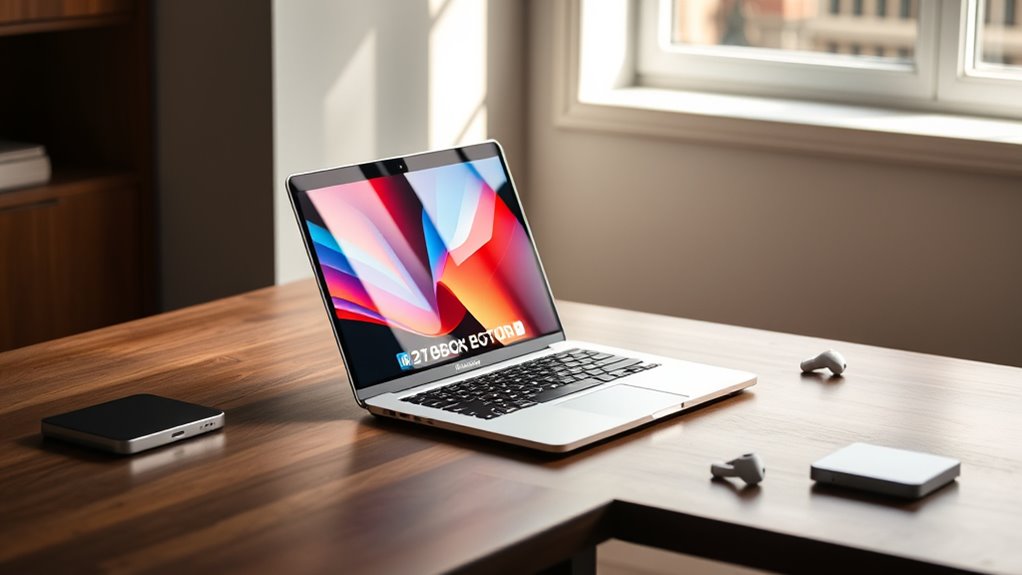

Choosing among these 14-inch MacBook Pro configurations comes down to how much processing headroom, memory, and storage you actually need. I rank the M5 Pro with 24GB memory first for demanding creative and technical work, the M5 with 1TB storage as the strongest all-around fit for many buyers, and the renewed M4 for shoppers who can accept a smaller drive and a non-new condition. The tradeoff is straightforward: the M5 Pro adds more performance capacity and display support, while the M5 configuration balances capable hardware with a lighter workload profile. The renewed M4 offers a different route, but its 512GB SSD, generic accessories, and battery condition deserve extra attention.

Get everyday essentials delivered free with Prime
- Fast, free delivery on millions of items
- Prime Video, Amazon Music and more included
- Member-only deals all year
I focus on the parts that separate these machines in everyday use: chip tier, unified memory, storage, ports, external-display support, and condition. A higher-tier configuration is not automatically the right choice. If your work is mostly browsing, writing, and routine office tasks, the M5 Pro’s extra headroom may be more than you need. If your projects involve large media files, several demanding apps, or multiple external monitors, the configuration details matter much more.
Key Takeaways
- The M5 Pro configuration is the clearest fit for demanding workloads, with a 15-core CPU, 16-core GPU, 24GB memory, Thunderbolt 5, and support for up to three external displays.
- The M5 with 1TB SSD is a balanced choice for general professional use, offering a bright XDR display and broad port selection without the Pro chip tier.
- Both new configurations include 1TB of storage; the renewed M4 has 512GB, so large photo, video, or project libraries may need external storage sooner.
- The renewed M4 has 16GB memory and an M4 chip, but its battery is listed as above 80% capacity and its accessories are not original.
- For monitor-heavy setups, compare display support directly: the M5 supports up to two external displays, while the M5 Pro supports up to three.
| Apple 14.2-inch MacBook Pro with M5 Pro, 15-core CPU, 16-core GPU, 24GB Memory, 1TB SSD, Wi-Fi 7, Silver |  | Best for Demanding Workloads | Chip: Apple M5 Pro | CPU / GPU: 15-core CPU / 16-core GPU | Memory: 24GB unified memory | VIEW ON AMAZON | See Our Full Breakdown |
| Apple 2025 MacBook Pro 14.2-inch with M5 Chip, 16GB Memory, 1TB SSD, Space Black |  | Best All-Around Configuration | Chip: Apple M5 | CPU / GPU: 10-core CPU / 10-core GPU | Memory: 16GB unified memory | VIEW ON AMAZON | See Our Full Breakdown |
| Apple 2024 MacBook Pro with M4 Chip (14-inch, 16GB RAM, 512GB SSD) Space Black (Renewed) |  | Best Renewed Alternative | Model: 14-inch MacBook Pro, 2024 | Chip: Apple M4 | Memory: 16GB RAM | VIEW ON AMAZON | See Our Full Breakdown |
| inch macbook pro configuration | Chip | Memory | Storage | CPU / GPU |
|---|---|---|---|---|
| Apple 14.2-inch MacBook Pro wi | Apple M5 Pro | 24GB unified memory | 1TB SSD | 15-core CPU / 16-core GPU |
| Apple 2025 MacBook Pro 14.2-in | Apple M5 | 16GB unified memory | 1TB SSD | 10-core CPU / 10-core GPU |
| Apple 2024 MacBook Pro with M4 | Apple M4 | 16GB RAM | 512GB SSD | — |
More Details on Our Top Picks
Apple 14.2-inch MacBook Pro with M5 Pro, 15-core CPU, 16-core GPU, 24GB Memory, 1TB SSD, Wi-Fi 7, Silver
I place this M5 Pro configuration first for buyers who routinely ask more of a 14-inch laptop than basic productivity. Its 15-core CPU, 16-core GPU, and 24GB of unified memory give it the strongest workload profile in this group. That extra memory is especially useful when a project involves several resource-heavy applications, large files, or complex creative work at once. Compared with the standard M5 model, this is the more capable option for sustained professional tasks, not merely a cosmetic step up.
The 1TB SSD matches the storage in the M5 configuration and doubles the renewed M4’s capacity. That makes it easier to keep more active work on the laptop, though anyone with a large media archive can still outgrow a terabyte. Its three Thunderbolt 5 ports, HDMI, SDXC slot, and MagSafe 3 offer a flexible connection set, and support for up to three external displays gives it an advantage over the standard M5’s two-display limit. Wi-Fi 7 and Bluetooth 6 also make this the most forward-looking wireless option listed.
The compromise is that added capability does not make this the best match for every buyer. At 3.52 pounds, it is the heaviest configuration here, and the product information describes battery life as all-day without giving a runtime figure. For general browsing, writing, and video calls, I would choose the standard M5 instead of paying for capacity that may sit unused. But for someone who needs more memory, faster-generation ports, and room for another external display, this is the strongest fit in the lineup.
Pros:- M5 Pro with a 15-core CPU and 16-core GPU
- 24GB unified memory gives demanding multitasking more room
- Thunderbolt 5 and support for up to three external displays
- 1TB SSD, Wi-Fi 7, and a broad selection of built-in ports
Cons:- Heaviest option in this comparison at 3.52 pounds
- Battery life is described as all-day, but no runtime is specified
- Extra performance may go unused for everyday productivity
Best for: Creative professionals, developers, and other buyers who run demanding applications, need 24GB memory, or plan to connect up to three external displays.
Not ideal for: People doing routine office work who would not use the added workload capacity, or frequent travelers prioritizing the lightest configuration in this comparison.
- Chip:Apple M5 Pro
- CPU / GPU:15-core CPU / 16-core GPU
- Memory:24GB unified memory
- Storage:1TB SSD
- Display:14.2-inch Liquid Retina XDR
- Ports:Three Thunderbolt 5, MagSafe 3, SDXC, HDMI, headphone jack
- External displays:Up to three
- Wireless:Wi-Fi 7, Bluetooth 6
- Weight:3.52 pounds
Our verdict“I recommend the M5 Pro configuration for buyers who need its additional memory, graphics capacity, and three-display support more than they need the lightest setup.”
Apple 2025 MacBook Pro 14.2-inch with M5 Chip, 16GB Memory, 1TB SSD, Space Black
The standard M5 with 16GB memory and a 1TB SSD is my pick for buyers who want a current, well-equipped 14-inch MacBook Pro without stepping up to the M5 Pro tier. Its 10-core CPU and 10-core GPU suit everyday work and a range of professional tasks, while the 1TB drive gives it twice the listed capacity of the renewed M4. For someone who wants to keep a substantial set of documents, applications, and active projects on the laptop, that storage difference is practical rather than abstract.
This model also brings a Liquid Retina XDR display with up to 1600 nits peak brightness, plus MagSafe 3, three Thunderbolt 4 ports, HDMI, SDXC, and a headphone jack. The built-in selection means many users can connect common peripherals and cards without immediately shopping for adapters. Its stated support for up to two external displays should suit a conventional desktop setup, though it falls short of the M5 Pro’s three-display support and Thunderbolt 5 connections.
Compared with the M5 Pro, the standard M5 gives up CPU and GPU cores, memory capacity, and some connection headroom. That is a sensible trade if your routine is a mix of office applications, media, and moderate creative tasks rather than heavy parallel workloads. Compared with the renewed M4, it offers newer-generation hardware and more built-in storage, but it does not offer the M4’s lower-condition, renewed route. The 16GB memory ceiling in this listed configuration is the point I would weigh most carefully if your work routinely keeps several large applications open.
Pros:- M5 chip with a 10-core CPU and 10-core GPU
- 1TB SSD provides ample room compared with the renewed 512GB option
- Bright Liquid Retina XDR display with up to 1600 nits peak brightness
- MagSafe 3, HDMI, SDXC, headphone jack, and three Thunderbolt 4 ports
Cons:- 16GB unified memory is less than the M5 Pro’s 24GB
- Supports up to two external displays, one fewer than the M5 Pro
- Does not include the M5 Pro’s Thunderbolt 5 ports
Best for: Buyers seeking a new 14-inch MacBook Pro for mixed professional and everyday use, with 1TB of storage and a versatile built-in port selection.
Not ideal for: Users who need 24GB memory, Thunderbolt 5, or support for three external displays, and buyers whose demanding projects regularly exceed a 16GB-memory setup.
- Chip:Apple M5
- CPU / GPU:10-core CPU / 10-core GPU
- Memory:16GB unified memory
- Storage:1TB SSD
- Display:14.2-inch Liquid Retina XDR
- Peak brightness:Up to 1600 nits
- Ports:Three Thunderbolt 4, MagSafe 3, SDXC, HDMI, headphone jack
- External displays:Up to two
- Weight:3.41 pounds
Our verdict“I see this as the most balanced pick for buyers who want a new, versatile MacBook Pro with 1TB storage but do not need the M5 Pro’s added headroom.”
Apple 2024 MacBook Pro with M4 Chip (14-inch, 16GB RAM, 512GB SSD) Space Black (Renewed)
This renewed M4 configuration is the distinct alternative for buyers willing to trade a new-model purchase for a prior-generation chip and a smaller SSD. Its M4 chip and 16GB RAM still make it a capable 14-inch MacBook Pro option for multitasking and general professional use. Against the M5 model, it has the same listed memory amount but half the storage: 512GB rather than 1TB. That difference can matter quickly for video projects, photo libraries, and software collections, so I would plan for external storage if your files are sizable.
The largest distinction is condition, not just generation. This listing says the battery has over 80% capacity, and the machine has been inspected and tested, but it is not Apple certified. It may arrive with compatible, non-original accessories in generic packaging. Those details make it less predictable than either new configuration, and buyers who expect original accessories or a new-device presentation should pick one of the other two instead.
Compared with the M5 configuration, the M4 gives up a newer chip generation and 512GB of SSD space. Compared with the M5 Pro, it also lacks the stated 24GB memory and higher-tier workload positioning. Its appeal is narrow but clear: it can make sense for someone who specifically wants a 14-inch MacBook Pro with M-series hardware and accepts renewed condition, provided the capacity and battery statement meet their needs. I would not choose it as the default for a buyer who needs certainty around battery life, accessories, or long-term local storage.
Pros:- M4 chip paired with 16GB RAM for multitasking
- 14-inch MacBook Pro form factor in Space Black
- Inspected and tested, with stated battery capacity above 80%
- Provides an alternative to the two new M5 configurations
Cons:- 512GB SSD is half the capacity of the new configurations listed here
- Battery capacity is stated as over 80%, not as a new-battery condition
- Not Apple certified; accessories are compatible but not original, and packaging may be generic
Best for: A buyer open to a renewed laptop who wants an M4-based 14-inch MacBook Pro, can work within 512GB of storage, and accepts non-original accessories.
Not ideal for: Anyone who wants a new machine, Apple-certified renewal, original accessories, a 1TB drive, or clearly specified battery runtime.
- Model:14-inch MacBook Pro, 2024
- Chip:Apple M4
- Memory:16GB RAM
- Storage:512GB SSD
- Condition:Renewed, inspected and tested
- Battery:Capacity over 80%
- Color:Space Black
- Accessories:Compatible accessories; not original
Our verdict“I would choose this renewed M4 only if its condition and 512GB capacity suit your needs and you specifically prefer it over a new M5 configuration.”

How We Picked
I ranked these options around the decisions that define a 14-inch MacBook Pro configuration, not around a single headline feature. First, I compared the chip and core counts to distinguish everyday productivity from heavier graphics, development, and creative workloads. Next, I weighed unified memory and SSD capacity, since those choices affect how many demanding apps and larger files a buyer can keep in active use without relying on external drives.
I also considered the practical differences that can change a desk or travel setup: port selection, external-display support, weight, and wireless features. The M5 Pro configuration leads on workload headroom and display connections; the standard M5 remains a capable, well-equipped option; and the renewed M4 is evaluated with its condition and included accessories in view. I do not treat the renewed model as equivalent to a new machine: its over-80% battery-capacity statement, generic packaging, and non-original accessories are meaningful tradeoffs. The order reflects how broadly useful each configuration is for its stated buyer, while the role labels make clear when a lower-ranked option may fit better.
| inch macbook pro configuration | Chip | Ports | External displays |
|---|---|---|---|
| Apple 14.2-inch MacBook Pro wi | Apple M5 Pro | Three Thunderbolt 5, MagSafe 3, SDXC, HDMI, headphone jack | Up to three |
| Apple 2025 MacBook Pro 14.2-in | Apple M5 | Three Thunderbolt 4, MagSafe 3, SDXC, HDMI, headphone jack | Up to two |
| Apple 2024 MacBook Pro with M4 | Apple M4 | — | — |
Factors to Consider When Choosing 14 Inch Macbook Pro Configurations
I would choose a 14-inch MacBook Pro configuration by matching the workload to the chip, memory, and storage rather than treating every upgrade as automatically useful. These three options split into a capable standard M5, a more expandable M5 Pro, and a renewed M4 with lower storage and condition-related compromises.Choose the chip tier for your actual workload
The M5 Pro is the clear choice for demanding creative work, heavier graphics tasks, and development workflows that benefit from more CPU and GPU cores. The standard M5 is a better fit for general productivity and mixed use when you want a modern MacBook Pro but do not need the Pro chip tier. The renewed M4 remains a capable option on paper, but it is an older configuration and is sold renewed rather than new. I would not choose a higher chip tier just for occasional bursts of work; sustained, repeatable workloads are where the added capacity is most likely to matter.
Memory affects how comfortably you can multitask
The comparison is 24GB on the M5 Pro versus 16GB on both the standard M5 and renewed M4. More unified memory gives demanding applications and multiple active tasks more room to operate. If your typical day involves a browser, communication tools, and standard office software, 16GB may be adequate for your needs. If you edit large projects, run several intensive apps together, or work with complex assets, the M5 Pro’s 24GB is the more comfortable configuration. I would prioritize memory over minor convenience features when your current workload already pushes your laptop hard.
Storage capacity is a long-term convenience
Both new configurations include a 1TB SSD, while the renewed M4 has 512GB. The smaller drive can be workable when your files live in cloud storage or on external drives, but active creative libraries and large applications can fill it sooner than expected. The 1TB options offer more room to keep current projects local, which can simplify travel and file access. If you select the renewed model, decide in advance whether you are comfortable managing external storage instead of assuming 512GB will suit every workload.
Match ports and monitor support to your desk
The standard M5 includes three Thunderbolt 4 ports, MagSafe 3, SDXC, HDMI, and a headphone jack, with support for up to two external displays. The M5 Pro moves to Thunderbolt 5 and supports up to three displays, making it the stronger choice for a multi-monitor workstation. That may be a deciding factor for buyers who keep several screens connected, even if they do not need every part of the chip upgrade. The renewed M4 listing does not provide a comparable port or display-support breakdown, so I would verify its exact configuration before relying on a specific desk setup.
Treat renewed condition as a separate decision
The renewed M4 is not simply a lower-spec version of the new M5: its condition and accessories differ too. The listing states that the battery capacity exceeds 80%, that the device has been inspected and tested, and that accessories may be compatible but non-original in generic packaging. It is also not Apple certified. If original accessories, a fresh battery, or a new-device condition are priorities, I would favor either M5 configuration. If renewed condition is acceptable, review the listing details closely and consider whether the stated battery and storage limits fit your plans.
Frequently Asked Questions
Which 14-inch MacBook Pro configuration is best for demanding work?
I would choose the M5 Pro with 24GB unified memory for demanding creative, development, and graphics workloads in this group. Its 15-core CPU and 16-core GPU provide the highest listed processing capacity, while Thunderbolt 5 and support for up to three external displays add flexibility for a workstation setup. For routine productivity, the standard M5 may be a more balanced fit.
Is the standard M5 enough for everyday work?
For many everyday and mixed-use workloads, the standard M5 configuration is the practical choice here. It pairs a 10-core CPU and GPU with 16GB memory, a 1TB SSD, an XDR display, and a wide selection of ports. I would step up to the M5 Pro if your work regularly puts pressure on memory, graphics, or multi-display support rather than buying that extra capacity for occasional use.
How much storage should I choose?
The two new configurations provide 1TB SSDs, while the renewed M4 includes 512GB. A 1TB drive offers more space for applications and active projects, which is useful for large photo or video libraries. The 512GB option may work if you store much of your content externally or in the cloud, but I would account for that arrangement before choosing the renewed model.
What is the main drawback of the renewed M4?
The main drawback is the combination of renewed condition and lower listed storage. The product description states that battery capacity is over 80%, accessories are compatible but not original, packaging may be generic, and the device is not Apple certified. It also has 512GB of storage, compared with 1TB on both new options. Those tradeoffs may be acceptable to some buyers, but they make the M4 a less straightforward choice.
Which model is better for multiple external monitors?
The M5 Pro supports up to three external displays, compared with up to two on the standard M5, so it is the stronger listed option for a multi-monitor workstation. It also has Thunderbolt 5 ports. The renewed M4 description does not specify comparable display support, so I would confirm its exact capabilities before purchasing it for a monitor-heavy setup.
Conclusion
For demanding creative or technical work, I recommend the M5 Pro with 24GB memory; its greater processing headroom, Thunderbolt 5, and support for three external displays make it the most capable choice here. For a new, versatile laptop aimed at mixed professional and everyday use, the standard M5 with 1TB storage offers the best balance without the Pro tier. Choose the renewed M4 only if you are comfortable with its 512GB drive, stated battery capacity above 80%, non-original accessories, and non-certified renewed status. That makes the best configuration a matter of matching workload and condition preferences—not simply choosing the most powerful chip.
Fall Picks

eufy Security Essential 7-Piece Alarm System
As an affiliate, we earn on qualifying purchases.