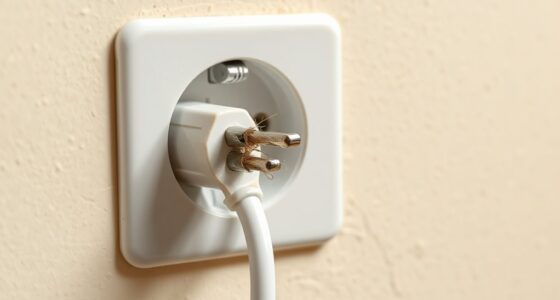
To safely install a new electrical outlet by extending your circuit, first turn off the breaker controlling that circuit and verify the power is off. Then, identify the existing wiring and use the correct 12-gauge wire for a 20-amp circuit. Connect the new wiring securely with wire nuts, ensuring all connections follow local electrical codes. After installing, turn the breaker back on and test the outlet with a voltage tester. If you want detailed steps, keep exploring the process.

Get everyday essentials delivered free — and shop member deals
- Fast, free delivery on millions of items
- Access to Prime Big Deal Days deals on October 6–7
- Prime Video, Amazon Music and more included
Key Takeaways
- Turn off the circuit breaker and verify power is cut before starting installation.
- Use the correct wire gauge (12 or 14-gauge) matching the circuit’s amperage.
- Connect the new outlet to existing wiring securely with wire nuts, following local electrical codes.
- Ensure the total load on the circuit does not exceed the breaker’s capacity (15 or 20 amps).
- After installation, turn the breaker back on and test the outlet with a voltage tester for proper operation.

Extending a circuit allows you to expand your electrical system to accommodate additional devices or outlets safely and efficiently. When you’re planning to add a new outlet, the first step is understanding the existing wiring and guaranteeing your system can handle the extra load. This involves selecting the correct wire gauge and understanding how your circuit breaker functions. The wire gauge determines how much current the wire can safely carry; for most household outlets, 12-gauge wire is standard because it supports up to 20 amps, which is typical for residential circuits. If you try to extend a circuit with a wire gauge that’s too thin, you risk overheating, which could lead to shorts or fires. Conversely, using a wire gauge that’s too thick may be unnecessary and more expensive, but it’s always safer to match the wire gauge to the circuit’s capacity.
Extending circuits safely requires matching wire gauge to circuit capacity and understanding breaker functions.
Before you start, you should locate the circuit breaker that controls the circuit you want to extend. Turn off the breaker to cut power, guaranteeing your safety while working. Once the power is off, verify that the circuit is dead by using a voltage tester or a multimeter. Next, identify the existing wiring and determine how much length you need to extend. When connecting new wiring, make sure your connections are secure, using wire connectors or wire nuts, and follow local electrical codes. Proper wiring techniques are essential to ensure safety and reliability in your electrical work.
The size of your circuit breaker plays a vital role in safely extending the circuit. If your existing breaker is rated for 15 amps, you should stick to that rating unless your wiring and outlet requirements justify a higher capacity. Upgrading the breaker might be necessary if you’re adding a significant load, but this must be done carefully, often with the help of a professional. The breaker acts as a safety device, shutting off power when current exceeds safe levels, preventing overheating and potential fires. When extending a circuit, guarantee the total load does not surpass the breaker’s rating, or you risk tripping the breaker frequently or causing unsafe conditions.
Connecting additional outlets involves splicing into existing wiring or running new wires from the breaker panel. Always keep in mind that safety comes first. Use proper tools, wear protective gear, and double-check your connections. After completing the extension, turn the breaker back on and test your new outlet with a voltage tester to confirm it’s working correctly. If at any point you feel unsure or unfamiliar with electrical work, it’s wise to call in a licensed electrician. Extending a circuit isn’t overly complicated, but it requires respect for electrical safety standards and attention to detail to guarantee your home remains safe and functional.
As an affiliate, we earn on qualifying purchases.
Frequently Asked Questions
Can I Extend a Circuit Without Turning off the Main Breaker?
No, you shouldn’t extend a circuit without turning off the main breaker because grounding safety is essential, and working live increases risk. Turning off the main breaker ensures your safety and prevents overloads, protecting your circuit capacity. Always prioritize safety by disconnecting power before working on electrical circuits, even if it seems inconvenient. This way, you reduce the risk of shocks and damage, guaranteeing a safe and effective extension.
How Do I Identify the Correct Circuit Breaker to Turn Off?
You identify the correct circuit breaker by first checking the breaker labeling, which should indicate the area or appliances it controls. If labels aren’t clear, use a circuit tester or plug-in device to test outlets or fixtures in the area you want to work on. Turn off the breaker that corresponds to your target circuit based on this circuit identification, ensuring safety before proceeding with any electrical work.
What Tools Are Necessary for Extending an Electrical Circuit?
You’ll need a wire stripper to remove insulation from the wires and a voltage tester to verify the circuit is dead before working. Additionally, gather a screwdriver to loosen and tighten terminals, a drill if you need to make new holes, and electrical tape for safety. These tools help you extend the circuit safely and efficiently, reducing the risk of accidents or improper connections.
Is It Safe to Extend a Circuit in Wet or Damp Locations?
Extending a circuit in wet or damp locations isn’t safe unless you take proper moisture considerations into account. You should use outdoor wiring rated for moisture exposure and install weatherproof outlets and covers. Always verify connections are sealed and protected from water, and avoid working in wet conditions. If you’re unsure, consulting an electrician is the safest way to prevent electrical hazards in these environments.
How Long Does It Typically Take to Extend a Circuit?
You can typically expect to spend about 2 to 4 hours extending a circuit, but timing considerations depend on your experience and project planning. As you start, anticipate some unexpected challenges that could stretch the process. Carefully prepare your tools and materials beforehand. Rushing might cause mistakes, so take your time. With proper planning, you’ll complete the extension efficiently, ensuring safety and a reliable connection.
12-gauge electrical wire for outlets
As an affiliate, we earn on qualifying purchases.
As an affiliate, we earn on qualifying purchases.
Conclusion
By following these straightforward steps, you’ll successfully extend your circuit safely and securely. Remember to turn off the power, double-check connections, and stay vigilant throughout the process. With patience and precision, you’ll power up your space without a hitch. Proper planning and careful handling help prevent potential problems, providing peace of mind. So, stay smart, stay safe, and enjoy the satisfaction of seamlessly extending your electrical system with confidence and competence.
circuit tester for electrical outlets
As an affiliate, we earn on qualifying purchases.
As an affiliate, we earn on qualifying purchases.
As an affiliate, we earn on qualifying purchases.
Evergreen bestsellers Picks
bestsellers
As an affiliate, we earn on qualifying purchases.