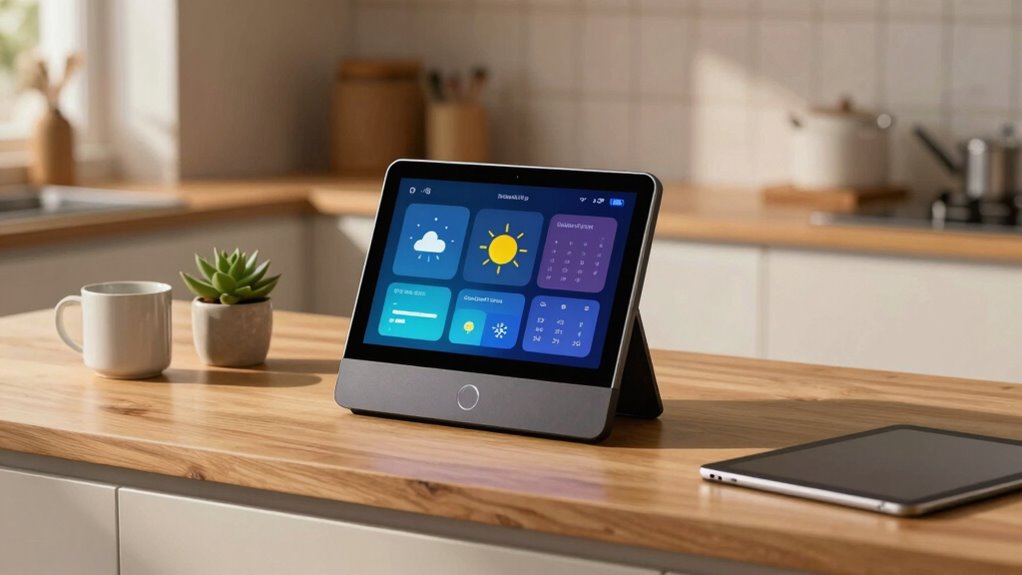

A smart display enhances your home hub by offering a visual interface for quick device control, routine management, and real-time updates on security cameras or thermostats. It uses voice recognition to understand natural commands and provides visual feedback, making everything more accessible. You can customize routines, watch videos, check news, or display family photos with ease. If you keep exploring, you’ll discover even more ways it can transform your smart home experience.

Get everyday essentials delivered free with Prime
- Fast, free delivery on millions of items
- Prime Video, Amazon Music and more included
- Member-only deals all year
Key Takeaways
- Provides a visual interface for real-time device monitoring and control, enhancing home management.
- Enables personalized routines and automation for seamless, multi-device actions.
- Acts as a central entertainment hub for media, recipes, and family photos.
- Recognizes voices for personalized content and simplified interactions.
- Offers region-specific features and an intuitive interface for inclusive, effortless use.

A smart display has become an essential component for setting up a home hub, offering a seamless way to control smart devices, access information, and stay connected. Its intuitive interface makes managing your smart home effortless, combining visuals with voice commands to create a truly integrated experience. One of the standout features is voice recognition, which allows you to speak naturally and have the device understand your commands instantly. This technology adapts to your voice over time, making interactions more precise and personalized. Whether you’re asking for weather updates, playing music, or controlling lights, voice recognition simplifies these tasks, reducing the need for manual input.
Smart displays simplify home management with voice recognition that learns and adapts for effortless control of devices and information.
Beyond basic commands, a smart display enhances your ability to establish personalized routines. You can set up sequences that trigger multiple actions with a single voice command or at scheduled times. For example, you might create a morning routine where saying “Good morning” turns on the lights, starts the coffee maker, and displays your calendar and news updates. These routines make your daily activities more efficient and tailored to your preferences. The display visually guides you through each step, so you’re always aware of what’s happening and can make adjustments if needed. Smart device management is further improved by the display’s ability to provide immediate feedback and control options. Additionally, the display’s user interface design plays a crucial role in making these interactions intuitive and accessible for all users. Incorporating region-specific features can also enhance the experience, ensuring that the device responds appropriately to local languages, accents, and preferences.
The visual interface also plays a crucial role in managing your smart home. You get real-time updates on connected devices, such as security cameras, thermostats, and doorbells, all displayed clearly on the screen. You can quickly see who’s at the door or check the status of your appliances without searching through apps on your phone. Additionally, integrating home automation systems enhances the overall functionality, allowing you to automate complex routines across multiple devices seamlessly. You can also use content personalization to tailor the displayed information based on your preferences and individual users, enhancing the user experience. The ability to see and interact with your devices directly from the display adds a layer of convenience that voice commands alone can’t provide. Plus, with touch controls, you can manually adjust settings or control devices if voice commands aren’t enough or if noise levels make speaking difficult.
Additionally, a smart display acts as a central hub for information and entertainment. You can ask it to show recipes, play your favorite playlist, or display family photos. Its ability to recognize your voice means it can personalize content based on who’s speaking, making shared spaces more user-friendly. This personalization extends to reminders, news updates, and even controlling smart home accessories, so you’re always connected and in control.
Products Worth Considering

Blueair Blue Pure 511i Max Air Purifier for Home and Bedroom

LG C2 Series 65-Inch OLED evo 4K Smart TV (OLED65C2PUA, 2022)

Blueair Blue Pure 211i Max Smart Air Purifier for Large Rooms
As an affiliate, we earn on qualifying purchases.
Frequently Asked Questions
Can Smart Displays Operate Without an Internet Connection?
Smart displays generally can’t operate fully without an internet connection because they rely on online services for most functions. However, some models offer limited offline functionality through local audio processing, allowing you to control certain smart devices or access stored media without internet. Keep in mind, for features like voice commands, updates, or streaming, an active internet connection remains essential to guarantee your smart display works smoothly.
How Secure Is My Data on a Smart Display?
Coincidentally, your data security on a smart display depends on how well you manage privacy settings and data encryption. You can guarantee your information stays safe by customizing privacy options and enabling encryption. While these devices store some data, manufacturers implement security measures to protect it. Staying vigilant by regularly reviewing your privacy settings helps maintain control, so your personal information remains secure amidst a connected home environment.
Do Smart Displays Support Multiple Users Simultaneously?
Yes, smart displays support multiple users through voice recognition and user profiles. You can set up individual profiles, allowing each person to access their personalized content and preferences. When someone speaks, the device recognizes their voice, automatically switching profiles. This feature guarantees everyone in your household can enjoy tailored responses, making the smart display more useful and personalized for multiple users simultaneously.
Can a Smart Display Control All Smart Home Devices?
Yes, a smart display can control all your smart home devices, thanks to voice recognition technology. You just say what you want, and it manages lights, thermostats, and more seamlessly. However, keep privacy concerns in mind, as continuous listening may raise security questions. You can usually adjust privacy settings to limit data sharing, making it safer while enjoying the convenience of centralized device control through your smart display.
What Is the Power Consumption of a Smart Display?
A smart display typically uses between 15 to 30 watts when actively in use, which is pretty manageable. You can keep energy efficiency in mind by enabling power management features or scheduling it to turn off when not needed—saving energy without breaking a sweat. While it’s not a huge power hog, being mindful helps reduce your overall energy consumption, proving that even smart devices can be energy-efficient.
Conclusion
With a smart display, you can effortlessly manage your smart home, stay connected, and access information at a glance. Did you know that households with smart displays are 40% more likely to use their smart home devices daily? This statistic shows just how much a smart display enhances your daily routines, making your home smarter and more efficient. Embrace the convenience and see how a smart display transforms your home hub experience.