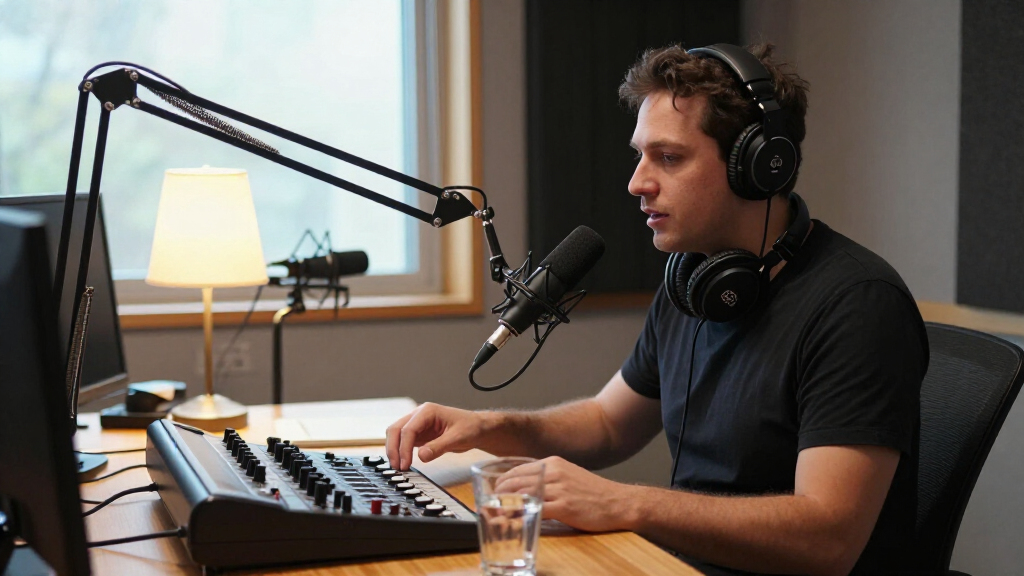
The best podcast recording equipment for most people is the Zoom PodTrak P4, a portable recorder built around multichannel podcast production. The Logitech Blue Yeti offers a simpler USB route for solo recording, while the Movo 4-Person USB Bundle is designed for shows with several in-room speakers. Choosing between them means weighing easy setup against separate control for each voice, and portable recording against a more permanent desk setup. Bundles can supply more of the gear at once, but their mixers and sound effects may add complexity without improving a basic interview. Read on for a comparison of all 15 options and guidance on matching a setup to your show.

Get everyday essentials delivered free — and shop member deals
- Fast, free delivery on millions of items
- Access to Prime Big Deal Days deals on October 6–7
- Prime Video, Amazon Music and more included
Complete the kit


Key Takeaways
- The Zoom PodTrak P4 stands out for multichannel podcast production: it is the roundup’s dedicated portable recorder, while USB microphones and creator bundles suit simpler computer-based or streaming setups.
- One microphone per speaker matters more than a crowded feature list: the Movo four-microphone bundle is aimed at group recording, whereas the Blue Yeti and MAONO A04 are better fits for a solo desk.
- Wireless and mobile options solve different recording problems: the MAONO PD200W is a hybrid wireless microphone, while the Mini Mic Pro and Movo PodPro are tailored to phone-based recording.
- Included mixers and sound cards trade convenience for complexity: the multi-person and BM-800 bundles supply more components together, but buyers should confirm what their workflow actually needs.
- Connection type is a key dividing line in this lineup: USB options favor straightforward computer recording, while recorder-based and mixer-based setups offer different approaches to handling multiple sources and live production.
| Mini Mic Pro Wireless Lavalier Microphone for iPhone and Android | 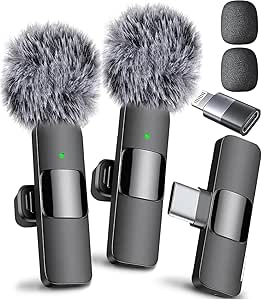 | Best for Mobile Interviews | Connectivity: Wireless | Connectors: Lightning and USB Type-C | Polar pattern: Omnidirectional | VIEW LATEST PRICE | See Our Full Breakdown |
| 4-Person Podcast Equipment Bundle with M100 Audio Mixer and Dynamic Microphones |  | Best for Four-Person Table Recordings | Connectivity: Bluetooth, USB, and XLR | Connector type: XLR | Microphone type: Dynamic, handheld | VIEW LATEST PRICE | See Our Full Breakdown |
| ZealSound K66 USB Podcast Microphone with Noise Reduction, Gain and Volume Controls |  | Best for Hands-On USB Control | Microphone type: Condenser | Pickup pattern: Cardioid | Frequency response: 40 Hz–18 kHz | VIEW LATEST PRICE | See Our Full Breakdown |
| Podcast Equipment Bundle with Microphones, Mixer, and Voice Changer |  | Best for Creative Two-Person Shows | Number of channels: 2 | Connectivity: USB | Power source: Battery powered | VIEW LATEST PRICE | See Our Full Breakdown |
| MAONO A04 USB Condenser Microphone Kit |  | Best Complete Solo Desk Kit | Connectivity: USB and USB Type-C | Sampling rate: 192 kHz/24-bit | Capsule: 16 mm electret condenser | VIEW LATEST PRICE | See Our Full Breakdown |
| Zoom PodTrak P4 Portable Podcast Recorder |  | Best for Multi-Person Interviews | Microphone inputs: 4 XLR inputs with phantom power | Headphone outputs: 4, each with individual volume control | Sound pads: 4 programmable | VIEW LATEST PRICE | See Our Full Breakdown |
| TENLAMP G10 Creator Audio Mixer Bundle with Microphone |  | Best for Plug-and-Play Effects | Channels: 2 | Connectivity: Auxiliary, Bluetooth, and USB | Audio input: TRS/XLR | VIEW LATEST PRICE | See Our Full Breakdown |
| BM-800 Podcast Equipment Bundle with Voice Changer and Live Sound Card |  | Best Complete Starter Bundle | Included components: BM-800 microphone, suspension arm, shock mount, pop filter, foam windscreen, cables, and live sound card | Microphone pickup pattern: Cardioid | Connectivity: USB | VIEW LATEST PRICE | See Our Full Breakdown |
| MAONO PD200W Hybrid Wireless Podcast Microphone |  | Best for Wireless Recording Flexibility | Microphone type: Dynamic | Connectivity: Wireless, USB, and XLR | Pickup pattern: Unidirectional (cardioid) | VIEW LATEST PRICE | See Our Full Breakdown |
| TENLAMP G9 Audio Mixer Bundle with Microphone |  | Best for Portable Effects and Group Use | Channels: 2 | Connectivity: Auxiliary, Bluetooth, USB, and XLR | Audio inputs: XLR and 3.5 mm | VIEW LATEST PRICE | See Our Full Breakdown |
| ALSO GO Podcast Equipment Bundle for 2 with BM-800 Microphone and V8s Sound Card |  | Best for Two-Person Streaming on a Budget | Connectivity: USB | Connector: 3.5 mm jack | Channels: 2 | VIEW LATEST PRICE | See Our Full Breakdown |
| Movo 4-Person USB Podcast Equipment Bundle with Four Condenser Microphones, Hub, and Case |  | Best for Four-Person USB Recordings | Microphones included: 4 condenser microphones | Channels: 4 | Connectivity: USB | VIEW LATEST PRICE | See Our Full Breakdown |
| Logitech Blue Yeti USB Microphone, Blackout |  | Best for a Flexible Solo Recording Setup | Connectivity: USB | Microphone array: Three-capsule | Pickup patterns: Cardioid, omnidirectional, bidirectional, stereo | VIEW LATEST PRICE | See Our Full Breakdown |
| ALSO GO Podcast Equipment Bundle with F998 Audio Mixer and BM800 Microphone | 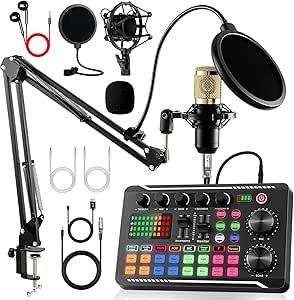 | Best for Live Effects and Wired-or-Bluetooth Flexibility | Model: F998 audio mixer; product text also references P99 | Microphone: BM800 studio condenser | Connectivity: Bluetooth, USB | VIEW LATEST PRICE | See Our Full Breakdown |
| Movo PodPro Portable Podcast Equipment Bundle for iPhone and Android |  | Best Portable Two-Person Recording Kit | Channels: 2 | Microphone type: Cardioid XLR dynamic | Microphone frequency response: 40 Hz–16 kHz | VIEW LATEST PRICE | See Our Full Breakdown |
| podcast recording equipment | Connectivity | Channels |
|---|---|---|
| Mini Mic Pro Wireless Lavalier | Wireless | — |
| 4-Person Podcast Equipment Bun | Bluetooth, USB, and XLR | — |
| ZealSound K66 USB Podcast Micr | — | — |
| Podcast Equipment Bundle with | USB | — |
| MAONO A04 USB Condenser Microp | USB and USB Type-C | 1 |
| Zoom PodTrak P4 Portable Podca | — | — |
| TENLAMP G10 Creator Audio Mixe | Auxiliary, Bluetooth, and USB | 2 |
| BM-800 Podcast Equipment Bundl | USB | 1 |
| MAONO PD200W Hybrid Wireless P | Wireless, USB, and XLR | — |
| TENLAMP G9 Audio Mixer Bundle | Auxiliary, Bluetooth, USB, and XLR | 2 |
| ALSO GO Podcast Equipment Bund | USB | 2 |
| Movo 4-Person USB Podcast Equi | USB | 4 |
| Logitech Blue Yeti USB Microph | USB | 2 |
| ALSO GO Podcast Equipment Bund | Bluetooth, USB | 2 |
| Movo PodPro Portable Podcast E | — | 2 |
More Details on Our Top Picks
Mini Mic Pro Wireless Lavalier Microphone for iPhone and Android
For a podcast recorded on a phone, this two-microphone wireless lavalier set prioritizes mobility over a full desk setup. Its included USB-C and Lightning adapters connect to compatible devices without an app or Bluetooth pairing, making it a simpler choice for quick interviews than the desk-oriented MAONO A04 USB Condenser Microphone Kit. The omnidirectional capsules can capture voices from different directions, while foam and deadcat tips help manage wind when recording outside. That convenience comes with limits: there’s no listed mixer for adjusting separate mic channels, and up to six hours of battery life may fall short for long recording days. I’d choose it for short, phone-based conversations, not as the main rig for a fixed studio or a multi-person show needing hands-on mixing.
Pros:- Includes USB-C and Lightning adapters for compatible phones and tablets
- Plug-and-play connection avoids app installation and Bluetooth pairing
- Two lavalier microphones allow a host and guest to wear separate mics
- Foam and deadcat tips help reduce wind noise outdoors
Cons:- Up to six hours of battery life can limit longer recording days
- No mixer or listed independent controls for balancing the two microphones
- Wireless lavaliers are less suited to a permanent, hands-on desk recording setup
Best for: Mobile podcasters and interviewers who record short conversations on compatible iPhone or Android devices and need two clip-on microphones.
Not ideal for: Studio hosts who need a mixer, independent channel controls, or long recording sessions without recharging.
- Connectivity:Wireless
- Connectors:Lightning and USB Type-C
- Polar pattern:Omnidirectional
- Compatible devices:Android, laptop, smartphone, tablet, iPad, and iPhone
- Battery life:Up to 6 hours
- Weight:80 g
- Dimensions:3 × 0.5 × 0.25 inches
- Included components:2 lavalier microphones, 1 receiver, USB charging cable, 2 clips, 2 foam tips, and 2 deadcat tips
Our verdict“Choose this set for short, mobile two-person recordings on a compatible phone, but pick a USB desk microphone or mixer bundle for studio control.”
4-Person Podcast Equipment Bundle with M100 Audio Mixer and Dynamic Microphones
This bundle is the lineup’s clearest fit for a panel: it pairs four dynamic microphones with a four-channel mixer, desktop stands, earphones, and connection cables. Separate channel volume and mute controls give a host more direct control over a group conversation than the Podcast Equipment Bundle with Microphones, Mixer, and Voice Changer, which is listed with two channels and two microphones. Noise reduction and audio effects add options for streaming or voice-over work, while the rechargeable battery and Bluetooth playback make the mixer more flexible away from a fixed computer desk. The tradeoff is less certainty about setup: device compatibility may vary, and the listed dimensions don’t clarify which component they describe. I’d favor it for a group that wants an all-in-one starting kit, but not for buyers who need clearly documented connections for a specific recording workflow.
Pros:- Four dynamic microphones and desktop stands support a full panel
- Four mixer channels have separate volume adjustment and mute controls
- Noise reduction and audio effects provide extra sound-shaping options
- Rechargeable battery and Bluetooth playback allow flexible setup
Cons:- Compatibility details for individual devices and platforms may vary
- Listed dimensions do not identify which component they describe
- A four-mic bundle adds setup and equipment that solo podcasters may not need
Best for: Small podcast teams recording four voices together who want microphones, basic mixer controls, and accessories in one bundle.
Not ideal for: Solo hosts or buyers who need clearly specified device-by-device compatibility and a precisely documented mixer setup.
- Connectivity:Bluetooth, USB, and XLR
- Connector type:XLR
- Microphone type:Dynamic, handheld
- Number of channels:4
- Microphones included:4
- Battery:4000 mAh rechargeable lithium-ion
- Compatible systems:Windows, iOS, and Android
- Hardware compatibility:Laptop, PC, smartphone, and tablet
Our verdict“Choose this bundle for a four-person show that values separate channel controls and included microphones over highly specific compatibility documentation.”
ZealSound K66 USB Podcast Microphone with Noise Reduction, Gain and Volume Controls
The K66 suits a host who wants physical recording controls without building a mixer-based setup. Its cardioid condenser pickup, headphone monitoring, mic and monitor volume controls, echo adjustment, and instant mute put key adjustments on the microphone itself. Compared with the MAONO A04 USB Condenser Microphone Kit, the K66 emphasizes onboard control and monitoring, while the A04 supplies a scissor arm, shock mount, and pop filter for a more complete desk arrangement. USB-C and Lightning adapters widen device options, though compatibility still depends on the connected device. The noise-reduction mode is a useful extra, not a substitute for a quiet room: it reduces background sounds rather than eliminating them, and activation requires holding the mute button. I’d pick this for a solo or remote host who wants quick adjustments, but skip it if accessories for mounting and isolation are the priority.
Pros:- Cardioid pickup pattern focuses recording on the speaker in front of the mic
- Zero-latency headphone monitoring supports live listening while recording
- Physical controls cover mic level, monitoring volume, echo, and mute
- USB-C and Lightning adapters support a range of compatible devices
Cons:- Noise reduction requires pressing and holding the mute button
- Noise reduction reduces background sounds but does not eliminate them
- Does not include the desk mounting and pop-filter accessories supplied with the MAONO A04
Best for: Solo podcasters and remote interview hosts who want headphone monitoring, mute, and level controls directly on a USB microphone.
Not ideal for: Buyers who want a complete boom-arm and pop-filter kit, or expect noise reduction to remove all room sound.
- Microphone type:Condenser
- Pickup pattern:Cardioid
- Frequency response:40 Hz–18 kHz
- Sampling rate:46 kHz
- Sensitivity:–45 dB ±3 dB
- Monitoring:Zero-latency monitoring via 3.5 mm headphone jack
- Controls:Microphone volume, monitoring volume, echo adjustment, and mute
- Compatibility:Windows PC, Mac, PS4, PS5, iPhone, iPad, and compatible USB-C devices
Our verdict“Choose the K66 if you want a USB mic with accessible monitoring and controls, and choose the MAONO A04 if a fuller mounting accessory kit matters more.”
Podcast Equipment Bundle with Microphones, Mixer, and Voice Changer
This two-microphone bundle is aimed at hosts who want sound effects and vocal variation built into the recording setup, rather than a plain voice-only kit. It includes two condenser microphones and suspension arms, plus a battery-powered mixer with noise reduction, ten sound effects, and four voice variations. Compared with the four-person M100 Audio Mixer Bundle, it trades panel capacity and four-channel control for a smaller two-person setup with more emphasis on effects. USB-C connectivity and direct instrument input also make it relevant to creators mixing spoken segments with guitar or electronic drums. Those features add flexibility, but voice-changing modes may not suit straightforward interview podcasts, and the battery needs a full charge before first use. Driver installation can also call for support if it doesn’t start automatically, so I wouldn’t choose this as the simplest plug-and-record option.
Pros:- Includes two condenser microphones and suspension arms for a paired desk setup
- USB-C supports connection to compatible computers, phones, and tablets
- Ten sound effects and four voice variations suit creative formats
- Direct input supports instruments including guitars and electronic drums
Cons:- Two channels are less suited to larger panels than the four-channel M100 bundle
- Battery should be fully charged before initial use
- Driver installation may require support if it does not start automatically
Best for: Two-person creators making entertainment-led podcasts, live streams, or spoken-word shows that use sound effects or instrument input.
Not ideal for: Interview-focused hosts who want a minimal setup, or buyers who prefer a documented, low-intervention driver installation process.
- Number of channels:2
- Connectivity:USB
- Power source:Battery powered
- Output connector:USB Type-C
- Audio input:XLR
- Weight:1.48 kg
- Microphones included:2 condenser microphones
- Voice variations and sound effects:4 voice variations and 10 sound effects
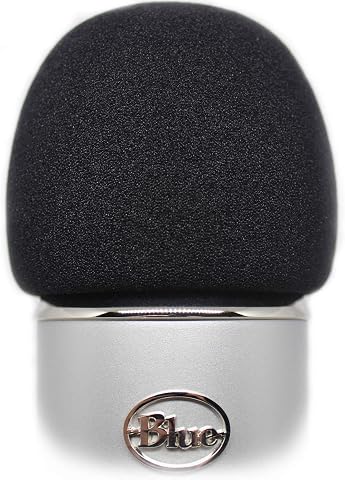
Our verdict“Pick this bundle for a two-person show that will use its effects or instrument input, not for a no-frills interview setup.”
MAONO A04 USB Condenser Microphone Kit
The A04 is the most complete desk-focused choice here for a solo host starting with USB recording. Its 16 mm cardioid condenser connects by USB, while the kit adds a scissor arm, shock mount, pop filter, and windscreen—accessories the ZealSound K66 does not list in its bundle. That means fewer separate mounting and pop-filter decisions for a fixed recording spot. The microphone supports 192 kHz/24-bit sampling, but the practical distinction from the K66 is less about headline sampling figures and more about the A04’s included desk hardware. It records one channel, so it isn’t designed for multiple voices on separate mics through this kit. The clamp also only fits desktops under 2.1 inches thick, and the mic is not compatible with Xbox. I’d choose it for a home desk, not a mobile or multi-person setup.
Pros:- Includes scissor arm stand, shock mount, pop filter, and foam windscreen
- Plug-and-play USB setup supports compatible computers and mobile devices
- Cardioid pattern suits a single speaker positioned in front of the microphone
- Metal enclosure and included mounting hardware support a stationary desk setup
Cons:- Single-channel kit is not designed for recording multiple microphones separately
- Not compatible with Xbox
- Desk clamp fits surfaces less than 2.1 inches thick
Best for: Solo podcasters building a fixed home recording station who want a USB microphone, boom arm, shock mount, and pop filter in one kit.
Not ideal for: Panel hosts, mobile recordists, Xbox users, or anyone whose desk is 2.1 inches thick or more.
- Connectivity:USB and USB Type-C
- Sampling rate:192 kHz/24-bit
- Capsule:16 mm electret condenser
- Polar pattern:Cardioid
- Frequency range:30 Hz–16 kHz
- Signal-to-noise ratio:70 dB
- Channels:1
- Included accessories:Scissor arm stand, shock mount, pop filter, foam windscreen, boom arm base, USB-A/USB-C to USB-B cable, and user manual
- Desk clamp compatibility:Desktops less than 2.1 inches thick
Our verdict“Choose the A04 for a solo desk podcast when included mounting accessories matter more than portability or multiple mic channels.”
Zoom PodTrak P4 Portable Podcast Recorder
I’d put the Zoom PodTrak P4 ahead of the G10 and G9 bundles for a host who needs to record several microphones as separate tracks: its four XLR inputs and four individually controlled headphone outputs are built around a group recording, not just a single creator’s effects. Phone and USB connections also give remote guests a way into the session, while multitrack WAV recording offers more editing flexibility than a basic live-mix workflow. The tradeoff is that it’s a recorder, not an all-in-one microphone bundle, so you’ll need to supply microphones and other setup pieces. It can run on two AA batteries, but up to 3.5 hours is modest for long sessions. I’d choose it over the included-mic bundles for track control, not convenience.
Pros:- Four XLR microphone inputs with phantom power support multi-person setups.
- Four headphone outputs let each participant set a listening level.
- Multitrack WAV recording gives editors separate tracks to work with.
- Phone and USB connections support remote interviews.
Cons:- Microphones and other recording accessories are not included in the supplied product details.
- Battery runtime is up to 3.5 hours, which may not cover longer sessions.
- Requires two AA batteries when operating on battery power.
Best for: Podcast hosts recording up to four XLR microphones who want separate tracks, individual headphone levels, and remote guest connections.
Not ideal for: New podcasters seeking a ready-to-use microphone bundle or anyone needing long battery-powered sessions without carrying spare AA batteries.
- Microphone inputs:4 XLR inputs with phantom power
- Headphone outputs:4, each with individual volume control
- Sound pads:4 programmable
- Recording:Multitrack WAV
- Remote interview connections:TRRS phone jack and USB
- USB interface:USB 2.0, 2-in/2-out
- Battery:2 AA batteries; up to 3.5 hours
- Dimensions and weight:6.1 × 4.41 × 1.85 in; 130 g
Our verdict“Choose the PodTrak P4 for a multi-mic podcast where separate tracks and independent headphone control matter more than an all-in-one bundle.”
TENLAMP G10 Creator Audio Mixer Bundle with Microphone
The TENLAMP G10 is aimed at creators who want a mixer, microphone, and voice-shaping controls in one kit rather than the track-focused workflow of the Zoom PodTrak P4. Its real-time bass, treble, reverb, and pitch controls, alongside noise reduction and voice effects, suit a show that is mixed live or a creator who also streams and sings. Compatibility across computers, phones, and tablets adds flexibility without making the P4’s four-XLR setup a requirement. The compromise is a two-channel design, which is a narrower fit for a growing panel podcast. The listing also gives no warranty details or software-update support date, so I’d favor it for straightforward effects and included gear rather than a setup that needs a clearly documented support path.
Pros:- Mixer, condenser microphone, and accessories are bundled together.
- Noise reduction and voice effects support a processed live sound.
- Real-time bass, treble, reverb, and pitch controls offer hands-on adjustments.
- Compatibility is listed for Windows, Mac, iOS, and Android.
Cons:- Two channels limit its fit for multi-microphone panel recording.
- Warranty details are not provided in the product information.
- Software update support date is unspecified.
Best for: Solo creators or small podcast-and-streaming setups who want an included microphone, device flexibility, and live voice effects.
Not ideal for: Hosts planning to record a larger panel or needing four separate XLR microphone inputs and multitrack recording like the Zoom PodTrak P4.
- Channels:2
- Connectivity:Auxiliary, Bluetooth, and USB
- Audio input:TRS/XLR
- Output connectors:3.5 mm TRS, 6.35 mm TRS, and OTG/Type-C
- Power source:Battery powered
- Voltage:48 volts
- Dimensions and weight:10.9 × 2.28 × 7.67 in; 4.2 lb
- Compatible operating systems:Windows, Mac, iOS, and Android
Our verdict“Pick the G10 if you want a bundled creator setup with live sound effects, but choose the PodTrak P4 for more microphone inputs and multitrack production.”
BM-800 Podcast Equipment Bundle with Voice Changer and Live Sound Card
This BM-800 bundle is the most immediately outfitted option here: it includes a condenser microphone, suspension arm, shock mount, pop filter, windscreen, cables, and a live sound card. That makes it a more complete physical starter kit than the MAONO PD200W, which focuses on a single dynamic microphone and its connection options. The cardioid pattern is intended to favor sound from in front of the mic, while voice effects offer a playful route for streaming as well as spoken content. The tradeoff is a one-channel setup, so it does not match the PodTrak P4’s capacity for four XLR microphones and separate tracks. Device compatibility may also depend on finding the right connection method, and the microphone must be charged before use.
Pros:- Includes a microphone, arm, shock mount, pop filter, windscreen, cables, and live sound card.
- Cardioid pickup pattern is suited to capturing a speaker positioned in front of the microphone.
- Voice effects add options for streaming and creative recording.
- Device list includes computers, mobile devices, tablets, and several gaming platforms.
Cons:- One channel makes it a poor match for multi-microphone podcast recording.
- The microphone requires charging before use.
- Connection methods may vary across the listed devices.
Best for: First-time podcasters or streamers who want a microphone, mounting accessories, and a sound card in one bundle for a simple single-speaker setup.
Not ideal for: Hosts recording multiple speakers on separate tracks or buyers who need a simple, clearly specified connection path across different devices.
- Included components:BM-800 microphone, suspension arm, shock mount, pop filter, foam windscreen, cables, and live sound card
- Microphone pickup pattern:Cardioid
- Connectivity:USB
- Audio input:3.5 mm jack
- Channels:1
- Maximum sample rate:192 kHz
- Compatible devices:Laptop, personal computer, mobile phone, tablet, PS4, Xbox, and Nintendo Switch
- Weight:1.37 kg
Our verdict“Choose this bundle for a single-speaker starter setup with mounting accessories included, not for a multitrack group show.”
MAONO PD200W Hybrid Wireless Podcast Microphone
The MAONO PD200W stands apart from the mixer bundles because it is a dynamic microphone with wireless, USB, and XLR connections, giving a podcaster several ways to build or change a recording setup. Its cardioid pickup and three-stage noise cancellation are intended to help keep attention on the speaker, while up to 60 hours of battery life with RGB lighting off supports recording away from a fixed desk. Compared with the Zoom PodTrak P4, this is a more flexible microphone choice but not a four-input recorder; the P4 is better suited to a group needing separate tracks. The PD200W can support two wireless microphones on separate tracks, but a second mic is an additional purchase. Camera and Lightning accessories are also sold separately.
Pros:- Wireless, USB, and XLR connectivity offers several recording setups.
- Dynamic capsule with cardioid pickup pattern is designed for focused voice capture.
- Three-stage noise cancellation provides adjustable noise-control options.
- Up to 60 hours of battery life with RGB lighting off supports extended wireless use.
Cons:- A second microphone is required for two-microphone recording.
- Camera and Lightning accessories are sold separately.
- It does not replace a multi-input recorder such as the Zoom PodTrak P4 for larger panels.
Best for: Solo podcasters who want one microphone that can connect wirelessly, by USB-C, or through XLR as their recording setup changes.
Not ideal for: Four-person shows needing multiple XLR inputs in one recorder, or buyers who require camera or Lightning accessories in the box.
- Microphone type:Dynamic
- Connectivity:Wireless, USB, and XLR
- Pickup pattern:Unidirectional (cardioid)
- Signal-to-noise ratio:82 dB
- Maximum SPL:128 dB
- Wireless range:60 m
- Battery life:Up to 60 hours with RGB lighting off
- Included accessories:Desktop stand, USB-C to USB-A/C cable, Type-C receiver, and Type-C adapter cable
Our verdict“Choose the PD200W for a flexible solo microphone that can move between wireless, USB, and XLR setups; choose the PodTrak P4 for a multi-mic recording hub.”
TENLAMP G9 Audio Mixer Bundle with Microphone
The TENLAMP G9 combines a 3.5 mm condenser microphone with a battery-powered mixer, Bluetooth playback, and built-in sound effects, making it a more portable, effects-oriented option than the Zoom PodTrak P4. Its two customizable buttons and saveable audio modes let a creator keep preferred settings close at hand, while the listing says it supports up to three users. That flexibility suits casual podcasting mixed with karaoke, gaming, or streaming. It is not the stronger pick for a carefully edited panel show: the two-channel limit does not match the P4’s four XLR inputs and multitrack WAV recording. Buyers should also note that warranty details are not provided. I’d choose the G9 for portable, feature-rich sessions rather than track-by-track production.
Pros:- Includes a 3.5 mm condenser microphone and accessories for a ready-to-use setup.
- Rechargeable battery and Bluetooth playback support portable use.
- Offers 12 built-in effects and two customizable buttons.
- Saveable audio modes and tone controls allow settings to be tailored.
Cons:- Two channels limit its use for larger podcast panels.
- Warranty details are not provided in the listing.
- It lacks the four XLR inputs and multitrack WAV recording offered by the Zoom PodTrak P4.
Best for: Creators who record casually across podcasting, gaming, and karaoke and want a rechargeable, effects-equipped mixer with a microphone included.
Not ideal for: Podcast producers who need more than two audio channels, separate tracks for several speakers, or stated warranty information.
- Channels:2
- Connectivity:Auxiliary, Bluetooth, USB, and XLR
- Audio inputs:XLR and 3.5 mm
- Output connectors:Auxiliary and USB Type-C
- Power source:Battery powered
- Included microphone:3.5 mm condenser microphone
- Sound effects:12 built-in effects and 2 customizable buttons
- Compatibility:Windows, Mac, iOS, and Android
Our verdict“Pick the G9 for a portable creator bundle with effects and Bluetooth, but choose the PodTrak P4 for multi-mic, multitrack podcast production.”
ALSO GO Podcast Equipment Bundle for 2 with BM-800 Microphone and V8s Sound Card
This kit suits two-person podcast or streaming setups where a single bundle of microphones and accessories is more useful than a standalone USB mic. Its V8s mixer adds sound effects, voice-changing modes, and noise reduction, giving live creators more ways to shape a session than the simpler Logitech Blue Yeti USB Microphone. Compatibility with laptops and smartphones also helps if you switch between a computer recording setup and mobile content. The tradeoff is that the product details do not spell out much about the microphones’ performance or the mixer’s controls, so buyers seeking dependable, clearly documented recording features may prefer the Movo PodPro, which specifies its dynamic mics and interface. This bundle makes the most sense for casual creators who value included gear and live effects over a more clearly defined recording workflow.
Pros:- Includes a microphone and recording accessories such as a boom arm, shock holder, and pop filter.
- Mixer adds sound effects and four voice-changing modes for live content.
- Supports noise reduction and cardioid pickup.
- Compatible with laptops and smartphones.
Cons:- The product details provide limited information about microphone performance and mixer controls.
- The device may need charging before first use or after extended storage.
- Its 2.57 kg weight and listed dimensions make it less appealing for a compact travel setup.
Best for: Two-person livestreamers or beginner podcasters who want microphones, arms, and live voice effects in one kit for laptop or smartphone use.
Not ideal for: Creators who need well-documented mic specifications or a portable, battery-powered recording system; the Movo PodPro provides clearer component details and a stated battery runtime.
- Connectivity:USB
- Connector:3.5 mm jack
- Channels:2
- Compatible devices:Laptop, smartphone
- Special feature:Noise reduction
- Power source:Corded electric
- Weight:2.57 kg
- Dimensions:16.92 × 5.31 × 8.07 inches
Our verdict“Choose this bundle for a two-person streaming setup with voice effects, but choose the Movo PodPro if portability and clearly specified recording hardware matter more.”
Movo 4-Person USB Podcast Equipment Bundle with Four Condenser Microphones, Hub, and Case
For interviews or roundtable shows with four speakers, this Movo kit has a practical advantage over the two-person ALSO GO bundles: four USB condenser microphones and a four-channel hub arrive together. A headphone output for real-time monitoring helps keep an eye on the recording while using common apps such as Audacity, GarageBand, or OBS. The hard-shell case is useful for moving the set between a home studio and an interview location. This is a more focused group-recording choice than the Logitech Blue Yeti, which offers pickup-pattern flexibility for one mic but does not provide four microphones. The tradeoff is its USB-centered design and sparse information about individual mic controls or included software. I’d choose it for uncomplicated computer-based group sessions, not a flexible mobile rig.
Pros:- Includes four condenser microphones and a four-channel hub for group recording.
- 3.5 mm headphone output supports real-time monitoring.
- Works with common apps including Zoom, GarageBand, Audacity, and OBS.
- Hard-shell case makes the kit easier to transport and store.
Cons:- USB connectivity may not suit devices without USB support.
- Product details do not describe individual microphone controls.
- No recording software is listed as included.
Best for: Podcast hosts recording four people at once on a Mac or Windows computer with familiar recording or streaming apps.
Not ideal for: Mobile-first podcasters or anyone needing detailed per-microphone controls; the bundle is USB-oriented and the supplied details do not describe individual mic adjustments.
- Microphones included:4 condenser microphones
- Channels:4
- Connectivity:USB
- Connector:USB Type-A
- Headphone output:3.5 mm
- Polar pattern:Unidirectional
- Compatible software:Zoom, GarageBand, Audacity, OBS
- Included items:UMX-1 USB audio interface, four UM700 USB microphones, hard-shell carrying case
- Warranty:1 year
Our verdict“Pick this Movo bundle for straightforward four-person computer recordings; the Blue Yeti is a better fit for a solo creator who wants multiple pickup patterns instead.”
Logitech Blue Yeti USB Microphone, Blackout
The Blue Yeti is the most straightforward pick here for a solo host who wants one microphone that can adapt to different recording situations. Its four pickup patterns include cardioid for a presenter, bidirectional for a face-to-face interview, and omnidirectional or stereo for other room setups. That flexibility contrasts with the more specialized Movo 4-Person USB Bundle, which supplies multiple microphones for simultaneous group recording rather than pattern options on one mic. Onboard mute, gain, and headphone-volume controls also make quick adjustments accessible without relying on software for every task. The main drawback is that Logitech G HUB is required for full functionality, and this single-mic setup is less complete for multi-person sessions than the bundled kits. I’d favor it for a computer-based creator who values versatility over a full recording package.
Pros:- Four pickup patterns support solo speech, face-to-face interviews, and wider room capture.
- Onboard mute, gain, and headphone-volume controls allow quick adjustments.
- USB plug-and-play connectivity for PC and Mac.
- Includes a desktop stand and supports mic stands or boom arms.
Cons:- Logitech G HUB is required for full functionality.
- A single microphone does not provide the multi-speaker hardware included with the Movo 4-Person bundle.
- The listed compatibility is limited to PC and Mac.
Best for: Solo podcasters and streamers using a PC or Mac who want one USB microphone that can handle different room and interview arrangements.
Not ideal for: Hosts who need several microphones, a mixer, or a portable phone-ready bundle; the Movo 4-Person kit is built for multiple speakers, while this is a single-mic setup.
- Connectivity:USB
- Microphone array:Three-capsule
- Pickup patterns:Cardioid, omnidirectional, bidirectional, stereo
- Frequency response:20 Hz–20 kHz
- Audio sensitivity:120 dB
- Impedance:16 ohms
- Channels:2
- Compatibility:PC, Mac
Our verdict“Choose the Blue Yeti for a versatile solo USB mic; opt for the Movo four-mic bundle when several people need to record together.”
ALSO GO Podcast Equipment Bundle with F998 Audio Mixer and BM800 Microphone
This ALSO GO bundle is aimed at creators who want an audio mixer with live effects alongside a BM800 condenser mic and basic studio accessories. Sound effects, recording modes, voice effects, and noise reduction give it a broader live-content focus than the Logitech Blue Yeti, whose strength is a flexible USB microphone rather than an effects mixer. The stated wired and Bluetooth connectivity and compatibility with computers, phones, and speakers may suit creators who move between recording, streaming, and casual performance. There is a notable documentation caveat: the product text names the mixer as F998 but also references P99, so the exact model labeling is inconsistent. I’d pick it over a simpler USB mic for experimenting with live sound, but not for a buyer who needs unambiguous equipment details or a specified multi-person setup.
Pros:- Includes a BM800 condenser microphone, boom arm, shock mount, pop filter, cables, and earphone.
- Mixer offers sound effects, recording modes, voice effects, and noise reduction.
- Lists wired and Bluetooth connectivity.
- Compatible with Windows, Mac OS, iOS, and Android.
Cons:- Product text refers to both F998 and P99, leaving the model identification inconsistent.
- The included battery may require charging before first use or after long storage.
- The listed 3.5 mm connector and Bluetooth features may require checking compatibility with a specific recording setup.
Best for: Creators who want a BM800 microphone and a mixer with voice and sound effects for laptop or smartphone streaming, singing, or casual podcasting.
Not ideal for: Buyers who need consistent product documentation or a clearly specified portable recording rig; the model references conflict, and the bundle does not list battery runtime.
- Model:F998 audio mixer; product text also references P99
- Microphone:BM800 studio condenser
- Connectivity:Bluetooth, USB
- Connector:3.5 mm jack
- Polar pattern:Supercardioid
- Channels:2
- Compatible systems:Windows, Mac OS, iOS, Android
- Included accessories:Boom arm, shock mount, pop filter, foam cap, XLR cables, USB cable, 3.5 mm audio cables, earphone
- Dimensions:4.52 × 1.77 × 7.4 inches
Our verdict“Choose this bundle for live effects and broad device compatibility, but skip it if consistent model documentation is a priority.”
Movo PodPro Portable Podcast Equipment Bundle for iPhone and Android
The Movo PodPro is the most fully specified two-person recording kit in this group, pairing two cardioid XLR dynamic microphones with a dual-channel interface, two headphone outputs, and cables for computers and mobile devices. That makes it a stronger fit for interview recording on the move than the ALSO GO BM-800 bundles, which emphasize effects and accessories but do not provide the same clearly described phone and tablet connection package. Its battery-powered interface supports up to eight hours of use, giving mobile hosts room to record away from a desk. There is a significant power tradeoff: runtime falls to three hours when 48 V phantom power is on. It is also a substantial 5.76 kg kit, so portability means a self-contained setup rather than a lightweight carry. I’d choose it for two-person travel recording, not minimal packing.
Pros:- Complete two-person package with two XLR dynamic microphones, stands, cables, and headphones.
- Connects to computers, smartphones, and tablets using included USB-A, USB-C, and Lightning cables.
- Interface offers up to eight hours of battery life when phantom power is not in use.
- Two headphone outputs support monitoring by both speakers.
Cons:- Battery life drops to three hours when 48 V phantom power is enabled.
- The complete kit weighs 5.76 kg, limiting its appeal for lightweight travel.
- Its specified microphone frequency response is 40 Hz–16 kHz.
Best for: Two-person interview hosts who record on a phone, tablet, or computer and want separate dynamic microphones, headphones, and a battery-powered interface.
Not ideal for: Travelers seeking a lightweight kit or sessions that need extended phantom-powered operation; the bundle weighs 5.76 kg and runtime drops to three hours with phantom power.
- Channels:2
- Microphone type:Cardioid XLR dynamic
- Microphone frequency response:40 Hz–16 kHz
- Interface battery life:Up to 8 hours; 3 hours with phantom power
- Phantom power:48 V
- Headphone outputs:2
- Compatible devices:Laptop, personal computer, smartphone, tablet
- Supported software:Audacity, Adobe Audition, GarageBand
- Weight:5.76 kg
Our verdict“Pick the PodPro for a self-contained two-person mobile recording setup, but choose a smaller mic kit if low carry weight matters more than bundled gear.”
How We Picked
I ranked these products by how well their included equipment matches recognizable podcast workflows: solo desk recording, remote or mobile capture, multi-person sessions, and live production. I weighed the recording hardware and connection options alongside setup demands, microphone count, portability, included accessories, and how much control a buyer gets over separate voices. A larger bundle did not automatically rank higher; extra components only counted as a benefit when they served a clear use case.
The Zoom PodTrak P4 leads for its podcast-specific recording role, while the Blue Yeti and MAONO A04 rank as more direct computer-microphone choices. The Movo four-person kit earns a distinct place for groups, and phone-oriented products stand out for mobile creators. All-in-one mixer bundles can make sense when their controls and included microphones fit the show, but their broader feature sets also bring more setup decisions. Product descriptions do not establish every compatibility detail or audio result, so I avoid treating listed effects or controls as proof of superior sound.
Factors to Consider When Choosing Podcast Recording Equipment
Before choosing podcast recording equipment, start with the way your episodes are actually made. A solo host recording at a desk has little use for four microphones, while an interview recorded away from a computer may call for different connections and capture options. These broader choices can prevent buying extra gear that complicates the setup without serving the show.
Match the recorder to the number of voices
Count the people who speak in the same room, not just the number of hosts listed on your show. A group recording can benefit from separate microphones and inputs because each voice can be captured and managed apart from the others. A single USB microphone may be simpler for a solo host, but it does not replace a multi-mic setup just because several people can gather around it. Also account for guests who join remotely; they may need a separate connection path from in-room speakers. A common mistake is buying a multi-person bundle before checking whether its mixer or hub supports the way guests connect. Choose for your usual episode, then check whether the setup can handle occasional larger sessions.
Choose a connection path before comparing extras
USB microphones, portable recorders, mixers, and phone-focused microphones each anchor a different workflow. A USB mic is often the least complicated choice when recording directly to a computer, while a recorder may better suit sessions that need standalone capture or several sources. A mixer can add hands-on controls, but also means more connections and decisions before recording. Phone compatibility deserves its own check: connector type, device support, and any required adapters can affect whether a mobile mic works with your setup. Do not assume that a product labeled for iPhone, Android, or USB will connect to every device in the same way. Confirm the complete signal path from microphone to recording app before buying.
Treat room acoustics as part of the equipment decision
A microphone cannot remove every sound from a reflective or noisy room, so the recording space can matter as much as the gear. Before paying for a bundle with sound effects or voice processing, think about where the microphone will sit and what noise reaches it. Close microphone placement, soft furnishings, and quieter recording times can improve a home setup without adding complicated controls. Noise-reduction features may help with particular unwanted sounds, but they are not a substitute for managing the room. A condenser microphone may suit a controlled space, while a dynamic microphone is often considered for closer voice capture in less controlled environments. Check the microphone type and pickup pattern against your room rather than choosing from feature names alone.
Separate useful controls from novelty features
Gain, headphone volume, mute, monitoring, and independent input control can solve day-to-day recording problems. Voice changers and sound effects may be entertaining for live content, but they should not outweigh clear capture and dependable connections for a conventional podcast. More controls can also increase setup time and create more chances for a guest to change a setting by mistake. Decide which adjustments you need while recording and which can wait until editing. If your show is mostly edited after the session, simple capture may be more valuable than a large bank of live effects. Spend extra on controls that support your actual recording routine, not on options that merely look versatile.
Plan for portability and session length
Recording on location changes the priorities: compact size, phone or battery workflow, cable management, and a case can matter more than desk controls. For a studio that stays set up, a larger mixer or multiple-microphone hub may be acceptable if it fits the table and connects cleanly to the recording device. Think about the full kit you must carry, including cables and stands, rather than the microphone alone. A product described as portable still needs a power plan and a way to store recordings. Check whether the recording device saves locally or depends on a connected phone or computer. This is especially useful for creators who switch between home interviews and field episodes.
Check what the bundle leaves out
A bundle can reduce the number of separate purchases, but the word does not guarantee a complete recording chain. Check for stands, cables, headphones, wind protection, and the adapters required by your computer or phone. For multi-person kits, verify how many microphones can be used at once and whether each speaker can be monitored separately. For a solo setup, accessories for extra speakers may add bulk without helping the main job. Also consider replacement flexibility: a standard connection may make it easier to swap a component later than a setup built around a proprietary hub. Compare the included parts with your existing equipment before treating a bundle as a better fit.
Frequently Asked Questions
Should I choose a USB microphone or a podcast recorder?
Choose a USB microphone when you mainly record one voice to a computer and want fewer pieces to connect. A podcast recorder makes more sense when you need a dedicated recording device, several audio sources, or a workflow that is not centered on a computer. The Zoom PodTrak P4 represents the recorder-based path in this lineup, while the Blue Yeti and MAONO A04 are USB microphone options. Check how many speakers you need to capture and whether you want to manage each source separately. The simplest device that supports your session is usually easier to use consistently.
Can I record a two- or four-person podcast with one USB microphone?
You can capture several people with one microphone, but placement and room noise become harder to manage as speakers sit farther from it. Separate microphones give a group more control over each voice and can make editing easier, though they require compatible inputs and more setup. The Movo four-person bundle is specifically oriented toward multiple in-room speakers, unlike solo USB picks such as the Blue Yeti. For two people, check whether the kit includes two usable microphones and a way to connect them at the same time. Do not assume that a bundle’s microphone count also means independent recording tracks.
Is a mixer with voice effects necessary for a podcast?
No. A mixer can help when you need hands-on input control, several connected sources, or live production features, but many edited podcasts can be recorded without one. Voice effects are a creative choice rather than a requirement for clear speech. This roundup includes several mixer and sound-card bundles, so buyers should distinguish those feature-rich kits from the more direct USB options. More controls may add setup time and make it easier to change a setting accidentally. Choose a mixer for a specific production task, not simply because it is included in a bundle.
What should I check before buying podcast equipment for a phone?
Confirm that the microphone supports your phone model and operating system, then check the connector and whether an adapter is needed. A product described as compatible with iPhone and Android may still have different connection requirements across devices. Also check whether your recording app recognizes the external microphone and whether the phone can be charged during a long session. The Mini Mic Pro and Movo PodPro are the mobile-focused choices here, while the MAONO PD200W adds a wireless angle. If you record interviews, check how the setup handles more than one speaker before relying on a single mobile microphone.
Do I need a separate microphone for every podcast guest?
Not for every format, but a separate microphone for each in-room speaker can improve control over placement and individual voice levels. A single microphone may be enough for a solo show or a small, informal conversation in a quiet room. More microphones only help when the recorder or mixer can connect and manage them appropriately. The Movo four-person kit targets group sessions, while single-microphone options are simpler for solo creators. If guests join remotely, plan for their audio connection separately rather than counting them as another in-room microphone.
Conclusion
For the best overall podcast recording setup, choose the Zoom PodTrak P4 if you want a podcast-oriented portable recorder rather than a single USB mic. For a straightforward solo desk setup, the Blue Yeti is the easiest fit to shortlist; the MAONO A04 is another USB kit option. For a value-minded buyer, compare the included components in the two-person and mixer bundles against the actual microphones and connections needed, instead of paying for unused effects. For beginners, start with a USB microphone if you record one voice at a computer, since a large mixer bundle can bring extra setup work. For group sessions, look at the Movo four-person kit; for phone-first or wireless recording, compare the Mini Mic Pro, Movo PodPro, and MAONO PD200W by device compatibility and capture method. The right choice is the one that fits your speakers, recording location, and connection path without adding gear your show will not use.
Fall Picks
fall essentials
As an affiliate, we earn on qualifying purchases.