
TL;DR

Get everyday essentials delivered free — and shop member deals
- Fast, free delivery on millions of items
- Access to Prime Big Deal Days deals on October 6–7
- Prime Video, Amazon Music and more included
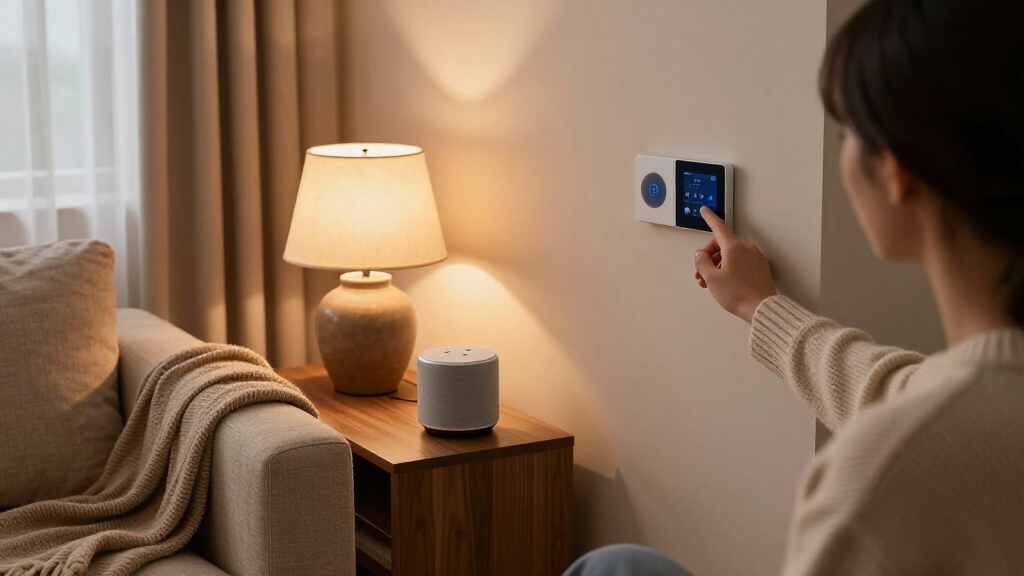
Smart home devices are household gadgets — bulbs, plugs, thermostats, locks, cameras — that connect to Wi-Fi or a hub so you can control them by app or voice. The devices that consistently deliver value are smart thermostats, video doorbells, and smart lighting; everything else is situational. Start small, pick one ecosystem (Amazon Alexa, Google Home, or Apple Home), and expand only when a real problem shows up.
Last winter, my neighbor spent $2,400 on smart everything: bulbs, blinds, a fridge with a screen. Six months later, he unplugged half of it. The voice assistant kept mishearing him, the app needed three separate logins, and his “automated” morning routine took longer than flipping a switch.
That’s the trap. Smart home devices are amazing when they solve a real problem — and expensive clutter when they don’t. The difference between the two comes down to what you buy and, more importantly, what order you buy it in.
In this guide, you’ll learn which devices actually earn their price tag, which ones quietly spy on your habits, and how to build a setup that runs itself instead of demanding constant babysitting.
Buy in this order: smart thermostat, video doorbell, then smart bulbs — together they cover savings, security, and convenience for under $400.
A properly programmed smart thermostat saves about 8% on heating and cooling, roughly $50/year for the average U.S. home.
Choose one ecosystem (Alexa, Google Home, or Apple Home) before buying anything, and look for the Matter logo so devices work across platforms.
Skip smart fridges, cheap smart locks, and smart faucets — they add complexity to tasks that were never hard to begin with.
Spend 15 minutes on privacy: auto-delete voice recordings, put devices on a guest network, and turn on two-factor authentication.
What Smart Home Devices Actually Do (Beyond the Gimmicks)
Smart home devices are everyday household hardware — lights, plugs, thermostats, locks, cameras, speakers — that connect to your Wi-Fi or a central hub, letting you control them from an app, a voice assistant, or automated schedules. The keyword is control from anywhere: your thermostat adjusts while you’re at work, your door unlocks when your kid’s phone gets within 50 feet.
Think of it like a stereo system versus a Bluetooth speaker. The dumb version works fine, but the smart version anticipates you. A smart thermostat learns when you leave for work at 8:15 and eases the heating down at 8:00. A smart plug turns your dumb space heater into something you can kill from bed.
The real magic isn’t individual gadgets, though. It’s when devices talk to each other. Motion sensor detects you getting up at 2 a.m., tells the hallway lights to glow at 10% brightness, and tells the coffee maker to start preheating. That chain — trigger, then action — is what separates a smart home from a home full of expensive gadgets.
Rule of thumb: if a device doesn’t remove a daily friction point, it’s a toy, not a tool.
The Three Devices That Actually Pay for Themselves
The best smart home devices to buy first are the smart thermostat, the video doorbell, and smart bulbs — these three cover energy savings, security, and convenience, the three reasons people want smart homes in the first place. Everything else can wait.
| Device | Typical Price | What It Saves You | Payback Period |
|---|---|---|---|
| Smart thermostat (Nest, Ecobee) | $130–$250 | ~8% on heating/cooling (~$50/yr) | 2–3 years |
| Video doorbell (Ring, Nest, Eufy) | $60–$180 | Missed packages, porch theft | One stolen delivery |
| Smart bulbs (Philips Hue, TP-Link) | $10–$25 each | Time + small energy savings | Convenience play |
According to Energy Star research on programmable thermostats, that roughly 8% heating and cooling savings holds for most households that actually use the scheduling features. The catch: people who install the thermostat and never program it save almost nothing. Set the schedule once, on day one.
The video doorbell is the fastest payback of all. The FBI reports package theft affects tens of millions of U.S. households yearly — one intercepted porch theft and a $100 doorbell has done its job. My own doorbell paid for itself when it caught a delivery driver leaving a $300 package in the rain, on camera, after marking it “handed to resident.”
How to Pick an Ecosystem Before You Buy Anything
Your ecosystem is the software backbone — Amazon Alexa, Google Home, or Apple Home — that lets all your devices work together, and choosing it first prevents the classic mistake of buying gadgets that refuse to talk to each other. Skip this step and you’ll end up like my neighbor with four apps and a headache.
- Check your phone. iPhone-heavy household? Apple Home is the smoothest fit. Android? Google Home. Already Prime members with Echo speakers? Alexa.
- Look for the Matter logo. Matter is a 2022 connectivity standard backed by Apple, Google, Amazon, and Samsung. Devices with the Matter badge work across ecosystems, which future-proofs your purchase.
- Buy one cheap test device. A $15 smart plug tells you if the ecosystem’s app annoys you before you’ve spent $500.
- Standardize brands within the ecosystem. Mixing five bulb brands means five update schedules and five points of failure.
Here’s a real scenario: a friend bought a cheap no-name camera because it was $30. It only worked with its own app, required a cloud subscription to review footage, and the company shut its servers down 14 months later — bricking the camera entirely. A Matter-certified device from a known brand avoids both problems.
The Devices That Sound Great and Disappoint Most
Some smart home devices are genuinely bad bets — smart fridges, smart faucets, and most smart locks under $150 consistently rank among the most regretted purchases in buyer surveys and reviews. Not because the tech is broken, but because they solve problems nobody had.
- Smart refrigerators ($1,800–$4,000): A touchscreen to see inside your fridge — that you’re already standing in front of. Interior cameras and expiration tracking work poorly in practice.
- Cheap smart locks: Sub-$150 models often have sluggish motors, die in cold weather, and become a locked-out nightmare when batteries fail. If you want a smart lock, budget $200+ for a Yale or Schlage with a physical key backup.
- Smart faucets: Voice-activated water sounds futuristic. In practice, saying “turn on the water to 95 degrees” takes four times longer than moving a handle.
- Smart toasters, smart kettles, smart mirrors: Fun demos. Terrible daily products.
Notice the pattern? The failures all add complexity to simple tasks, while the winners automate tedious or invisible ones. Heating schedules, package monitoring, motion lighting — nobody misses doing those manually. Nobody struggles with a toaster.
Your First Week: A Setup That Runs Itself
A smart home setup works best when you automate routines around your actual schedule, not the defaults — spend one evening building three routines and the system quietly pays you back every day after. Here’s the exact sequence that works for most people.
- Day 1: Install the smart thermostat and program your weekday schedule — wake, leave, return, sleep. This is where the money is.
- Day 2: Mount the video doorbell and set motion zones to your porch only, so passing cars don’t trigger 40 alerts a day.
- Day 3: Replace the five bulbs you use most — kitchen, living room, bedroom, hallway, porch. Leave closets alone.
- Day 4: Build one morning routine: lights fade on at 6:45, thermostat warms the house, one voice news briefing.
- Day 5: Build one away routine: everything off, thermostat to eco, camera alerts on.
- Day 6–7: Live with it. Fix what annoys you. Delete what doesn’t get used.
That last step matters more than it sounds. The best smart home is the one you stop noticing. If a week goes by and you never open the app manually, you’ve built it right.
What Smart Devices Know About You (and How to Lock It Down)
Smart home devices collect surprisingly detailed data — voice recordings, motion patterns, temperature preferences, and daily schedules — and much of it flows to company servers by default. This is the trade nobody reads about on the box: convenience in exchange for a live map of your household’s habits.
Amazon, Google, and Apple have all faced scrutiny over how assistant recordings were handled; Amazon admitted in 2019 that human reviewers listened to some Alexa clips. That’s not a reason to panic, but it is a reason to spend 15 minutes in settings.
- Turn off voice recording storage or set auto-delete to 3 months in your assistant’s privacy settings.
- Put cameras on a local-storage option (Eufy and some others support SD cards) instead of cloud-only plans.
- Put devices on a guest Wi-Fi network so a compromised bulb can’t see your laptop.
- Enable two-factor authentication on every account — a smart lock tied to a password-only account is a liability.
A smart home with weak security isn’t convenient — it’s a surveillance system pointed at you.
Frequently Asked Questions
Do smart home devices increase home value?
Slightly, and only for the right devices. Real estate agents report that smart thermostats, video doorbells, and smart locks can make a listing more attractive to younger buyers, but they rarely add measurable dollar value on their own. Treat them as lifestyle upgrades, not investments.
Do smart home devices work without internet?
Mostly no — and that’s their biggest weakness. Cloud-dependent devices like Ring cameras lose remote features when your Wi-Fi drops. Look for devices with local control: Philips Hue bridges work on your local network, and Matter-certified devices can respond faster because processing happens in your home rather than a distant server.
What’s the cheapest way to start a smart home?
A single $15 smart plug paired with the free app of your chosen ecosystem. Plug in a lamp, set a schedule, and see if the experience clicks for you. If it does, add the thermostat and doorbell next. Total entry cost for a meaningful setup: about $200–$400.
Are smart home devices secure, or can they be hacked?
Any internet-connected device can be compromised, but the risk is manageable with basic hygiene: buy from established brands, change default passwords, enable two-factor authentication, and keep devices on a separate guest network. Most real-world incidents involve cheap no-name devices with abandoned firmware, not major brands.
Do I need a smart hub, or is Wi-Fi enough?
Wi-Fi is fine for three to five devices. Beyond that, a hub using Zigbee or Thread (like the Hue Bridge or Apple HomePod) reduces router congestion, improves battery life on sensors, and keeps things running when the internet drops. If you’re planning a whole-home setup, budget for a hub early.
Conclusion
Here’s the whole game in one sentence: buy devices that remove friction, not devices that impress guests. A thermostat that learns your schedule, a doorbell that guards your packages, and bulbs that greet you at the door — that’s a smart home. A fridge with a touchscreen is just a computer that keeps milk cold.
Start with three devices, one ecosystem, one evening of setup. Then leave it alone. Six months from now, when your house warms itself before you walk in and you haven’t touched a light switch in weeks, you’ll wonder how you lived the dumb way.
Fall Picks
fall essentials
As an affiliate, we earn on qualifying purchases.